
How to Find Company Tech Website from Company Contact Email?

Derrick lets you Find company tech website from company Contact email. Automate your data enrichment for free and have more time for what matters most: Closing.

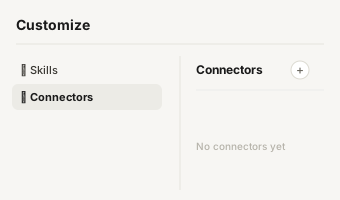
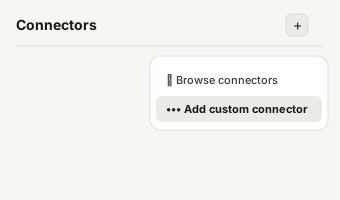
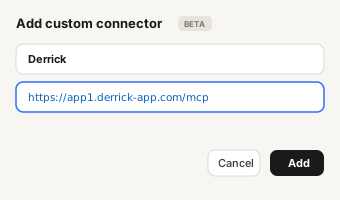
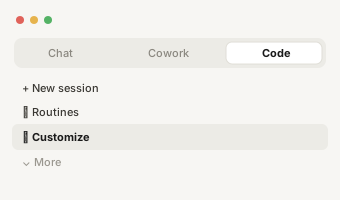
Run this in Claude, guided
4.6 / 5 on Google Workspace4.5 / 5 on G2
Used by 31,000+ B2B sales teams Updated

What is company tech stack?

Company tech stack (or technographics) is the inventory of software an account runs on its public website + product (e.g. uses Salesforce, HubSpot, Stripe, Segment, Datadog). BuiltWith and Wappalyzer are the canonical sources; some B2B databases (Cognism, ZoomInfo) layer in CRM-system + ATS detection beyond what's publicly inferrable.

When you're working from a company contact email, the company tech stack field becomes one of the most-requested enrichments because it lets you complete the buyer profile without forcing the prospect to fill another form. The trade-off is hit-rate: the company tech stack value is only as findable as your company contact email is unambiguous.

Why you need company tech stack for sales

Tech-stack data is high-leverage qualification data: a company running Salesforce is a different sale than one running HubSpot, and a company without a CRM at all is a fundamentally different conversation. Outbound campaigns that mention the prospect's actual tech stack ("I see you're on Outreach + Salesforce - here's how Derrick fits") convert 4-8× higher than generic openers.

Teams that already have company contact email on every record but don't enrich company tech stack effectively waste the upstream investment. The cost of NOT having company tech stack compounds: every outbound campaign without it drops in personalisation; every CRM report without it drops in accuracy.

Why find company tech stack from company contact email?

When you only have a company contact email like contact@acme.com, the email itself doesn't identify a person - but the domain extraction (acme.com) lets you resolve company tech stack at the account level. This is the standard fallback for inbound chat / contact-form leads that refuse to give a personal email.

Common use cases for company tech stack

  • Outreach personalisation by tech stack
  • Integration-led GTM (target Salesforce users for Salesforce integration)
  • Competitive intel + displacement campaigns

Step 1 - Open Google Sheets and install Derrick

Derrick will allow you to find company tech website in a few clicks without any technical skills. Just install Derrick, open Google Sheet, and launch Derrick. Now you’re ready ! You can also find data such as company employee count,linkedin Company Url,company tagline,company phone number, lead phone number... Discover Derrick Now

Step 1 - Open Google Sheets and install Derrick

Find Name and domain from Email

Congratulations, you have done the most complicated. Now let's see how to find name and domain from email from company Contact email.In order to do this, You will need to use the name and domain from email Feature from Derrick App. It's quite easy to use. In the drop-down menu, select the column header that corresponds to a company Contact email. Validate the operation by clicking on the button, and let Derrick do his job.

Use tech lookup to find tech website

Well done, with the previous step !Now you got a column with the domain, right ? let's do the second step. Choose the 'Tech lookup' Feature. In the drop-down menu, select the column header that corresponds to a domain list. Validate the operation by clicking on search, and let Derrick do his job.

Why teams choose Derrick.

Powerful features that save time and boost your sales pipeline.

ENRICHMENT

100+ data points on companies & leads.

AI POWERED

Built-in AI, no separate subscription.

THREE SURFACES

Google Sheets, your AI assistant, or the API.

BEST VALUE

Same quality data, for a fraction of the cost.

How it Works

Get started in 3 simple steps.

Start where you already work

A spreadsheet, your AI assistant, or your own code. Pick the surface that fits the job - the engine behind them is the same.

Choose an action, give it an input

Email, phone, company, a prompt: the same actions are available on all three, priced the same way.

Get the answer where you asked

Rows fill in your sheet, your assistant answers in the chat, the API returns JSON. And it says when it found nothing, instead of guessing.

No credit card required • 100 free credits

Customer stories

Loved by sales teams worldwide

See what our customers say about Derrick.

  • Rated 4.6 out of 5 on Trustpilot, 323 reviews
323 reviews

"This app saved me so much time and effort. Great for anyone looking to build a contact list or network at scale quickly. As a start-up it's been invaluable."

Alex Clark

Director | SaaS GTM Leader

Reviewed on Product Hunt

"Working pretty nifty compared to Snov.Io. Price wise it does give a fair shake, and IMO better interface since it's google sheets."

David Sire

Mortgage Broker at Zero Point Mortgage

Reviewed on Product Hunt

"Derrick is a very simple and user-friendly app to enrich your contacts database. Best thing: you can test it for free. And then the price is so low, it's a no brainer."

Etienne Grange

CEO Form'actions

Reviewed on Capterra

↗ Part of Derrick's LinkedIn Lead Enrichment - the feature page collects every recipe in this family and benchmarks Derrick against the alternatives.

Start now. It takes a minute.

No setup, no onboarding call, nothing to migrate. Add Derrick where you already work, build a list or enrich your own, free to start.

Any questions?

Stop copying data around. Start enriching.

Is finding company tech stack free?

+

The free Derrick plan ships 100 credits per month with no credit card required, which is enough to find company tech stack for ~100 company contact email inputs depending on the lookup type. Paid plans start at €9/month for 4,000 credits if you need more volume.

What's the hit rate for finding company tech stack from company contact email?

+

Derrick runs a multi-source lookup rather than querying a single database, so coverage is broader than a single-source provider. The hit rate for company tech stack from company contact email depends on how uniquely your company contact email identifies the target, on geography, and on B2B vs B2C context, so we don't publish a single headline number. When no source returns a confident match, Derrick leaves the cell empty rather than guessing.

Can I bulk-enrich company tech stack for thousands of rows?

+

Yes - Derrick processes batch enrichment runs across thousands of rows in a single Google Sheets job, with progress tracking and per-row credit accounting. The workflow above scales linearly: 1 row or 10,000 rows, the steps are identical.

How does Derrick compare to other company tech stack finders?

+

Most company tech stack tools live as standalone web apps that require CSV export then re-import. Derrick is the only Google-Sheets-native option (plus API + MCP), with hit rates competitive with premium providers and pricing 3-10× cheaper than enterprise databases. See the full sales-tool comparison for a side-by-side review.

Do I need an API key to find company tech stack from company contact email?

+

No - the Google Sheets add-on works with a one-click sign-in (no API keys, no developer account needed). If you'd rather hit the REST API directly or drive enrichment from Claude / ChatGPT via MCP, both are available on the same credit pool. The choice is workflow-dependent, not pricing-dependent.