Free website lookup tool
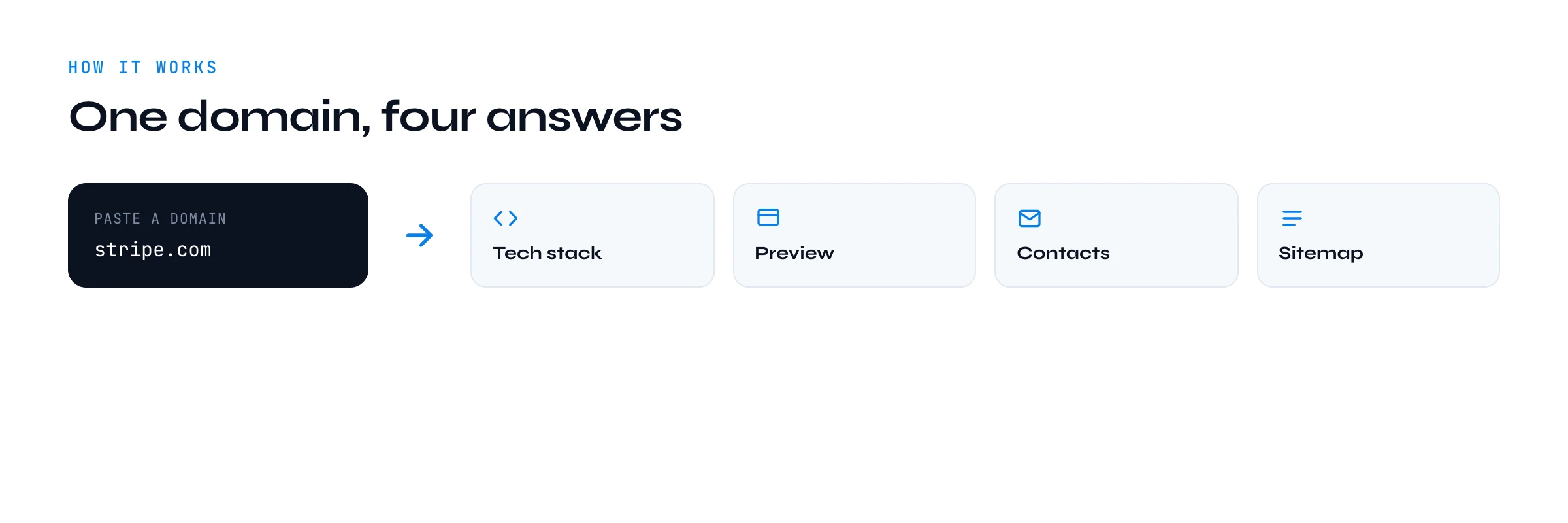
What's any company built with? Scan any website and get its tech stack, meta-tag preview, sitemap and public contacts in seconds. Then run the same scan on whole lists of companies with Derrick.
Try , or
Keep scanning, free
Drop your work email to run unlimited lookups and get the Derrick playbook for enriching lists at scale.
No spam. Unsubscribe anytime.

At scale
derrick •
Now run it on a thousand companies
Derrick runs this same detection across a whole list, plus emails, phones and firmographics. Import or paste your domains in the web app and add a column: nothing to install.
- Web app: nothing to install, no credit card
- Free plan: 100 credits every month
- API and MCP from the Plus plan (€47.50/month)
Install the add-on and enrich your lists without leaving your spreadsheet.
Install in Google Sheets →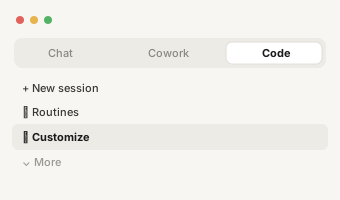
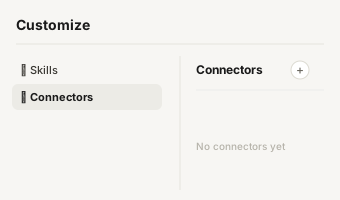
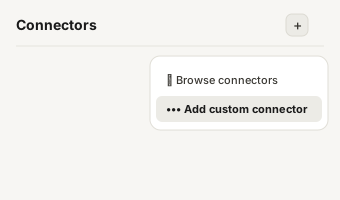
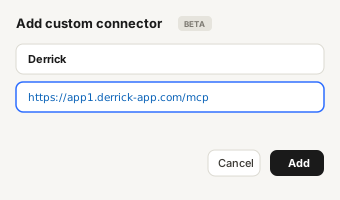
https://app1.derrick-app.com/mcp Call the same enrichment endpoints straight from your own stack or workflow.
Read the API docs →
Overview
What is a website lookup tool?
A website lookup tool takes a single domain and tells you what that website is made of and who is behind it, without you opening a single dev tool. Paste a URL and, in a couple of seconds, you get the site's technology stack, its search and social preview, the public contact details it exposes, and a peek at its sitemap. It is the fast way to understand a company from the outside before you spend any real time on it.
This one is free, runs in your browser, and asks for nothing on the first scan. It is built for one job done well: answer "what is this site, and what is it built with?" in the time it takes to read a subject line. That makes it useful right before an outreach message, during a competitive teardown, or when you are deciding whether an inbound lead is worth a meeting.

What it detects
What this free website lookup tool detects
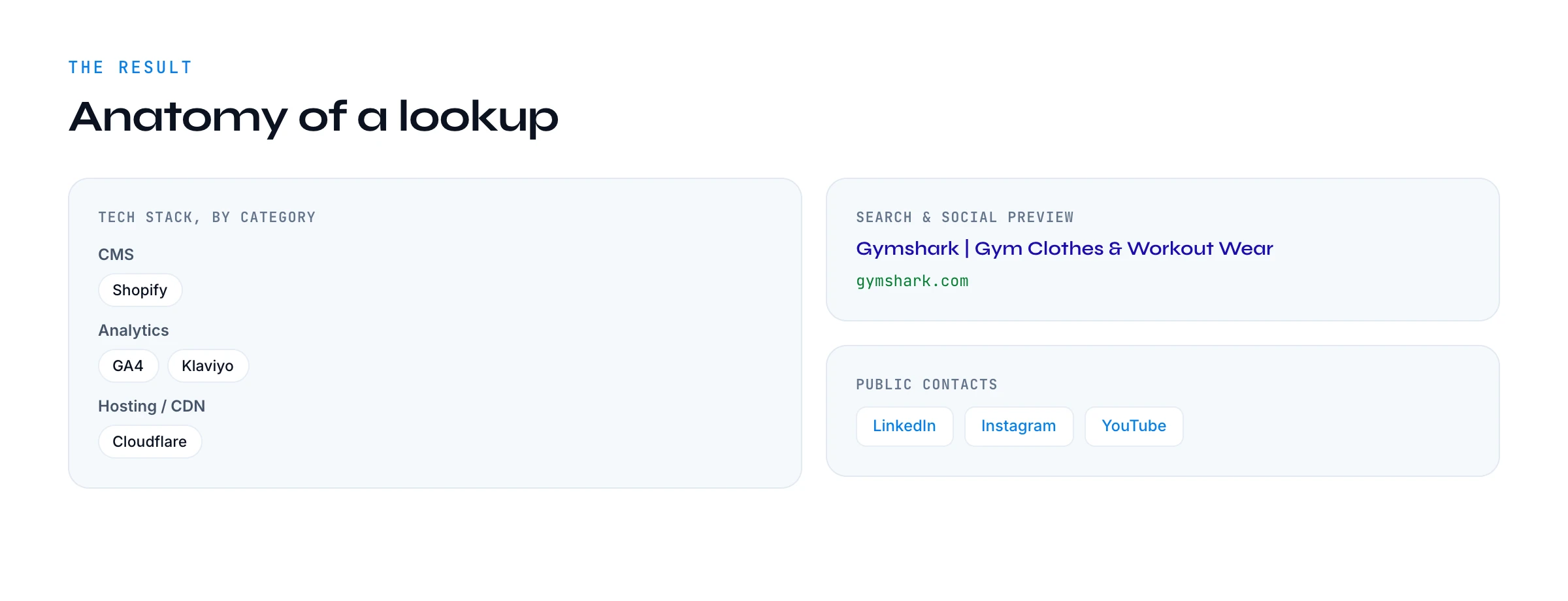
The scanner reads the live page and its response headers and matches them against around 45 curated technology fingerprints, grouped into categories so the result is readable at a glance rather than a wall of script names:
- CMS and site builders: WordPress, Webflow, Shopify, Squarespace, Wix, Framer, Ghost, HubSpot CMS.
- Frameworks: Next.js, Nuxt, Gatsby, Astro, React, Vue, Svelte, jQuery, Tailwind.
- Analytics: Google Analytics 4, Google Tag Manager, Segment, Hotjar, Mixpanel, Plausible, Amplitude.
- Marketing and chat: HubSpot, Intercom, Drift, Crisp, Facebook Pixel, LinkedIn Insight, Calendly, Typeform.
- Payments: Stripe, PayPal.
- Hosting and CDN: Cloudflare, Vercel, Netlify, AWS, Fastly, GitHub Pages, Nginx, Apache.
- Fonts and libraries: Google Fonts, Font Awesome, jsDelivr.
Alongside the stack you get the page's meta and Open Graph preview (the title, description and image that show up in Google and on social), the public email addresses and social profiles the site links to, and whether it publishes a sitemap. Each of those is a small signal on its own; together they paint a quick, honest picture of the company.

Under the hood
How the website lookup works under the hood
There is no magic and no scraping of anything private. When you submit a domain, the tool fetches the public homepage server-side, the same way a browser would, then inspects two things: the HTML itself and the HTTP response headers. A CDN like Cloudflare or a host like Vercel usually announces itself in the headers; a CMS or framework leaves tell-tale paths and markers in the HTML. The tool matches those against its fingerprint rules and returns only the technologies it can see with confidence.
It is deliberately built from scratch and does not call any paid data API, which is exactly why it can be free. It reads what the site already shows the world. That also sets an honest boundary: it sees what is in the homepage and headers, not what is hidden behind a login or loaded much later by a script it did not execute.

Reading results
How to read your results
Start with the tech stack. The CMS tells you how the site is built and how easily the company ships changes. The marketing and analytics tools tell you how seriously they invest in growth: a site running HubSpot, Segment and a Facebook Pixel is a different buyer than a plain brochure site. The payment provider hints at how they monetise.
The search and social preview is how the company presents itself in one line, which is often the cleanest summary of their positioning you will find. The public contacts give you a starting point, though many sites now keep personal emails off the page. The sitemap tells you how large and how content-heavy the site is, which is a quick proxy for company maturity.

Use cases
Use cases: who uses a website lookup and why
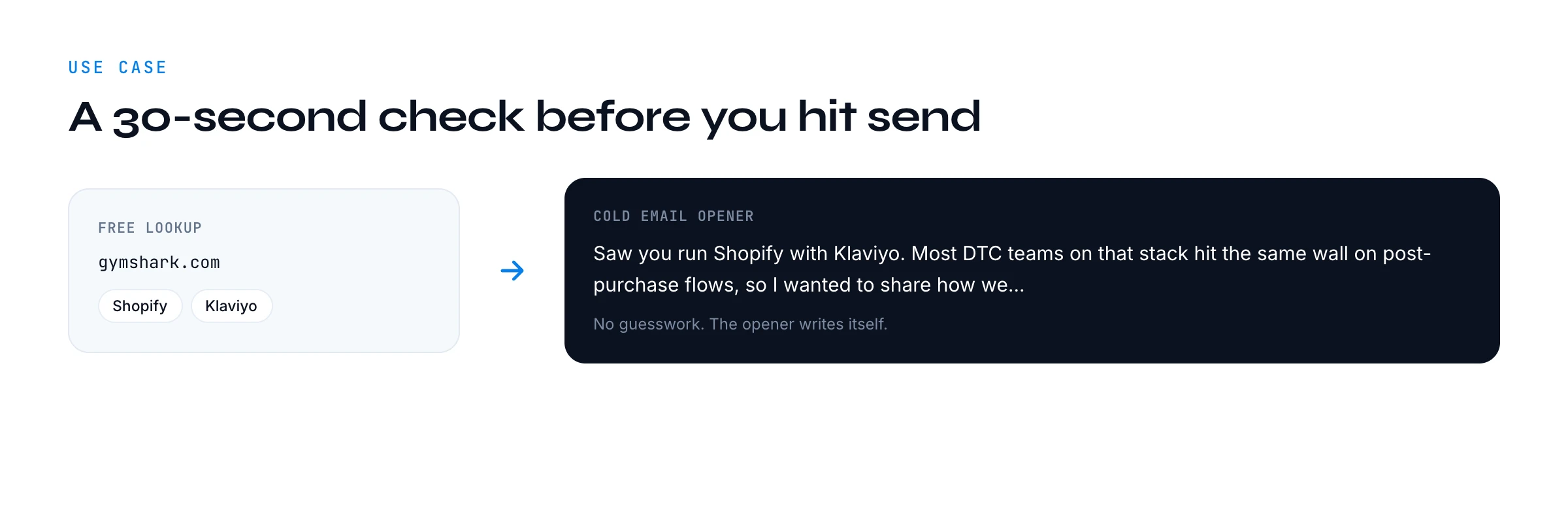
SDRs and BDRs use it right before sending, so the first line of a cold email names the exact stack the prospect runs instead of a generic compliment. Account executives use it to qualify inbound leads in seconds. Founders doing their own outbound use it to size up a company before a call. Agencies use it to audit a prospect's site live during a pitch. Recruiters use it to understand an engineering team's stack before reaching out. In every case the move is the same: turn a cold name into a specific, relevant reason to talk.
Compare
Website lookup vs WHOIS vs the paid tech-stack feature
These sound similar but answer different questions. The website lookup reads the live site: its stack, preview and contacts. The WHOIS domain search tool reads the domain registration record: registrar, creation and expiry dates, nameservers. Use the lookup to understand the product and the company; use WHOIS to understand the domain. Both are free and both work one record at a time.
Derrick's tech stack feature is the paid, at-scale version of this lookup. Instead of one site at a time, it runs the same detection across a whole list of companies in the Derrick web app and writes the results back row by row. The free tool is the taster; the feature is the production line.
Limits
Privacy, accuracy and limits
The tool only reads public information that the site serves to any visitor. It does not log in, does not bypass anything, and does not surface personal data hidden behind forms. On the contacts side it deliberately filters out placeholder and personal-mailbox addresses, so you see real company contacts or a clean empty state rather than noise.
Two honest limits. First, detection is based on what the homepage and headers reveal, so a heavily script-rendered site or one behind aggressive bot protection may return little or nothing. Second, fingerprints show what is present, not what is absent: a tool not detected is not proof the company does not use it elsewhere. Treat the result as a strong, fast signal, not a forensic audit.
Free website lookup tool vs BuiltWith and Wappalyzer
BuiltWith and Wappalyzer are the names most people know for technology detection. They are good, deep tools, and for exhaustive historical data they are worth it. The trade-off is that the genuinely useful parts usually sit behind a paid plan or a browser extension you have to install, and the output can be a long, noisy list that buries the few facts you actually care about.
This free website lookup tool takes the opposite stance. It runs in any browser with nothing to install, the first scan needs no account, and it returns a curated, readable set of technologies grouped by category rather than every script it can find. It also goes beyond the stack to give you the search preview, public contacts and sitemap in the same view. If you want a fast, free, no-friction answer for one site before you reach out, it is built exactly for that. If you need bulk detection across thousands of sites, that is a job for Derrick rather than a browser extension.
Tips to get the most out of each scan
A few small habits make the tool more useful. Scan the prospect right before you write, not days ahead, so the stack you reference is current. Read the categories together rather than in isolation: a CMS plus a marketing suite plus a payment provider tells a richer story than any single chip. When a scan comes back thin, it usually means the site is heavily script-rendered or behind bot protection, so try the company's marketing domain rather than an app subdomain. And treat the public contacts as a starting point, not a finish line: the absence of an email on the homepage does not mean you cannot reach the right person, it just means you need a finder rather than a lookup.
Used this way, the website lookup becomes a thirty-second ritual at the top of every outbound touch: check, personalise, send. The compounding effect on reply rates is the whole reason the tool exists.
Your whole list
From one website to your whole list
The website lookup is perfect for one company at a time. The moment you have a list of two hundred domains and need the stack, the contacts and the firmographics for every one, doing it by hand stops making sense. That is the line where a free tool ends and a workflow begins.
Derrick runs this exact detection across a whole list: import or paste your domains in the web app and get tech stacks, emails, phone numbers and firmographics back, one click per column. The free website lookup proves the idea on one company; Derrick does it on the list. It is one of our free lead generation tools, built as the on-ramp to that workflow.
The progression is deliberate. Start free, on a single account, and confirm that knowing the stack actually changes how a prospect replies. Once it does, and it usually does, you stop copying results out of a browser one at a time and let the same detection run down your whole list while you do something more valuable. The free tool removes the excuse to skip research; Derrick removes the excuse that research does not scale. Bookmark this page, make the scan a habit on every account you touch, and graduate to the bulk workflow the day your list outgrows doing it by hand.