WHOIS domain search tool
Look up any domain's registration record in seconds: registrar, creation and expiry dates, status, nameservers and DNSSEC. Free, powered by RDAP.
Try , or
Keep searching, free
Drop your work email to run unlimited WHOIS lookups and get the Derrick playbook for enriching lists at scale.
No spam. Unsubscribe anytime.

At scale
derrick •
Now do it for a thousand domains
WHOIS answers one domain at a time. Derrick enriches a whole list of domains at once with company data, firmographics, emails and phones. Import or paste your list in the web app: nothing to install.
- Web app: nothing to install, no credit card
- Free plan: 100 credits every month
- API and MCP from the Plus plan (€47.50/month)
Install the add-on and enrich your lists without leaving your spreadsheet.
Install in Google Sheets →
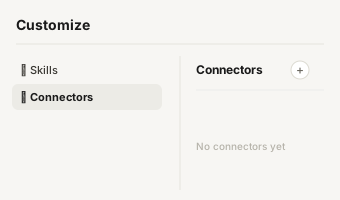
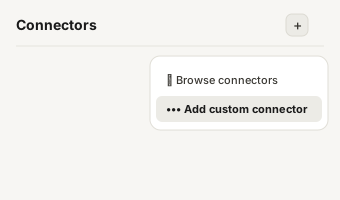
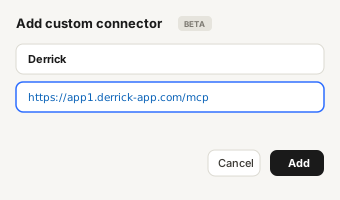
https://app1.derrick-app.com/mcp Call the same enrichment endpoints straight from your own stack or workflow.
Read the API docs →
Overview
What is a WHOIS domain search tool?
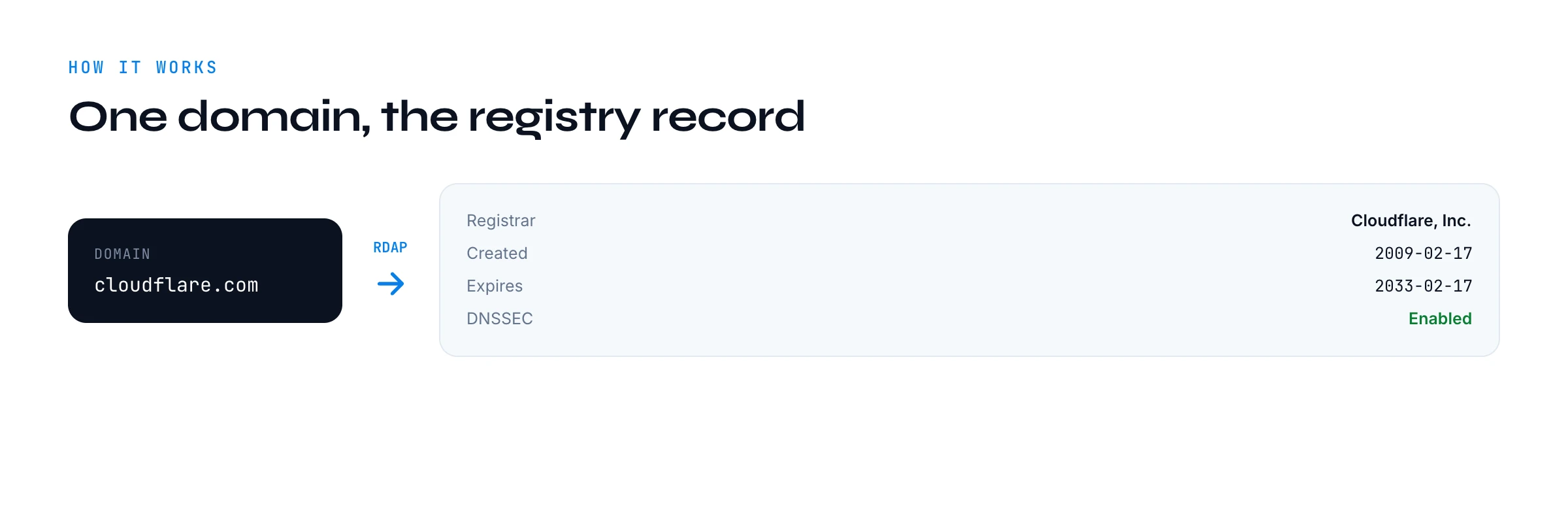
Every registered domain on the internet has a public registration record. A WHOIS domain search tool reads that record and shows you the useful parts: which registrar manages the domain, when it was first registered, when it was last changed, when it expires, its status codes, its nameservers and whether DNSSEC is enabled. Type a domain, get its paperwork.
This one is free, runs in your browser, and asks for nothing on the first search. It exists to answer one question fast: "what do we actually know about this domain?" That is useful when you are sizing up a company, checking that a domain is legitimate and established, or researching a prospect before a conversation.

The record
What a WHOIS lookup shows you
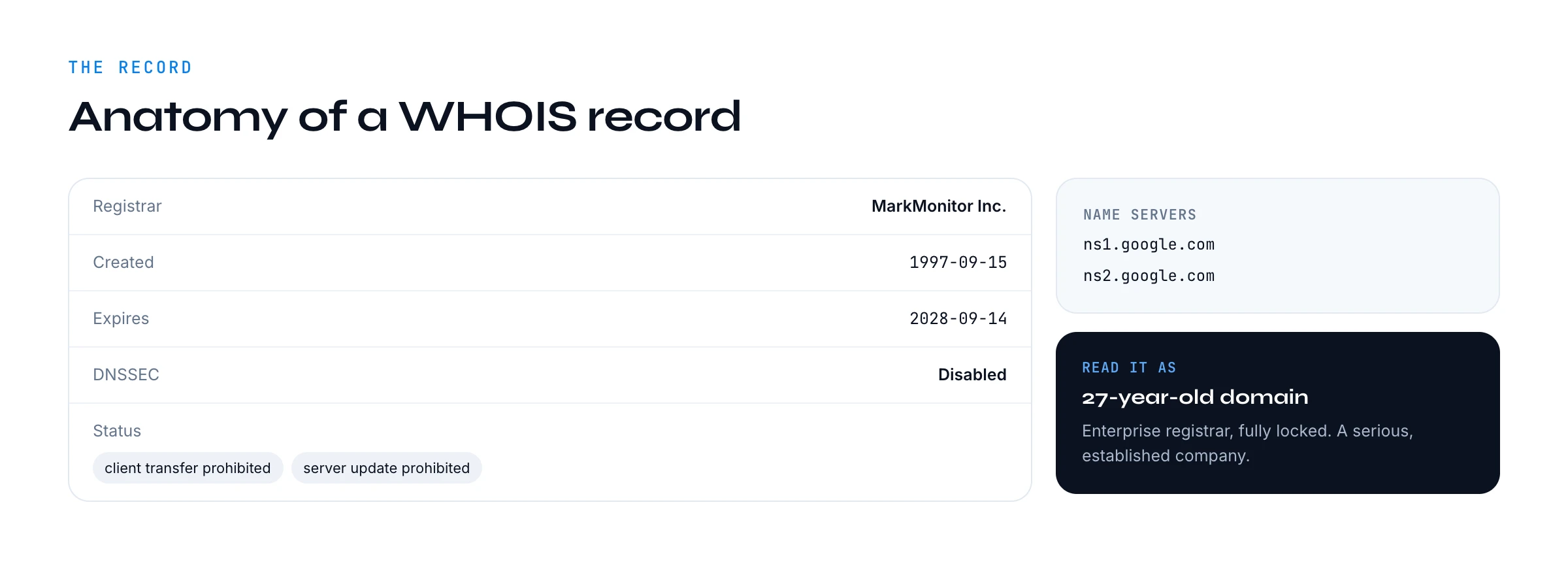
The record is small but dense. Each field tells you something concrete about the domain and, by extension, the company behind it:
- Registrar: the company that manages the registration (GoDaddy, Cloudflare, MarkMonitor, OVH). Enterprise registrars like MarkMonitor signal a larger, brand-protective organisation.
- Creation date: when the domain was first registered. This is the single best proxy for how established a company is.
- Last updated: when the record last changed, which can flag a recent transfer, renewal or ownership change.
- Expiry date: when the registration lapses. A soon-to-expire domain on an active company can hint at a rebrand or churn risk.
- Status codes: EPP codes like "client transfer prohibited" that show how locked-down and carefully managed the domain is.
- Nameservers: who runs the domain's DNS, which hints at the hosting and sometimes the email provider.
- DNSSEC: whether cryptographic signing is enabled, a small marker of technical maturity.

WHOIS vs RDAP
WHOIS vs RDAP: why this tool is cleaner
Classic WHOIS is an old text protocol that runs on port 43 and returns free-form text that differs from one registry to the next, which is why legacy WHOIS tools are so inconsistent. This tool uses RDAP instead, the Registration Data Access Protocol, the modern HTTP and JSON replacement that every major registry now supports. RDAP returns structured, predictable data, so the registrar, dates and nameservers always land in the right place.
Practically, that means you get a clean, readable record instead of a wall of raw text, and it works the same across com, net, org and most country domains. It is also why this tool can be built from scratch with no paid data provider behind it: RDAP is a public, standard service.

Privacy
Why the registrant name and email are usually hidden
If you used WHOIS before 2018, you might expect to see the registrant's name, email and address. Since 2018, registries and registrars redact those personal details from public records by default to comply with privacy law, often replacing them with a privacy service. This is universal: every WHOIS or RDAP tool, including this one, will usually show you the registrar and the technical record rather than a person.
That is not a bug or a limitation specific to this tool. It is the current state of the public WHOIS system. If you need to reach a real person at the company, the registration record is the wrong place to look. Pair this with the website lookup tool for public contacts, or use Derrick to find a verified work email from a name and a domain.

Sales signals
How to read a WHOIS record for sales signals
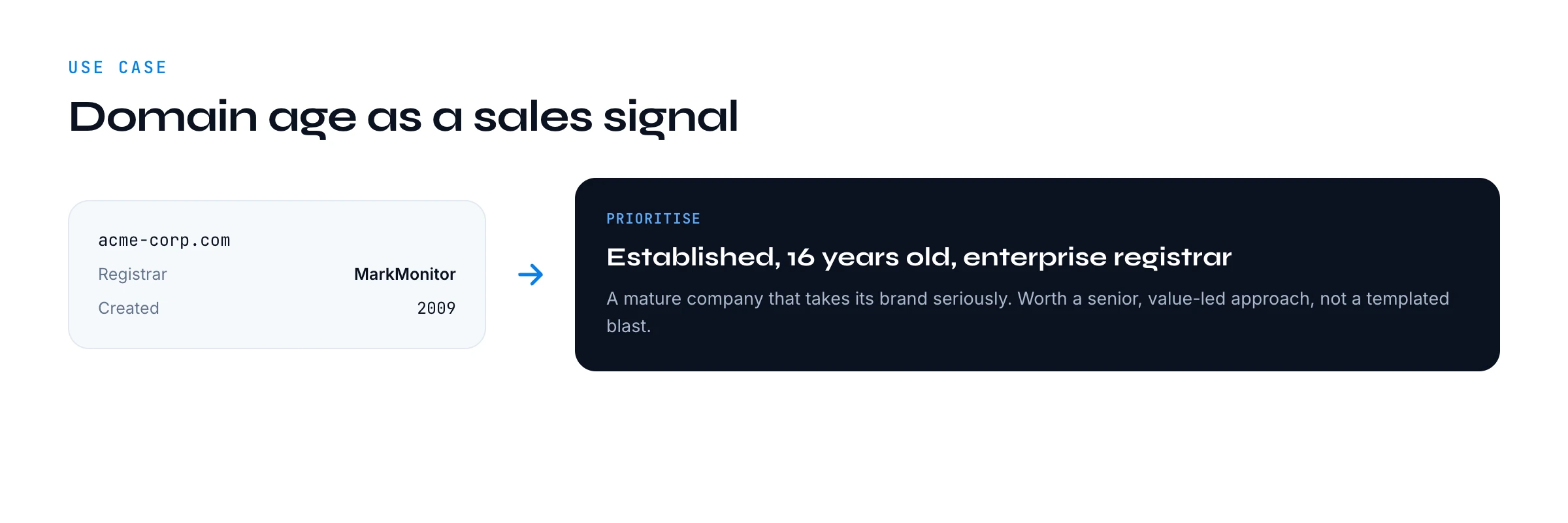
Domain age is the headline. A domain registered fifteen years ago belongs to an established company; one registered three months ago is either a new venture or a new project worth a different conversation. The registrar adds colour: an enterprise registrar plus a fully locked-down set of status codes suggests a company that takes its brand and security seriously, which often correlates with budget.
The expiry date is an underused signal. A domain expiring soon on an otherwise active company can hint at a rebrand, a migration, or simply a renewal moment. The nameservers tell you who runs their infrastructure, which can be a conversation starter for anyone selling hosting, security or email tooling. None of these are decisive alone, but together they help you prioritise and personalise.
Compare
WHOIS vs the website lookup tool
These two free tools are complementary, not interchangeable. WHOIS reads the domain registration record: registrar, dates, nameservers. The website lookup tool reads the live site: tech stack, meta preview, public contacts. Use WHOIS to understand the domain and how established the company is; use the website lookup to understand the product and the stack. Together they give you a fast, rounded read on a company before you spend real time on it.
Limits
Limits and accuracy
Two honest limits. First, coverage depends on the registry: nearly all generic top-level domains and most country domains expose RDAP, but a handful of older country registries still do not, so some lookups return little. Second, as covered above, personal registrant details are redacted by default, so do not expect contact data here. What you can rely on is the registrar, the key dates, the status codes and the nameservers, which is exactly the technical and timing picture you want for research.
Status codes
Common WHOIS status codes explained
The status field uses standard EPP codes that look cryptic but are easy to read once you know the pattern. "client" codes are set by the registrar; "server" codes are set by the registry and are harder to remove. Here are the ones you will see most:
- client/server transfer prohibited: the domain cannot be moved to another registrar without removing the lock. Common on brands that protect against hijacking.
- client/server update prohibited: the record cannot be changed while the lock is on. A sign of a carefully managed domain.
- client/server delete prohibited: the domain cannot be deleted. Standard on anything a company actually relies on.
- ok (or "active"): no locks set. Normal for smaller or newer domains, but worth noting on a larger one.
- pendingDelete / redemptionPeriod: the domain lapsed and is on its way out. Rare on active companies, and a strong signal when you do see it.
A domain with the full set of client and server prohibitions is locked down hard, which tells you the company treats its domain as critical infrastructure. A bare "ok" on a large company is a small but real anomaly worth a second look.
Due diligence
WHOIS for due diligence and brand protection
Sales research is not the only use. WHOIS is a staple of basic due diligence: before you sign with a vendor or partner, the creation date confirms how long they have really been around, and the registrar and lock status show how seriously they manage their own assets. A flagship company whose domain expires in three weeks and sits on a consumer registrar with no locks is sending a quiet signal about how it runs operations.
It also helps with brand and security checks. If you are auditing look-alike domains that might be impersonating a brand, the registrar, creation date and nameservers help you tell a legitimate regional site from a freshly registered copy. None of this requires special access: it is all in the public registration record, which is exactly what this WHOIS domain search tool surfaces in one place.
The same record answers a surprising number of everyday questions. Is this supplier as established as their homepage claims? Did this domain change hands recently? Is the company about to let a key domain lapse? Is this really the official site or a copycat? You will not get a person's name from WHOIS any more, but for the structural facts about a domain it remains the fastest, most authoritative check there is, and this tool gives it to you for free in one clean view.
Your whole list
From one domain to your whole list
A WHOIS search is perfect for one domain at a time. When you have a list of accounts and want domain age, firmographics, emails and phones for every one, checking them by hand is not the job. That is where a free tool ends and a real workflow begins.
Derrick runs domain, company and contact enrichment across a whole list in its web app: import or paste your domains and get firmographics, phone numbers and verified emails back, one click per column. The free WHOIS search proves the idea on one domain; Derrick does it on the list. It is one of our free lead generation tools, built as the on-ramp to that workflow.
Think of WHOIS as the first question in a longer chain. The registration record tells you how old and how serious a domain is; the website lookup tells you what the company runs; and Derrick turns both into the contact data you actually reach out with. On one account you can do that by hand in a couple of minutes. On a list of hundreds, the only sane version is to run it as columns on the whole list, which is exactly what Derrick is for.
So use this free WHOIS domain search tool whenever you need a fast, honest read on a single domain: a quick due-diligence check, a prospect you are about to call, a look-alike you want to verify. When that check becomes something you do across a whole target list, that is the signal to move it into the bulk workflow rather than repeating it one domain at a time.
What is a WHOIS domain search tool?
+
Is this WHOIS lookup free?
+
Why is the registrant name or email hidden?
+
What can I use WHOIS data for in sales?
+
WHOIS vs the website lookup tool, what is the difference?
+
WHOIS answers one domain at a time. Derrick enriches your whole list at once in its web app: company data, emails, phones, firmographics and more.
Install the add-on and enrich your lists without leaving your spreadsheet.
Install in Google Sheets → https://app1.derrick-app.com/mcp Call the same enrichment endpoints straight from your own stack or workflow.
Read the API docs →