
B2B data providers compared: assemble the multi-source stack that wins on your ICP
Eight concrete plays - webform inbound, anonymous web traffic, business card OCR, LinkedIn URLs - each with the provider stack that actually works for it, and the costs spelled out.

Enrichment isn't one thing. It's eight different plays that share a process but differ wildly in inputs, sources and timing. This cluster maps each common B2B use case to its source stack - so you stop running an event-list enrichment with a web-form-shaped tool.
Why this cluster matters
Every team you talk to runs enrichment differently - and most of them are using the wrong tool for the wrong play. The fix isn't to pick a better tool: it's to recognize which play you're running and pick the source stack that fits. This cluster gives you that taxonomy for the 8 plays that cover 90% of B2B enrichment use cases.
For who · Sales ops, growth marketers, RevOps building per-channel enrichment workflows.
What you'll learn
- Which source to use when the input is just a LinkedIn URL (vs an email, vs a company name)
- How to enrich an inbound web form lead in under 200ms
- The 3 ways to clean up a webinar registration list and route it correctly
- How OCR business card enrichment turns paper cards into Salesforce records in 30 seconds
- Which public databases (Companies House, SEC, Infogreffe) belong in your stack - and when
All guides · 8
All 8 guides in this cluster
Enrich inbound web forms
Enrich every inbound lead 200ms after form submit - and route it to the right SDR. Read the guide → Sources & use casesClean up event & webinar lists
Webinar registrations and conference exports cleaned in 5 minutes, segmentation included. Read the guide → Sources & use casesResolve anonymous web traffic
Resolve anonymous traffic with reverse-IP enrichment - what works and what's hype. Read the guide → Sources & use casesPull social media signals
Pull post engagement and follower count to spot warm accounts your CRM ignored. Read the guide → Sources & use casesTap public B2B databases
Where Companies House, SEC and Infogreffe fit into a modern enrichment stack. Read the guide → Sources & use casesOCR business cards into rows
From paper card to Salesforce record in 30 seconds, on mobile. Read the guide → Sources & use casesEnrich a CSV or Excel file
The fastest workflow to enrich a spreadsheet without ever moving it out of Sheets. Read the guide → Sources & use casesStart from a LinkedIn URL
Start with a profile URL, get email + phone + company in one lookup pass. Read the guide →5 sourcing rules that beat "just buy ZoomInfo" - and how to apply them
Most companies pick their enrichment provider the way they pick coffee at a conference: whatever's on the table when they're thirsty. Then they wonder why their match rate sits at 38% on French SMB founders and their CFO is asking why the contract is €60k/year. The five rules below come from watching teams build provider stacks that actually win on their specific ICP - not the ICP a vendor demo was tuned for.
1. Benchmark on YOUR data, not the vendor's sample
Every vendor will run a free benchmark on a sample list they've selected. The match rate they show you is real - for that sample. It is not predictive of your match rate on your data. The biggest vendor in the space typically benchmarks at 85% on US tech buyers and 32% on French SMB founders. If you're hunting French SMB founders and you buy on the 85% number, you've already lost the year.
The rule: never sign a provider contract without a benchmark on 500-1000 records of YOUR data, representative of YOUR ICP mix. Vendors will resist this. Walk away from those who refuse - the ones who agree are the ones who know their data fits your shape.
How Derrick handles it: our default multi-source lookup is benchmarked across thousands of ICP profiles, and our pricing is consumption-based - you only pay for matches that work on your data, not a flat seat-fee bet.
2. Pick by complementarity, not by size
The instinct is to add the biggest provider, then a backup, then maybe a third. The result: 3 providers all sourcing primarily from LinkedIn, with 70-80% overlap, giving you a ~5% lift over using one of them alone.
The discipline: map each provider's underlying source (LinkedIn scrape, job-board aggregation, CRM contributions, OSINT/public records, verified-email pings) and pick providers whose underlying sources don't overlap. One LinkedIn-source + one job-board-source + one public-records-source covers 90% of B2B records at a fraction of the cost of three LinkedIn-source providers stacked.
Most teams discover their "3 best providers" are basically the same provider in three coats of paint when they actually look at the source-of-truth column.
How Derrick handles it: our 10-source lookup is built around source diversity by design - each provider in the chain covers a different angle (LinkedIn, job-boards, verified-deliverability, public records, mobile carriers). You get complementarity without having to research each provider's data lineage yourself.
3. Match the source to the input you actually have
The biggest provider in the market is great when you start from a verified email. They're useless when you start from just a LinkedIn URL with no public email. Different inputs need different providers - but most teams buy one provider and try to bend it to all inputs.
The rule: map your real-world inputs (email, LinkedIn URL, company name + person name, business card photo, IP address, anonymous web visit) and pick at least one provider per input type. One provider can't cover all six: the LinkedIn-URL specialist isn't the email-finder, isn't the reverse-IP resolver. You need a stack, not a monolith.
How Derrick handles it: we accept all six common inputs (email, LinkedIn URL, name+company, OCR card, IP, anonymous visit) and route each to the right sub-stack automatically. From the user's side, in the web app or in Google Sheets, it's one column - under the hood, the routing happens transparently.
4. Refresh policy = source policy
The classic mistake: paying for fresh data once, then never refreshing. After 12 months, 30% of your enriched records are stale; after 24 months, half. The provider you needed to pick wasn't the one with the best initial match rate - it was the one with the best refresh API. These are not always the same provider.
Concretely: budget for refresh from day one. Top-tier accounts: monthly refresh (so job-changes are caught within 30 days, which is when the BDR needs to act on them). Mid-tier: quarterly. Long-tail: annual. The cost of refresh per record is typically 30-50% of the cost of initial enrichment - plan for it in the contract, not as a year-2 surprise.
How Derrick handles it: refresh is a built-in scheduled job - you set the cadence per account tier and Derrick runs the diff. Job-changes, company moves and bounce events trigger alerts in the Sheet. No separate "refresh API" contract to negotiate.
5. Compliance + data residency are source decisions, not legal afterthoughts
The provider you pick determines your compliance posture. A US-based provider scraping LinkedIn without proper GDPR legitimate-interest documentation can put your whole enrichment program at legal risk - even if YOUR team did everything right. Legal teams catch this in M&A due diligence or after a regulator complaint, never proactively.
The minimum bar before signing: EU data residency option (data processed in EU, not just stored), signed DPA in your jurisdiction, and a documented source-of-truth chain for each enriched record. The good providers offer all three; the cheap ones don't, and that's typically why they're cheap.
How Derrick handles it: data is processed in EU by default, our DPA is signed at account creation, and every enriched record carries a source-provenance tag for audit. Compliance is a one-time check at setup, not a recurring risk you have to manage.
The pattern across the five: provider selection isn't a vendor decision, it's an architecture decision. Benchmark on your data, pick for complementarity, match sources to inputs, budget for refresh, and treat compliance as a sourcing requirement. Get the stack right and you'll hit 80%+ match rate on YOUR ICP at half the cost teams quote for a single-vendor solution.
Or skip the architecture work and try Derrick free in the web app - the 10-source lookup is pre-built with all five rules applied. 100 credits/month, no credit card, nothing to install. The 8 guides below cover the per-play sourcing in detail.
Explore the other clusters
Foundations
Six core guides that establish what enrichment is, why it matters, and how a process works end-to-end - plus the 5 misconceptions that kill most projects in their third month.
6 guides →Pipeline & techniques
Seven deep-dives into the engineering choices that separate a hobby script from a system your team can actually depend on - including the architecture patterns nobody documents.
7 guides →Pitfalls & deep-dives
Five honest reads on what goes wrong - plus the 12 anti-patterns that have torpedoed real enrichment projects, with the fix for each one.
5 guides →Sources & use cases
Start enriching your list in 30 seconds
Free for 100 credits/month. No credit card.
Install the add-on and enrich your lists without leaving your spreadsheet.
Install in Google Sheets →
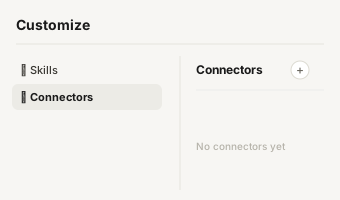
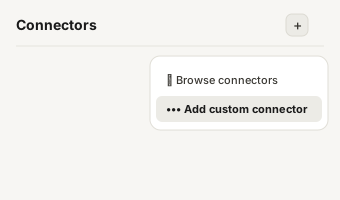
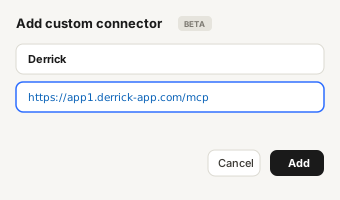
https://app1.derrick-app.com/mcp Call the same enrichment endpoints straight from your own stack or workflow.
Read the API docs →