How to Find Company Name from LinkedIn Profile URL?

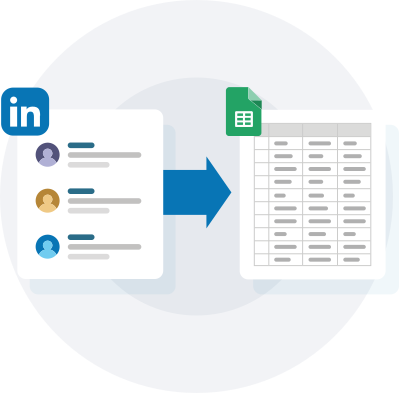
Derrick lets you Find Company Name from linkedin profile url. Automate your data enrichment for free and have more time for what matters most: Closing.

Used by 31,000+ B2B sales teams Updated
4.6 / 5 on Google Workspace 4.5 / 5 on G2

What is company name?

A company name is the legal or trading name of a B2B account (e.g. "Acme Corp", "Stripe", "HubSpot"). It's the lowest-friction enrichment input - a sales rep can type one without leaving Sheets - and resolves to LinkedIn company URL, website, headcount, industry, country, funding stage, tech stack and 30+ firmographic fields when matched against a B2B database.

For B2B teams operating from a list of LinkedIn profile URL values, company name is typically among the first 3-5 fields enriched on a fresh list. It feeds personalisation, segmentation, and routing logic - all of which need company name to be present and current before any downstream automation runs.
Why you need company name for sales

Company-name enrichment underpins ABM and outbound prospecting at scale. RevOps teams routinely receive a list of 500 target accounts from sales leadership and need full firmographic + technographic profiles in under an hour. Manual lookup against LinkedIn / Crunchbase / company websites would take days; automated company-name enrichment makes it a 60-second job.

Company Name is one of the highest-ROI enrichments for any team starting from LinkedIn profile URL: the marginal cost of one credit per row beats the alternative of an SDR manually researching the field on Google or LinkedIn (typically 30-90 seconds per record × your list size = tens of hours saved on a 1,000-row list).

Why find company name from LinkedIn profile URL?

A LinkedIn profile URL is the gold-standard input for resolving company name: it uniquely identifies the person inside the LinkedIn graph, eliminates name collisions, and gives the resolver direct access to the prospect's current job title and company affiliation. Hit-rates from LinkedIn profile URL usually exceed every other input type for company name because LinkedIn itself maintains the freshest professional graph.

Common use cases for company name

  • Target Account List (TAL) firmographic enrichment
  • ABM campaign segmentation
  • Account scoring + ICP matching

Step 1 - Open Google Sheets and install Derrick

Derrick will allow you to find Company Name in a few clicks without any technical skills. Just install Derrick, open Google Sheet, and launch Derrick. Now you’re ready ! You can also find data such as company industry,company description,company employee count,company website... Discover Derrick Now

Step 1 - Open Google Sheets and install Derrick

Enrich Lead Data

Congratulations, you have done the most complicated. Now let's see how to get company name from linkedin profile url.In order to Find company name With linkedin profile url, You will need to use the Enrich Lead Data Feature from Derrick App. It's quite easy to use. In the drop-down menu, select the column header that corresponds to a LinkedIn profile URL. Validate the operation by clicking on enrich, and let Derrick do his job.

Enrich Company Data

Well done, with the previous step !Now you have a lot of fresh data of your lead extract from linkedin such as skills, jobtitle, experience,... and also company Name and company Linkedin Url. If you want to go further you can also do this second step to find more data about the company you target. It's still very easy. Select 'Enrich Profiles' Feature, In the drop-down menu, select the column header that corresponds to a LinkedIn company URL. Validate the operation by clicking on enrich, and let Derrick do his job. done !

Why teams choose Derrick.

Powerful features that save time and boost your sales pipeline.

ENRICHMENT

100+ data points on companies & leads.

AI POWERED

Run AI on Sheet for 0 extra-cost.

0 MINUTE LEARNING CURVE

Know Google Sheets? Know Derrick.

BEST VALUE

Same quality data, for a fraction of the cost.

How it Works

Get started in 3 simple steps.

1
Install the Add-on

Add Derrick to your Google Sheets in one click from the Google Workspace Marketplace. No setup required.

2
Select Your Data

Choose the columns you want to enrich. Pick from 100+ datapoints including emails, phones, company info, and more.

3
Get Enriched Data

Watch as your sheet fills with accurate, up-to-date information. Export, integrate, or use directly in Google Sheets.

Start Enriching Now

No credit card required • 100 free credits

Pricing

Try it for free, no credit card required.

FREE
0€ /month

no credit card required

100 Credits / month
  • LinkedIn url finder

    1 credit per profile or company URL found
  • LinkedIn Enriching

    1 credit per profile or company enriched
  • SIRET/SIRENE Enrichment

    1 credit per profile or company enriched
  • Sales Nav import

    1 credit per lead or company
  • Data cleaning tools

    deduplicate leads, find gender…
    0 credit (Free)
MINI
9€ /month
4,000 Credits / month
(0,00225 € / credit)

Unused credits roll over

Everything in Free +
  • Phone Finder

    150 credits per contact found
  • Email Finder & Verifier

    5 credits per contact found
  • Website scraping

    2 credits per page
  • Website Tech Lookup

    CRM, CMS, etc.
    2 credits per line
  • AI enrichment

    Claude, OpenAI
    1/2 credits per line
  • 100+ additional data

PLUS
47.5€ /month

−15% discount

25,000 Credits / month
(0,0019 € / credit)

Unused credits roll over

Everything in Mini +
  • API Access

    Access all Derrick APIs
  • Signal (Change alerts)

    Get notified when a job changes, a company changes, raises funding, and more…
  • Job History (Last 30 Days)

    View job history from the last 30 days.
  • MCP (Claude AI)

    coming soon
    Use Derrick inside Claude (Anthropic)
PRO
175€ /month

−20% discount

100,000 Credits / month
(0,00175 € / credit)

Unused credits roll over

Everything in Mini +
  • API Access

    Access all Derrick APIs
  • Signal (Change alerts)

    Get notified when a job changes, a company changes, raises funding, and more…
  • Job History (Last 30 Days)

    View job history from the last 30 days.
  • MCP (Claude AI)

    coming soon
    Use Derrick inside Claude (Anthropic)

Frequently asked questions

Is finding company name free?

The free Derrick plan ships 100 credits per month with no credit card required, which is enough to find company name for ~100 LinkedIn profile URL inputs depending on the lookup type. Paid plans start at €9/month for 4,000 credits if you need more volume.

What's the hit rate for finding company name from LinkedIn profile URL?

Derrick runs a 10-source enrichment waterfall, so hit rates are noticeably higher than single-source providers. For US/EU B2B contacts, company name hit rates from LinkedIn profile URL typically land in the 60-85% range - the exact number depends on geography and B2B vs B2C context.

Can I bulk-enrich company name for thousands of rows?

Yes - Derrick processes batch enrichment runs across thousands of rows in a single Google Sheets job, with progress tracking and per-row credit accounting. The workflow above scales linearly: 1 row or 10,000 rows, the steps are identical.

How does Derrick compare to other company name finders?

Most company name tools live as standalone web apps that require CSV export then re-import. Derrick is the only Google-Sheets-native option (plus API + MCP), with hit rates competitive with premium providers and pricing 3-10× cheaper than enterprise databases. See the full sales-tool comparison for a side-by-side review.

Do I need an API key to find company name from LinkedIn profile URL?

No - the Google Sheets add-on works with a one-click sign-in (no API keys, no developer account needed). If you'd rather hit the REST API directly or drive enrichment from Claude / ChatGPT via MCP, both are available on the same credit pool. The choice is workflow-dependent, not pricing-dependent.

Loved by sales teams worldwide

See what our customers say about Derrick.

"This app saved me so much time and effort. Great for anyone looking to build a contact list or network at scale quickly. As a start-up it's been invaluable."

Alex Clark

Director | SaaS GTM Leader

Reviewed on Product Hunt

"Working pretty nifty compared to Snov.Io. Price wise it does give a fair shake, and IMO better interface since it's google sheets."

David Sire

Mortgage Broker at Zero Point Mortgage

Reviewed on Product Hunt

"Derrick is a very simple and user-friendly app to enrich your contacts database. Best thing: you can test it for free. And then the price is so low, it's a no brainer."

Etienne Grange

CEO Form'actions

Reviewed on Capterra

"Super easy to enrich linkedin urls using this tool. Both personal and company url data can be easily enriched with a click of a button."

Zaid Bilal

RevOps Professional

Reviewed on Capterra

"Amazing Tool, I would like to advocate this to my colleagues. So that you can get more users. Keep it Up. 5 Stars!"

Asif Hanzala

Lead Generation Specialist at IdeaPeel

Reviewed on Capterra

"This app is fantastic. Brilliantly created to help small and mid sized businesses."

Dan Hughes

Founder/CEO, AlmanacIO

Reviewed on Product Hunt

"I have been using other expensive apps or freemium like phantombuster, but Derrick has replaced them all. I love the simplicity of the Google sheet add-in, but what is best is the efficiency it delivers."

Julien Walon Cohen

CEO & Co-founder @ Diffly | B2B Sales Advisor

Reviewed on G2

"The LinkedIn scraping and email finder combo is incredibly powerful. I can build a complete prospect list with contact info in under an hour. Absolute must-have for outbound."

Michael Kim

SDR Team Lead at CloudScale

Reviewed on Capterra

"Have tested over 10+ LI scraper apps, Derrick beats them all. Simple to use, accurate data, and affordable price."

AJ Alexander

Opportunity Prospector

Reviewed on Capterra

↗ Part of Derrick's LinkedIn Lead Enrichment — the feature page collects every recipe in this family and benchmarks Derrick against the alternatives.

Ready to enrich your leads?

Start enriching thousands of leads directly in Google Sheets. No complex setup, no learning curve.

Try it for free →
✓ Start free
✓ Get Fresh data
✓ Direct into Google sheet