Sourcing automation tools: the step every comparison page calls plumbing
Compare sourcing automation tools for recruiters by job, not by profile count: discovery, contact resolution, outreach, ATS write-back. Test coverage.


Sourcing automation tools: what each one actually automates
Sourcing automation tools are sold as one category and cover at least 4 different jobs. A demo shows all 4 running together, which is why two platforms that look identical in a demo behave nothing alike on a live requisition.
- Discovery. Turning a job description into a list of people who plausibly fit. Boolean search, AI matching, or a proprietary index of profiles.
- Contact resolution. Turning a profile into something you can actually write to or ring. This is the step that decides whether the other 3 matter.
- Outreach and sequencing. Messages, follow-ups, stop-on-reply, scheduling links.
- Write-back. Getting the candidate, the source and the conversation into the applicant tracking system without creating a duplicate.
Every comparison page in this category ranks on discovery and outreach, because those are the parts that screenshot well. Step 2 is treated as plumbing and described in a single word, enrichment, with no explanation of what comes back or how old it is. That is the step this page is about. It sits inside our wider recruitment sourcing guide.
The profile counts, and what a profile is not
Open any roundup in this category and you will find a number next to each vendor: 1 billion profiles, 930 million, 850 million, 700 million. Those figures are published by the vendors themselves and they are all counting the same public web. What none of them tells you is how many of those profiles carry something you can contact.
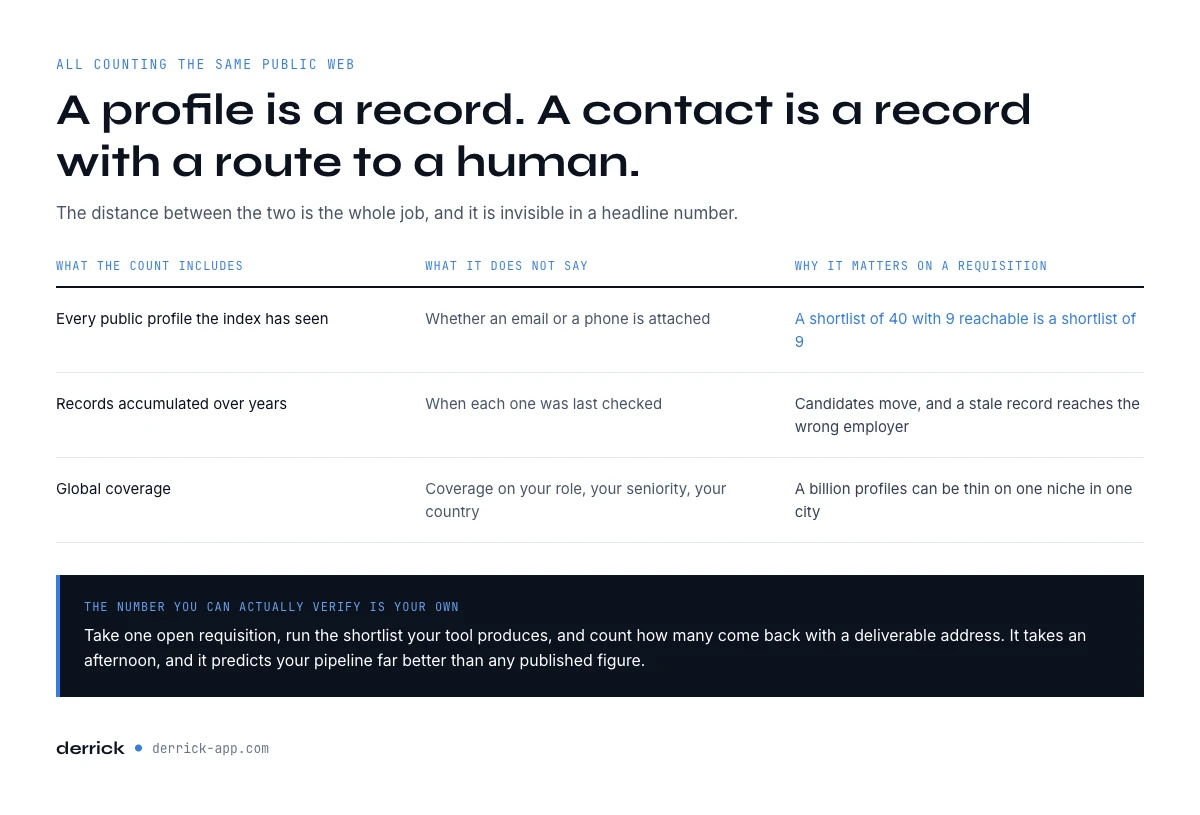
A profile is a record. A contact is a record with a route to a human. The distance between the two is the whole job, and it is invisible in a headline number, for 3 reasons.
| What the count includes | What it does not say | Why it matters on a requisition |
|---|---|---|
| Every public profile the index has seen | Whether an email or a phone is attached | A shortlist of 40 with 9 reachable is a shortlist of 9 |
| Records accumulated over years | When each one was last checked | Candidates move; a stale record reaches the wrong employer |
| Global coverage | Coverage on your role, your seniority, your country | A billion profiles can be thin on embedded engineers in Lyon |
The number you can actually verify is your own. Take one open requisition, run the shortlist your tool produces, and count how many come back with a deliverable address. That percentage is your coverage, it takes an afternoon, and it predicts your pipeline far better than any figure on a pricing page.
Where candidate contact details come from
Contact resolution is a lookup, not a database read, and it is worth knowing the shape of it because the shape explains the failures. From a public profile you get a name and an employer. From the employer you get a domain. From the name and the domain you get a candidate address, which then has to be tested before anyone sends to it. Each step either resolves or it does not, and the ones that do not are where a shortlist quietly shrinks.
3 things break it, and none is a bug in the tool. A candidate between jobs has no current employer, so there is no domain to build an address on. A candidate at a company whose mail server accepts everything cannot be verified, only guessed at. And a common name at a large employer returns several plausible people, which is the failure that costs the most because it does not look like a failure: the message lands, in the wrong inbox.
Derrick sits on exactly this step and nowhere else. Import LinkedIn Leads brings a list of profiles in at 1 credit per profile, Enrich Leads fills in the profile fields at 1 credit per profile, Email Finder resolves the address at 5 credits per email and only bills when an address comes back, and Phone Finder returns a mobile at 200 credits per phone, also billed on result. The import and enrichment side runs on the free plan and its 100 credits per month; finding addresses and phones is on the paid plans, from 20 EUR a month. It runs from the web app, from the Google Sheets sidebar where your shortlist already sits, from an AI assistant over MCP, or from the REST API. MCP and API access open on the PLUS plan at 47.50 EUR a month; the web app and the sidebar need neither.
Work email or personal email: the choice that decides your reply rate
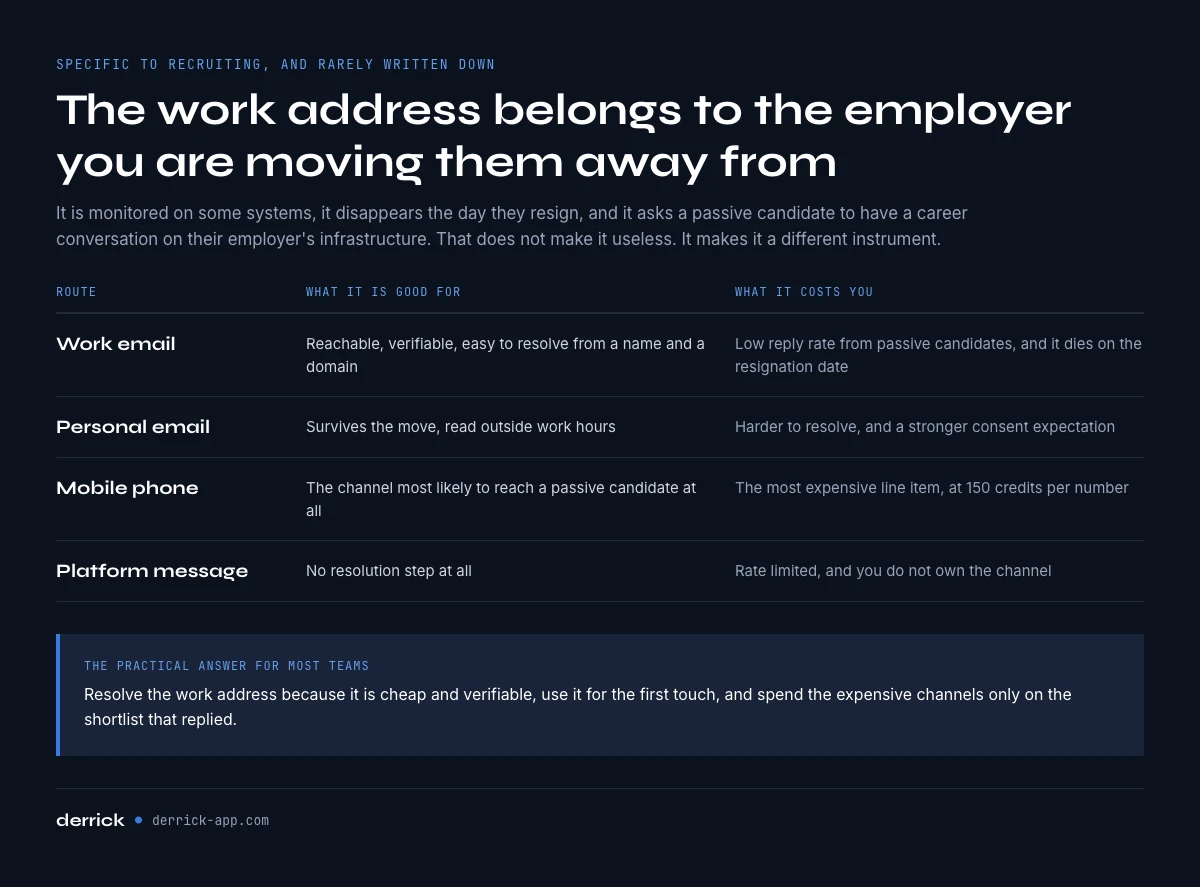
This is specific to recruiting and almost nobody writes it down. In sales, the work address is the only sensible target. In sourcing, the work address belongs to the employer you are trying to move the candidate away from. It is monitored on some systems, it disappears the day they resign, and it asks a passive candidate to have a career conversation on their employer's infrastructure.
That does not make the work address useless. It makes it a different instrument, and the choice is a real one.
| Route | What it is good for | What it costs you |
|---|---|---|
| Work email | Reachable, verifiable, easy to resolve from name and domain | Low reply rate from passive candidates, dies on the resignation date |
| Personal email | Survives the move, read outside work hours | Harder to resolve, and a stronger consent expectation |
| Mobile phone | The channel most likely to reach a passive candidate at all | The most expensive line item, 200 credits per number at Derrick |
| Platform message | No resolution step at all | Rate limited, and you do not own the channel |
The practical answer for most teams is to resolve the work address because it is cheap and verifiable, use it for the first touch, and spend the expensive channels only on the shortlist that replied or that matters most. Automating the discovery of 400 candidates and then paying to resolve mobiles for all 400 is the single most common way to burn a sourcing budget in 2 weeks.
What sourcing automation tools really cost per hire
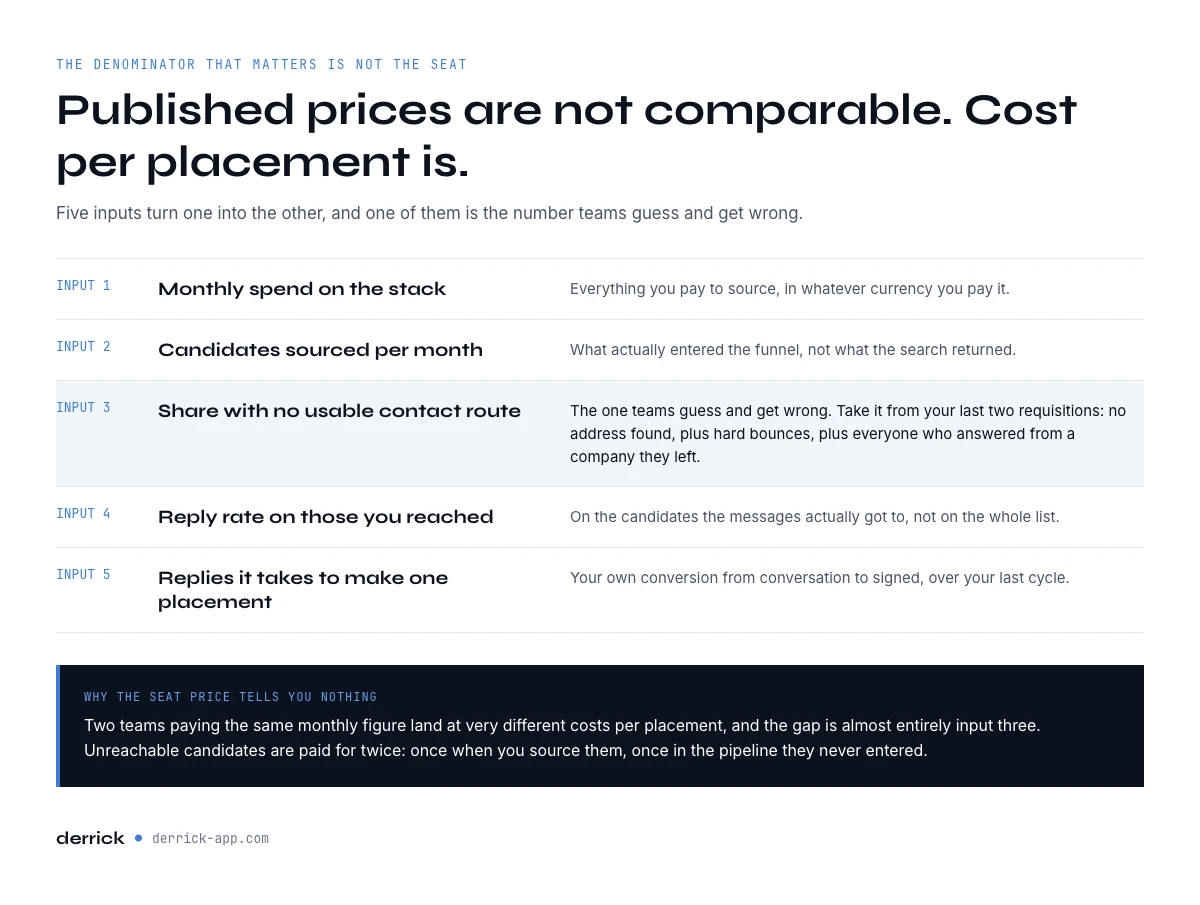
Published prices in this category, as listed by the vendors themselves in September 2026, run from roughly $379 per month to around $4,800 per user per year, with enterprise contracts well above that. None of those figures is comparable, because the denominator that matters is not the seat, it is the placed candidate. The calculator below runs in your browser and does the arithmetic that turns one into the other.
Cost per placement, and what unreachable candidates cost you
Enter your stack cost and your funnel. Nothing leaves your browser.
Fill the fields and press Calculate.
The unreachable share is the input teams guess and get wrong. Take it from your last two requisitions: no address found, plus hard bounces, plus everyone who answered from a company they left. The 5% comparison line holds your spend constant on purpose, so it shows the gross gain; resolving addresses is itself a cost and you subtract it from that gain.
Run it with your real figures, then set the unreachable share to 5% and look at the second line. If the gap is larger than a seat, the cheapest change available to you is not a different platform, it is resolving the contacts you already sourced. Resolve the shortlist you already have.
How to test sourcing automation tools on one live requisition
Trials in this category typically run 2 weeks, and the configuration eats the first one. A test that produces a decision fits inside a single open role if you run it in this order.
- Pick the hardest requisition you have open, not the easiest. An easy role makes every tool look competent.
- Fix the shortlist at 100 candidates and keep it identical across every tool you trial. Changing the list and the tool at the same time is not a test.
- Measure contact coverage first. How many of the 100 come back with a deliverable address, and how many with a mobile. Record both numbers before you send anything.
- Send one sequence, one message, no branches. Branch logic cannot be evaluated on 100 people and it hides which variable moved.
- Read 3 numbers at day 10: reply rate, bounce rate, and how many replies said they had left the company. That last one is your data freshness, measured rather than claimed.
- Test the write-back last, with a candidate who is already in your applicant tracking system. If it creates a second record, you have found the cost that shows up in month three.
The sourcing plan covers how to choose the requisition and what to hold constant around it. Our talent sourcing benchmarks give you the bands to compare your reply and response numbers against once the test is done.
The tool categories you are actually choosing between
The word tool covers four different products in this market, and a shortlist that mixes them compares things that do not compete. Sorted by what they are built around, with the layer each one leaves to someone else.
| Category | Built around | What it leaves open |
|---|---|---|
| Contact resolution (Derrick) | Turning sourced profiles into work emails and mobiles, then handing them back | Nothing on this layer. It is not a sourcing platform and does not run your pipeline |
| Applicant tracking systems (Greenhouse, SmartRecruiters, Manatal) | The pipeline, the stages, the hiring team, compliance records | Contact details, and how fresh they are |
| Sourcing and matching platforms | Turning a job description into a ranked list of candidates | Whether those candidates are reachable, and at what cost |
| Job boards and marketplaces | Inbound applications from active candidates | Passive candidates entirely, which is most of the market |
For the pipeline, the stages and the audit trail, an applicant tracking system does the job and Derrick is not one. For the matching, a sourcing platform does the job and Derrick is not one either. On the contact layer between the two, Derrick does better, and the reason is concrete rather than a claim about quality: it charges per result, so a candidate who cannot be resolved costs nothing, and it works on the shortlist you already have rather than on an index you rent and cannot inspect.
ATS write-back, and the duplicate problem
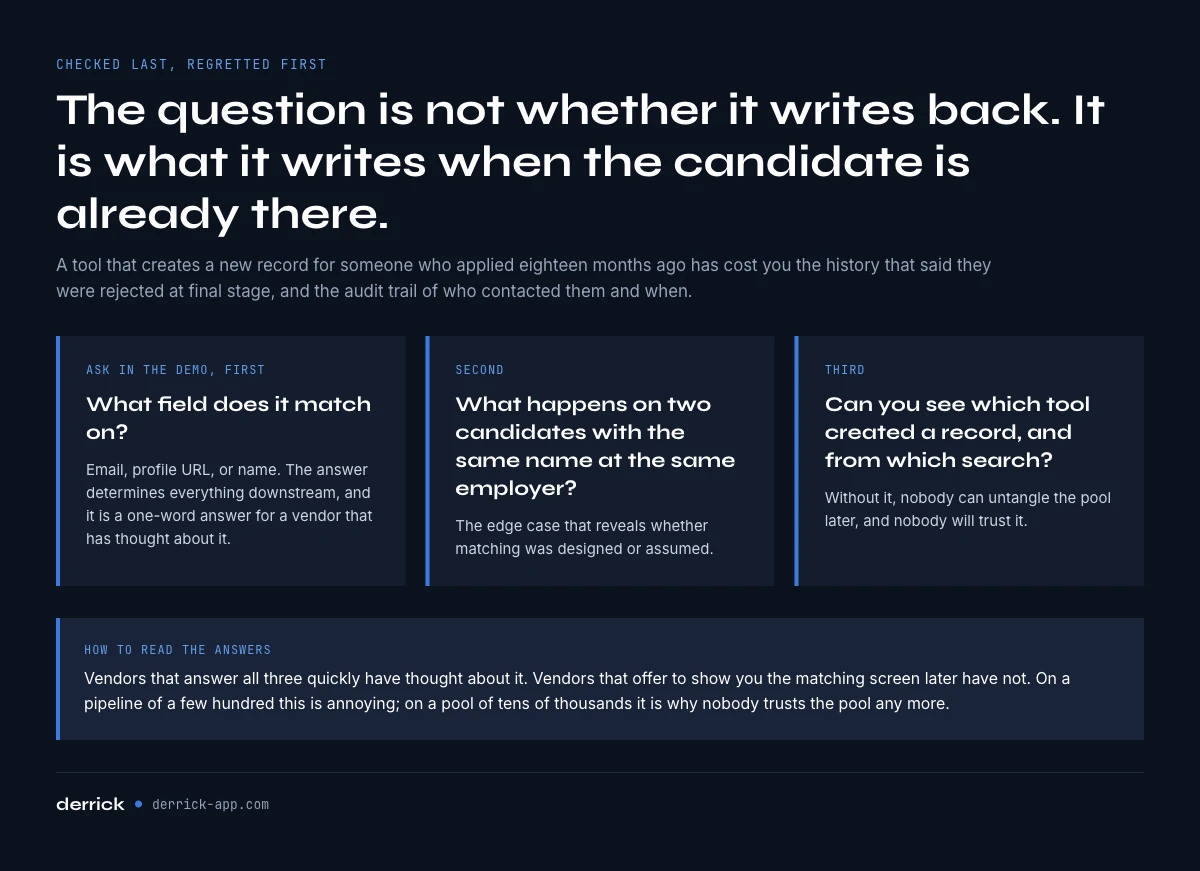
Write-back is the criterion most teams check last and regret first. The question is not whether the tool writes to your applicant tracking system, most of them do. The question is what it writes when the candidate is already there.
A sourcing platform that creates a new record for a candidate who applied to another role 18 months ago has just cost you two things: the history that would have told your recruiter this person was rejected at final stage, and the audit trail that says who contacted them and when. On a pipeline of a few hundred that is annoying. On a talent pool of tens of thousands it is the reason nobody trusts the pool any more.
Three questions to ask in the demo, in this order. What field does it match on, email or profile URL or name. What happens when two candidates share a name at the same employer. And can you see, on a candidate record, which tool created it and from which search. Vendors that answer all three quickly have thought about it. Vendors that offer to show you the matching screen later have not.
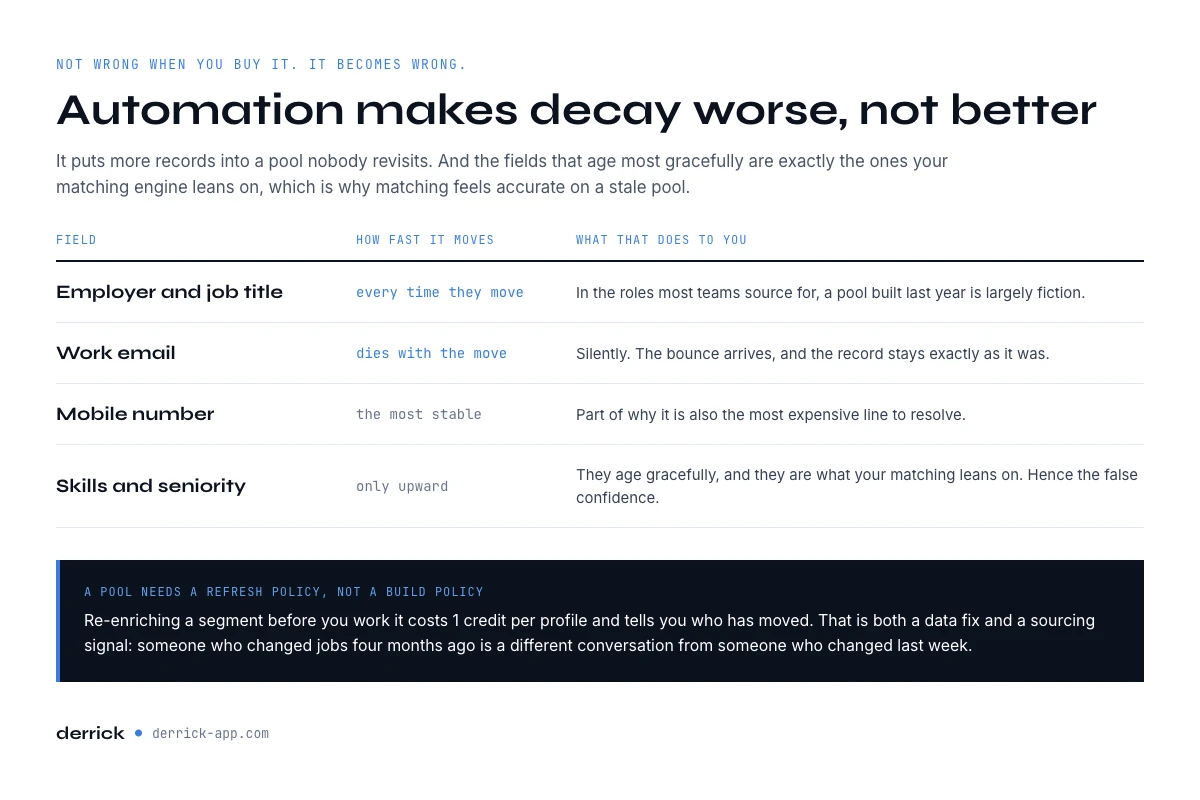
What decays, and how fast
Sourcing data is not wrong when you buy it. It becomes wrong, at different speeds depending on the field, and automation makes that worse rather than better because it puts more records into a pool that nobody revisits.
- Employer and job title move whenever the candidate does, which in the roles most teams source for is often enough that a pool built last year is largely fiction.
- Work email dies with the employer change, silently. The bounce arrives, the record stays.
- Mobile number is the most stable field, which is part of why it is the most expensive.
- Skills and seniority only move upward, so they age gracefully. They are also the fields your matching engine relies on most, which is why matching feels accurate on a stale pool.
The operational consequence is that a talent pool needs a refresh policy, not a build policy. Re-enriching a segment before you work it costs 1 credit per profile with Enrich Leads and tells you who has moved, which is both a data fix and a sourcing signal: a candidate who changed jobs four months ago is a different conversation from one who changed last week. The full picture is in our candidate data decay report.
Sourcing automation tools mistakes that cost the most
- Buying on database size. The number counts profiles, not reachable people, and it is self-declared. Measure coverage on one requisition instead.
- Automating discovery before contact resolution works. Sourcing 400 candidates a month when a third of them have no contact route, which is where the calculator above starts, means paying to build a list nobody will ever write to.
- Resolving mobiles for the whole list. The most expensive channel belongs on the shortlist that replied, not on everyone the matching engine surfaced.
- Treating the work email as the only route. It reaches the candidate at the job you are asking them to leave. Fine for a first touch, weak as a strategy.
- Skipping the write-back test. Duplicates are invisible in a trial and expensive in month three.
- Building a pool and never refreshing it. Matching stays accurate on stale data, which is exactly why nobody notices until the outreach numbers collapse.
Key takeaways
- Sourcing automation tools bundle discovery, contact resolution, outreach and write-back. Only the first and third are what the comparison pages rank.
- A profile count is not a contact count, it carries no verification date, and it says nothing about coverage on your roles.
- Contact coverage on 100 candidates from one live requisition is the only figure in this category you can verify yourself.
- The work address is cheap and verifiable but reaches the candidate at the employer you are moving them from. Spend the expensive channels on the shortlist that replied.
- Write-back matching is what decides whether your talent pool stays trustworthy, and it is invisible during a 2 week trial.
- A pool needs a refresh policy. Matching feels accurate on stale data long after the outreach has stopped working.
Derrick is the contact resolution layer of a sourcing stack, not the sourcing platform. It imports profiles, enriches them, resolves work emails and mobiles, and hands the finished list back to whichever tool runs your outreach, from the web app, the Google Sheets sidebar, or an AI assistant over MCP and the REST API from the PLUS plan. Email Finder and Phone Finder bill only when a result comes back, so a candidate with no reachable address costs nothing. The free plan and its 100 credits per month cover the import and enrichment side, which is enough to measure coverage on a real shortlist. Start with the free plan, or read the rest of the recruitment sourcing guide.
We publish one email every 2 weeks with what we measure on sourcing, outreach and data quality. Subscribe from the homepage.
Frequently asked questions
What are sourcing automation tools?
Does a bigger candidate database mean better sourcing?
Where do candidate email addresses actually come from?
Should recruiters use the work email or the personal email?
How do I test a sourcing tool without wasting the trial?
Why does write-back matter more than it looks?
How fast does sourcing data go stale?
Is Derrick a sourcing platform?
Keep reading
Continue exploring this cluster


Candidate Data Decay Report 2026: How Fast Your Talent Pool Goes Stale
Read →

The State of Talent Sourcing 2026: Benchmarks for Reach, Response & Data Quality
Read →

Recruitment Sourcing Plan: Strategies, Methods, Steps in 2026
Read →