
 Budget LinkedIn Automation (Chrome Extension)
 Octopus CRM Review: Is It Still Worth It in 2026?
Octopus CRM is a budget Chrome-extension LinkedIn automation tool for solo prospectors, best for budget-conscious solo SDRs running basic LinkedIn outreach. A 7-day free trial is available, and Starter costs $9.99/mo. Skip it if you cannot keep your browser open during campaigns, are risk-averse about LinkedIn account safety, or need responsive customer support.
The cheapest LinkedIn automation tool worth considering. Founded in 2018, Octopus CRM serves 50,000+ users globally with a tiered $9.99-$39.99/mo Chrome-extension model - significantly below Dripify ($39), Waalaxy (€19), HeyReach ($44/seat). The catch: Chrome extension means your laptop must stay open, customer support is widely panned (especially refunds), and the extension architecture carries the highest LinkedIn detection risk in the category.
- You're a solo SDR or freelancer on a budget who needs basic LinkedIn automation
- You only need core LinkedIn actions (connect, message, view, endorse)
- You can keep your laptop open during campaigns
- You can't keep your browser/laptop open during campaigns
- You're risk-averse about LinkedIn account safety (Chrome extensions are most detectable)
- You need responsive customer support (Octopus support is widely panned)
Install the add-on and enrich your lists without leaving your spreadsheet.
Install in Google Sheets →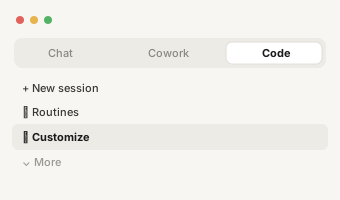
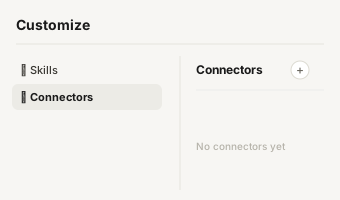
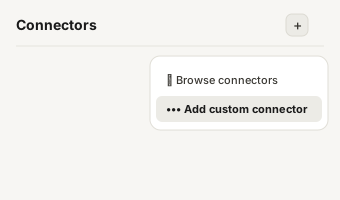
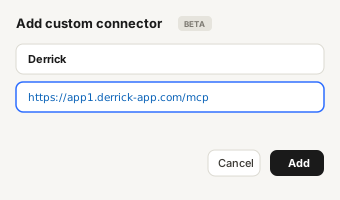
https://app1.derrick-app.com/mcp Call the same enrichment endpoints straight from your own stack or workflow.
Read the API docs →

Overview
What is Octopus CRM?
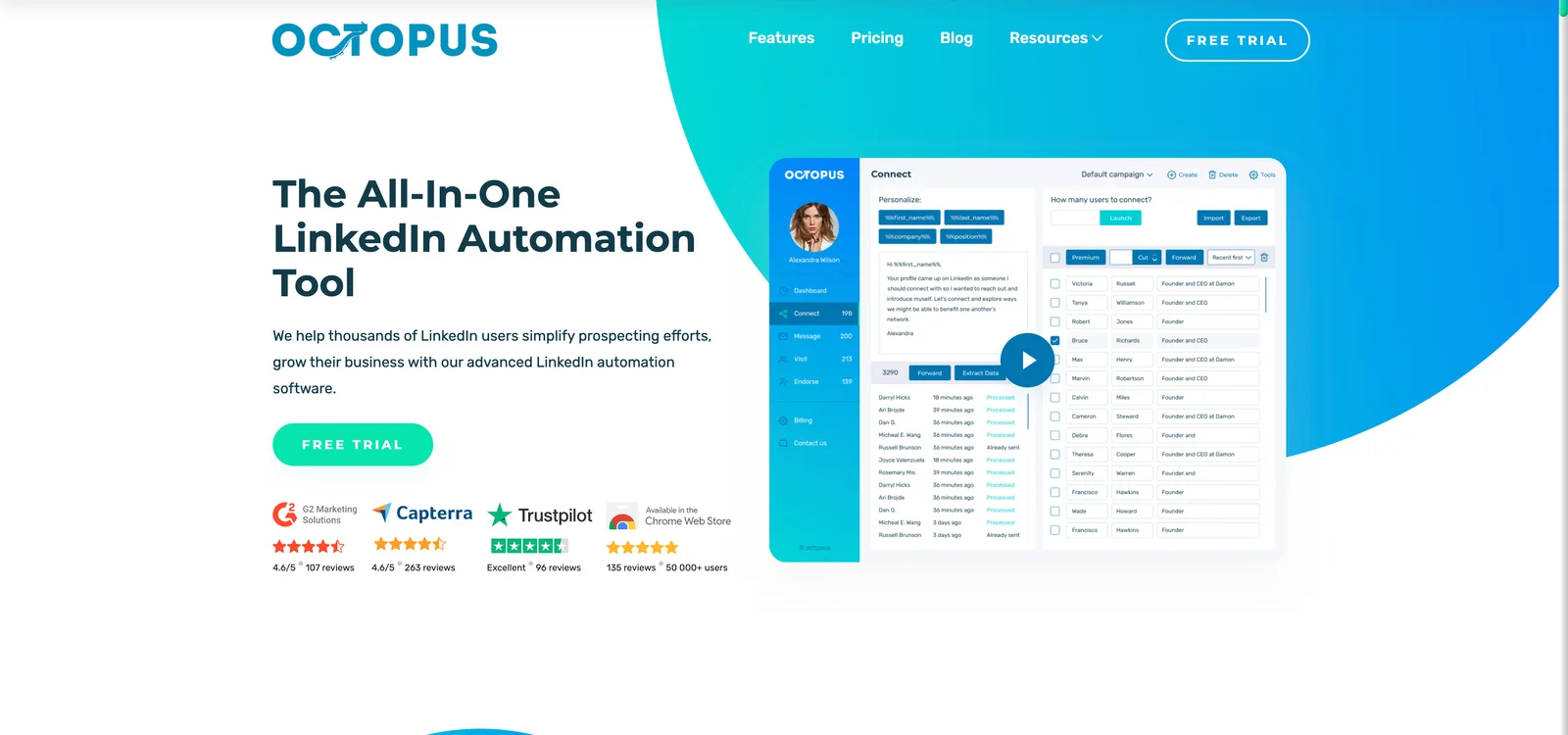
Octopus CRM is the budget Chrome-extension LinkedIn automation tool for solo prospectors, founded in 2018 and now serving 50,000+ users globally. Built for freelancers, agencies and SMBs that rely heavily on LinkedIn for lead generation and recruiting, Octopus uses a Chrome-extension architecture that runs LinkedIn automation directly in your browser session - automated connection requests, bulk messaging, profile visits, skill endorsements.
The core positioning: cheapest LinkedIn automation that actually works. Starter at $9.99/mo undercuts every cloud-based competitor by 4-10x. Compatible with Free LinkedIn, Premium, Sales Navigator and Recruiter Lite. Native integrations with HubSpot and Zapier round out the workflow connectivity. The 4.4/5 G2 rating across 107+ reviews reflects real value at the budget tier - but the trade-offs are also significant.

Pricing
Octopus CRM Plans & Pricing
Prices below from search and 2026 third-party pricing breakdowns (Octopus pricing page direct fetch failed). Annual billing yields 35% discount.
| Plan | Price | Typical use | Key limits |
|---|---|---|---|
| Free trial | $0 | Evaluation | 7 days, full feature access |
| Starter | $9.99/mo | Solo budget LinkedIn outreach | Auto connection requests, basic messaging, profile views |
| Pro | $14.99/mo | Active solo SDRs | Adds bulk messaging, skill endorsements, advanced filtering |
| Advanced | $21.99/mo | Power users + light teams | Adds CRM integrations (HubSpot, Zapier), Sales Nav support, custom messaging |
| Unlimited | $39.99/mo | Heavy users / small teams | Unlimited everything, priority support, advanced analytics |
Hidden costs to know about
Sales Navigator subscription ($99/mo per seat) is required for advanced LinkedIn filtering and is not included on any Octopus tier. The Chrome extension means your laptop must stay open + connected - campaigns stop the moment you close your browser, sleep your laptop, or lose internet. Effective campaign uptime is limited to working hours unless you run a dedicated machine 24/7. Customer service is widely panned - refund disputes are common per G2 reviewer reports.
Is Octopus CRM fair value?
For genuinely budget-constrained solo SDRs and freelancers running 1 LinkedIn account on a basic motion, Octopus at $9.99-$14.99/mo is unbeatable price-to-feature ratio in the category. For anyone who can spend $39-79/mo, cloud-based alternatives (Dripify, HeyReach, Expandi) offer dramatically better LinkedIn safety, 24/7 uptime without your laptop open, and meaningfully better customer support. The cheapest tool in the category often turns out to be the most expensive once you factor in LinkedIn ban risk + lost campaign uptime.

Verdict in detail
Octopus CRM Pros & Cons - Summary That Actually Helps You Decide
Based on 107+ verified G2 reviews (4.4/5), 50+ Capterra reviews (4.5/5), 50K+ users globally, and published 2026 hands-on testing.
Cheapest LinkedIn automation tool worth using
Starter at $9.99/mo is dramatically below cloud-based alternatives - Dripify $39, Waalaxy €19, HeyReach $44/seat, Expandi $79. For genuinely budget-constrained solo SDRs and freelancers, Octopus is the only LinkedIn automation product priced like a consumer-grade SaaS subscription.
Genuinely intuitive UI
Reviewers consistently cite the basic, well-organized UI as a strength. Clear tabs for each function, no maze-like navigation. New users typically launch their first campaign within 15 minutes - competitive with Waalaxy and significantly faster than Expandi or LaGrowthMachine for first-campaign onboarding.
Built-in safety controls + smart delays
Activity control (daily limits) and smart delays (randomized timing between actions) help mimic human behavior. Compatible with Free LinkedIn through Recruiter Lite. While Chrome extensions inherently carry detection risk, Octopus's safety defaults reduce ban frequency vs aggressive configurations.
Native HubSpot + Zapier integration
On Advanced and Unlimited tiers, native HubSpot and Zapier integrations cover the majority of workflow automation needs. Unusual at this price point - most $10/mo competitors offer no CRM connectivity at all.
Browser extension means laptop must stay open
Octopus runs in your local Chrome browser - campaigns stop the moment you close the browser, sleep your laptop, or lose internet. Effective campaign uptime is limited to working hours unless you run a dedicated 24/7 machine. Cloud-based alternatives (Dripify, HeyReach, Expandi) run on vendor servers and continue 24/7 regardless of your local machine state.
Highest LinkedIn detection risk in the category
Chrome extensions running LinkedIn automation are the most detectable form of automation by LinkedIn's anti-automation systems. Actions come from your personal IP, through a standard Chrome browser, with a detectable extension. LinkedIn's safety systems are specifically designed to catch this pattern. Account restrictions and bans are common 2025-2026 reviewer reports.
Widely panned customer support
Customer service is one of the most consistent complaints in 2025-2026 G2 reviews - slow responses, bot-like replies, refund disputes, billing problems. Multiple reviewers report difficulty resolving membership and billing issues. For a budget tool, this can erase the cost savings of any unresolved issue.
LinkedIn-only - no email channel
Octopus is purely LinkedIn automation. No native email channel, no SMS, no multichannel sequencing. Multichannel motions require pairing with Smartlead, Instantly or Lemlist for the email portion - adds another tool and bill to the stack that competitors (Lemlist, LaGrowthMachine) handle natively.

The honest comparison
Octopus CRM vs Derrick - Side by Side
We're biased - Derrick is our product. So this table is the version we'd want our prospects to see before they sign elsewhere.
| Octopus CRMBudget LinkedIn Automation (Chrome Extension) | DerrickWeb app · Sheets · Claude · API | |
|---|---|---|
| Pricing entry | $9.99/mo (cheapest in category) | Free forever |
| Tool category | Budget Chrome-ext LinkedIn automation | Contact data + enrichment (web app, Sheets, Claude, API) |
| Where it lives | Chrome extension (local browser) | Web app, plus Google Sheets, Claude (MCP) and API |
| Campaign uptime | Limited to working hours (laptop open) | Always available - no campaigns to pause |
| LinkedIn detection risk | Highest in category (Chrome ext + personal IP) | Zero - Derrick reads, does not message |
| Customer support | Widely panned in 2025-2026 reviews | Free - community + docs |
| Multi-channel | No (LinkedIn only) | Provides data; pair with any sequencer |

Decision tree
Should You Use Octopus CRM?
A short, opinionated guide. We'll tell you when Octopus CRM is the right pick - and when it isn't.

Alternatives
Budget LinkedIn Automation alternatives to Octopus CRM
Tools we'd recommend instead, depending on your stack and budget. Derrick first because it's the only one that lives where you actually prospect.
| Tool | Typical use | Starting price | What it does differently | |
|---|---|---|---|---|
| D Derrick Recommended | Contact data + enrichment (web app, Sheets, Claude, API) | Free | No LinkedIn ban risk, no laptop-open requirement, includes phones + LinkedIn data in the web app or Google Sheets | → |
 LaGrowthMachine LaGrowthMachine | Multichannel SDR sequencing - premium upgrade path | €60-€120/identity/mo | Premium upgrade from budget Octopus CRM - cloud-based multichannel (LinkedIn + email + Twitter), best-in-class visual sequence builder, native CRM sync. 10x more expensive but meaningfully more capable | → |
 Dripify Dripify | Solo SDRs running structured LinkedIn outbound | $39-99/user/mo | Cloud-based (no laptop required), better support, lower detection risk; 4x the price | → |
 Waalaxy Waalaxy | Solo prospectors testing LinkedIn outbound | Free / €19-€69/mo | Better free tier (80 invites/mo permanent), more polished UI, similar Chrome-extension trade-offs | → |
 HeyReach HeyReach | Multi-account agency LinkedIn outreach | $44-1,499/mo | Lowest LinkedIn ban rates in category; agency-focused; significantly more expensive | → |
| L Linked Helper | Browser-based, lower ban risk | $15-45/mo | Browser-emulating approach triggers detection less than Chrome extensions; also requires laptop open | |
 Dux-Soup Dux-Soup | Established cheap LinkedIn automation | $14.99-99/mo | Older direct competitor at similar price tier; broader integration ecosystem; similar Chrome-ext limitations | → |
Head-to-head: Octopus CRM vs 1 competitor
The verdict
Who should skip Octopus CRM
Octopus CRM is the right answer for one specific persona: budget-constrained solo SDRs and freelancers who genuinely cannot spend $39+/mo on LinkedIn automation. At $9.99-$39.99/mo, Octopus is dramatically cheaper than every cloud-based competitor, the UI is intuitive, the basic automation features cover the core LinkedIn motion, and 50K+ users globally validate the product-market fit at the budget tier. The 4.4/5 G2 score across 107+ reviews reflects real value at this price point.
The trade-offs are concrete and significant. Chrome extension means your laptop must stay open during campaigns - effective uptime is working hours, not 24/7. The Chrome-extension architecture carries the highest LinkedIn detection risk in the category by design (personal IP + standard browser + detectable extension). Customer support is widely panned with consistent refund-dispute complaints across 2025-2026 reviews. And LinkedIn-only with no email channel means multichannel motions require additional tooling.
For genuinely budget-constrained solo SDRs willing to accept Chrome-extension limitations, Octopus is a fair buy. For anyone who can spend $39+/mo, Dripify (cloud, 4x more reliable), HeyReach (multi-account agency, lowest ban rates) or Lemlist (multichannel) deliver dramatically better total value. And in all cases, Derrick starts free as the data layer that adds the contact data your sequencer (Octopus or otherwise) will work against - no LinkedIn ban risk, no laptop-open requirement.
Score breakdown
- Ease of use4.0/5Reviewers cite a basic, well-organized UI with clear tabs, though your laptop must stay open.
- Data quality3.0/5Covers core LinkedIn actions only, with HubSpot and Zapier integrations reserved for Advanced and above.
- Pricing value5.0/5Starter at $9.99/mo is dramatically cheaper than cloud-based LinkedIn automation tools.
- Support & reliability2.0/5Chrome extensions are the most detectable automation, and support is widely panned in 2025-2026 reviews.
derrick •
Switch from Octopus CRM to Derrick
- Web app: import a list or paste LinkedIn URLs, nothing to install
- Free plan: 100 credits every month, no credit card
- Also in Google Sheets, in Claude (MCP) and via the API
- Native LinkedIn and Sales Navigator import
Install the add-on and enrich your lists without leaving your spreadsheet.
Install in Google Sheets → https://app1.derrick-app.com/mcp Call the same enrichment endpoints straight from your own stack or workflow.
Read the API docs →No credit card · No contract
How we review
We read Octopus CRM's public pricing page and documentation, analyse verified user reviews on G2 and Capterra, and compare it with Derrick on the same criteria. Derrick is our product, and we say so in every comparison.
Compare

Best Octopus CRM alternatives, ranked
10 picks compared by use case - Google Sheets native, Sales Nav export, deliverability, enterprise compliance.
See the ranking → Curated stackAll B2B sales tools we reviewed in depth
Skip the noise - our hand-picked shortlist of linkedin automation tools and the rest of the sales stack.
See the full curation → Stack builderCompare any two tools side-by-side
Pick the right combo in 2 minutes - every multi-tool comparison in one hub.
Browse comparisons →Keep exploring
Other LinkedIn Automation tools reviewed
Comparing options? These are the other tools in the same category we've reviewed in depth.
Cloud-based LinkedIn automation; runs without your laptop open.
Read review → World's most-used LinkedIn automation; generous free tier.
Read review → Established cheap LinkedIn automation; broader integration ecosystem.
Read review → Multi-account agency LinkedIn tool; lowest ban rates in category.
Read review →