How we got 2 out of 3 inactive signups to reply, by finding them on LinkedIn within the hour
The tutorial: spot signups who installed everything and ran nothing, find them on LinkedIn within the hour, and message them. 66 % reply, 64 % then act.

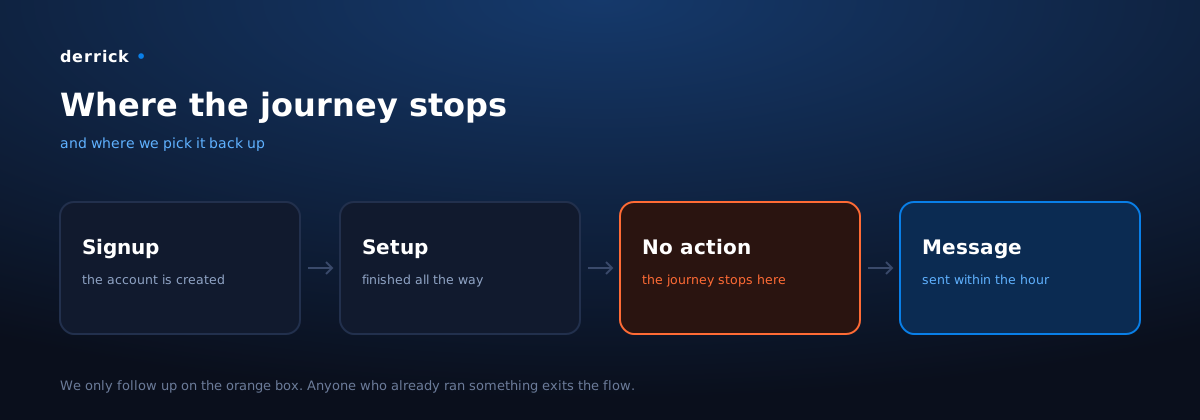
On Derrick, some of the people who create an account install everything, get to the end, and stop right before running their first action. They are neither disappointed nor gone: they are one gesture away from starting, and they don't take it.
We went and talked to them. On that segment, two out of three people reply, and 64 % of those who reply run an action afterwards.
What you will learn here: how to automatically spot that handful of people, how to find their LinkedIn profile from their signup, how to decide which channel to use, and what to send. Our messages are in this article, word for word.
What you can expect: a double-digit reply rate, often far above, on a segment most teams never follow up with, because it is small and it does not show up in a dashboard.
Why it works: the reply rate follows the distance to usage
This is the one lesson worth keeping, and it holds for any product.
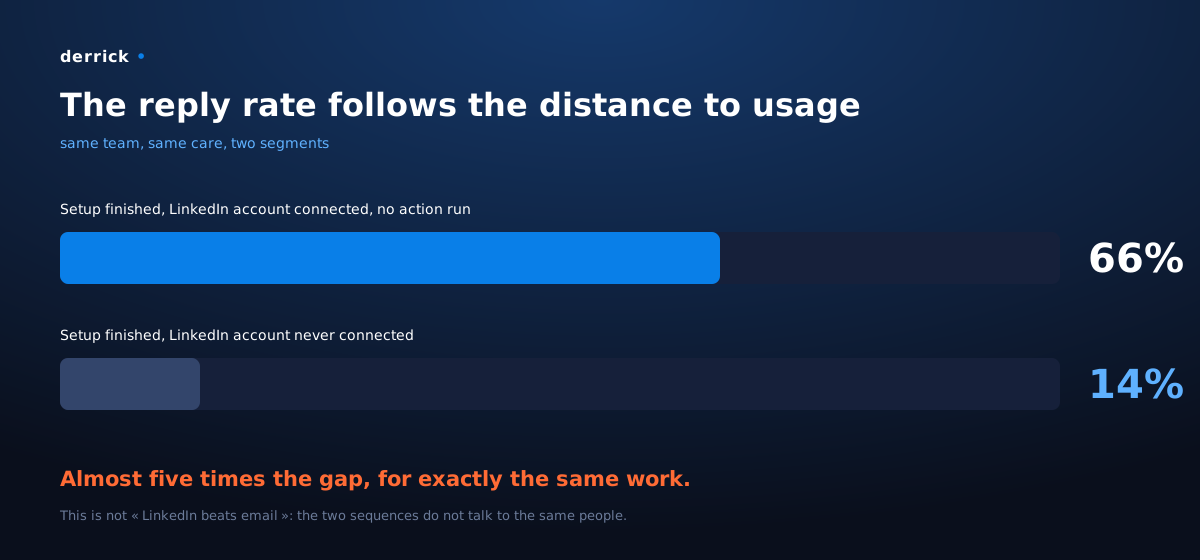
We run two follow-ups at two different moments of the start. Same team, same care put into the messages, two results that are not remotely comparable:
| Who we follow up with | Reply rate |
|---|---|
| Finished the setup, connected their LinkedIn account, ran no action | 66 % |
| Finished the setup but never connected their LinkedIn account | 14 % |
Almost five times the gap, for exactly the same work.
The temptation is to conclude that LinkedIn converts better than email. That is wrong, and it is the easy conclusion: these two sequences are not talking to the same people. What is being measured here is not a channel, it is a distance to the moment of acting.
Someone who has wired everything up and stopped right before running their first action has a specific blocker, and wants to tell you about it. They don't know where to start, they don't know what to feed the tool, they are not sure what they will get back. You write, they reply, because you land in the middle of their question.
Someone who stopped earlier has no opinion yet. They have nothing to tell you.
What to do with this: if you only have the energy for one follow-up, run the one aimed at people who stopped right before acting. The same effort pays five times more there.
What you need
Five building blocks. Only one is specific.
| Role | What we use | Can be replaced by |
|---|---|---|
| Capture the signup event | Segment | any event collection tool |
| Store the user and their state | PostgreSQL | your application database |
| Wait, test, branch | n8n | Make, Zapier, a homemade cron |
| Find and qualify the person | Derrick | this is the block with no homemade equivalent |
| Send the messages | La Growth Machine | your sequencing tool |
A signup gives you an email and sometimes a first name. That is enough neither to pick the channel nor to write something that does not read like a mail merge. That is exactly the gap Derrick fills, and it is why it sits in the middle of the chain rather than at the end.
Step 1: capture the signup and write it down somewhere
On account creation, send a sign up event to your collection tool, and write the user to your database with a timestamp.
On our side: Segment receives the event, a row is created in PostgreSQL with user_id, email, first_name, created_at, and the two columns that drive everything: onboarding_done and first_action_at.
Do not skip the second column. Without a field that says "this person ran something, and when", you have no way to tell an active signup from a stuck one, and you will message both.
Step 2: wait one hour, then look
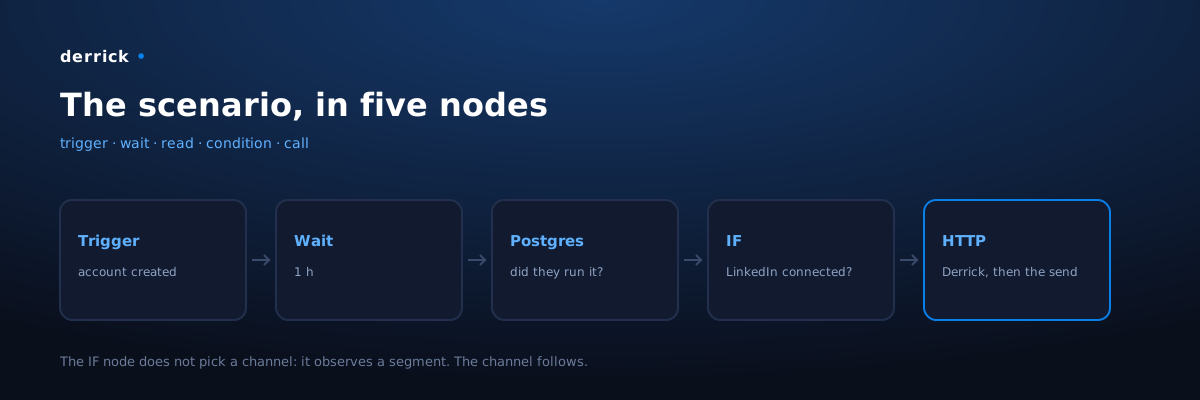
Create a scenario in n8n triggered by the user creation, and put a Wait node of one hour at the top.
Why one hour: that is the median delay we measured between signup and first action among people who do start. It is not a round number picked out of thin air, and recomputing it is the very first thing you should do on your side.
Pull the median delay between created_at and first_action_at for users who started. That is your window. Earlier, and you interrupt someone who was in the middle of trying. Later, and they have moved on.
At the end of the wait, one query, one condition:
SELECT user_id, email, first_name, last_name, onboarding_done
FROM users
WHERE user_id = :id
  AND first_action_at IS NULL;
No rows? The person ran something, we don't write. It sounds obvious, and it is the step everyone skips. Following up with someone who is already using the product means interrupting them to tell them to do what they are doing. You earn an unsubscribe, not an activation.
Step 3: find the person behind the signup
You have an email, a first name, a last name. You want a profile: their actual role, their company, its size. This is where Derrick comes in, with two chained calls.
3a. Find the LinkedIn profile. An HTTP Request node to the Derrick API, on Search Leads: you send the first and last name, you get the profile URL back. 1 credit per profile.
3b. Enrich that profile. A second call, on Enrich Leads: you send the URL you just got, you get the role, the company, the industry, the seniority. 1 credit per profile, and available on the free plan.
Write the result back to your database. You are no longer following up with "an email": you are following up with a Head of Growth at a twelve-person company, and you know which channel will reach them.
If you have no usable email, or if you start from a profile and need the address, the reverse path exists with Email Finder.
All three work through the API as shown here, but also from the Derrick sidebar in Google Sheets if you would rather work by hand, or from any MCP-compatible AI assistant.
Step 4: pick the channel based on what the person did
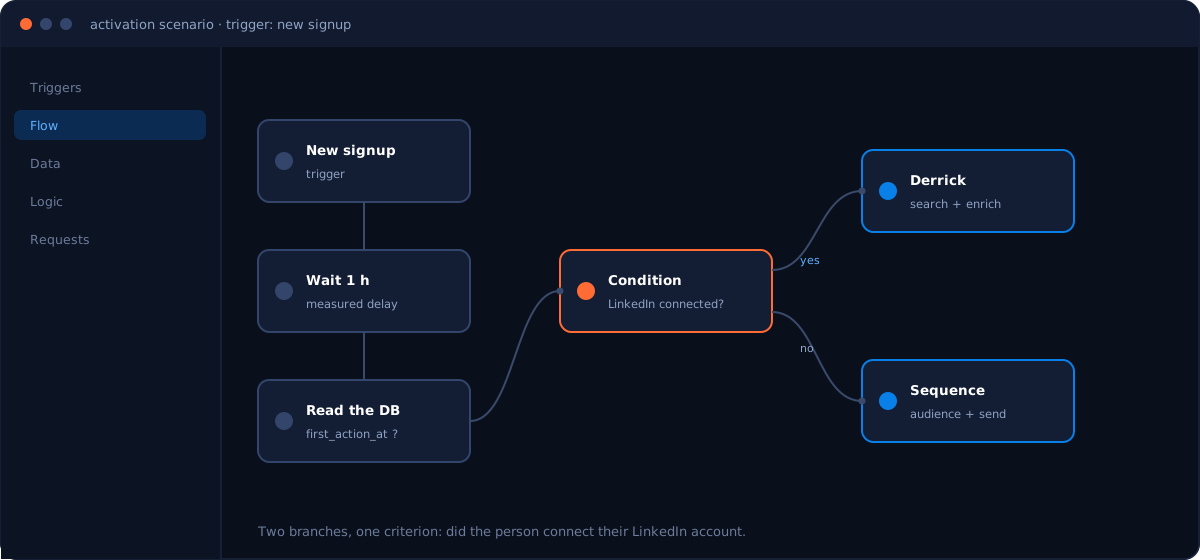
The branch fits in one question, asked in an IF node: did they connect their LinkedIn account?
- Yes. They went all the way, they simply ran nothing. That is the 66 % segment. We reach out **on
LinkedIn only**, with the profile we just enriched.
- No. They stopped before that. We use email, backed by LinkedIn. The rate drops to 14 %, and
that is normal.
The point to keep: the channel is a consequence of the segment, never a team preference.
Each branch pushes the contact into a different audience in your sending tool, through one last HTTP Request.
Step 5: build the two sequences
In La Growth Machine, the setup is the same for both branches.
- Create the audience. One per segment, fed by the HTTP call from step 4. Name it after its criterion, not after a date: ours is called No feature used and LinkedIn connected. Six months from now, you will still know what is inside.
- Create the campaign and attach the audience to it.
- Pick the sending identity. A real account, a real person. Ours is the founder's account, and that is part of the explanation for the rate.
- Pick the channels. LinkedIn only for the warm segment. LinkedIn and email for the other.
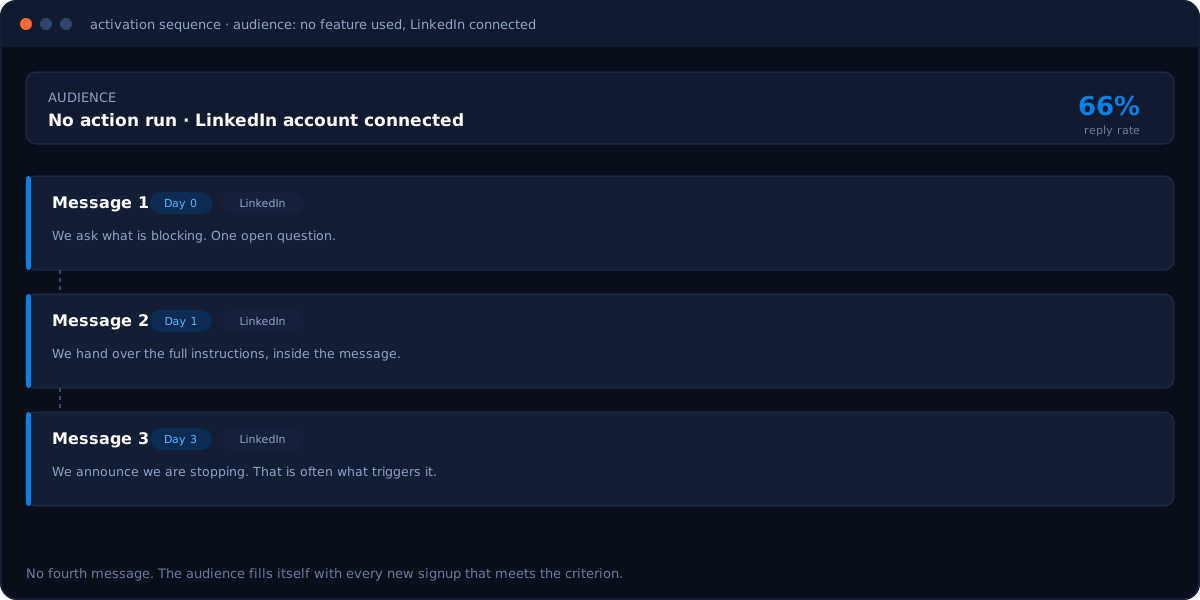
- Write three messages, no more, one or two days apart.
- Launch, and let it run continuously: the audience fills itself with every new signup that meets the criterion.
Step 6: the messages, word for word
These are the ones running today. They are short and deliberately imperfect.
Message 1, day zero.
Three things worth stealing. "I might be wrong": you are not accusing them, you leave them a way out, and they correct you themselves. One open question, about what is blocking. No link, no meeting request: you are not selling anything, you are asking why it stalled.
Message 2, the next day. Here you give without asking for anything.
The full set of instructions, in four lines, inside the message. Not a link to the documentation: the exact gesture. If the blocker was "I don't know what to feed it", it has just disappeared.
Message 3, two days later. You close, cleanly.
"Last one from me on this (promise)" does a lot of work: you announce that you are stopping, and that is often the message that triggers the reply. And you leave the door open without attaching a condition to it.
What none of the three contains: "I hope you're doing well", a demo link, an offer, a fourth follow-up.
Step 7: read the replies as product data
Two out of three people replying is not an acquisition channel. It is a permanent, free user study, and it is the part nobody does.
Here are real replies we received, and what we took from them. They fall into four families, and each family calls for a different action.
1. "I tried, I didn't get what I expected."
"I am actually struggling: when I input the Sales Navigator link it only creates the headings but doesn't import the actual data."
This is not a sales objection, it is a bug report in disguise. This person wanted to use the product, hit a wall, and would never have opened a ticket. Without the message, they would have left thinking the tool does not work.
2. "I can't find how to do what I want to do."
"I'm looking for a solution to scrape data from LinkedIn company Insights pages, including number of employees and growth. I want to do this without getting my personal LinkedIn profile blocked. I tried your app, but I couldn't find a way to scrape the relevant data."
The need is clear, the capability exists, the path to it is not findable. That is a discoverability problem, not a feature problem, and it gets fixed in the interface or the documentation. Note the constraint, volunteered along the way: not putting their account at risk. That kind of sentence never comes out of a survey.
3. "I'm already using it, but I'd like someone to show me."
"We recently started using Derrick as part of our outreach and email marketing efforts. However, we would appreciate some assistance in better understanding the platform and how to maximize its capabilities."
That one looks beside the point, since the person already uses the tool. It is in fact the most profitable: they are asking to be walked through it, and you have the conversation open to do it.
4. "It's not up to me."
"I am only waiting on my manager to try out the app before we can implement it."
No product flaw here. This is a decision rhythm, and the only useful action is not to push now.
What this changes in practice. Families 1 and 2 go to the product, family 3 to onboarding, family 4 to the waiting list. A pattern that shows up three times is no longer a reply to handle, it is a ticket. On our side, this is what shaped message 2 of the sequence: it hands over the exact instructions, because that was the most frequent blocker.
Real conversations. Photos and names replaced, one third-party tool name masked.
Our numbers
On the warmest segment (setup finished, LinkedIn account connected, no action run), across all campaigns:
- 670 replies, that is 66 % of the people contacted
- 64 % of those 670 people ran an action in Derrick afterwards, when every one of them was at zero
when the message went out. That is the very criterion that put them in the sequence.
It is the second line that matters. A reply rate only measures a conversation; what proves the setup is worth anything is what happens next.
These numbers come from the sequence in its current form, after several iterations on the messages. It has been running continuously since February 2026 and fills itself.
Going further
The same mechanism plays out at other stages, with the same block at the centre:
- On your entire user base, to find out which profiles actually make your product take off.
- On the people who left, to understand why and to feed the product roadmap.
In all three cases, everything rests on one capability: knowing who is behind a row in your database.
Derrick works through the API as in this tutorial, from Google Sheets, or from any MCP-compatible AI assistant. And the web app is live: start at derrick-app.com, on the free plan with 100 credits a month, no card required.
Frequently asked questions
Why wait exactly one hour before following up?
Which Derrick features does this workflow use?
Does LinkedIn really convert better than email here?
What do you do with people who already ran an action?
How many messages should the sequence contain?
Keep reading