The State of LinkedIn Sales Navigator Prospecting 2026: Benchmark Report
Sales Navigator prospecting report 2026: real selling time, how fast exported lead lists decay, buying-group size, and the signal-vs-data gap explained.


Last updated: 2026-06-18
Sales Navigator is the best targeting tool in B2B. It tells you who to reach, where they work, and what they do, with a precision no other platform matches. What it does not give you is the thing a campaign actually runs on: a verified work email, a direct phone number, current enrichment, and a clean export. This report benchmarks the state of Sales Navigator prospecting in 2026, how reps spend their time, how fast a lead list decays, how many people you really need to reach per account, and the gap between the signal Sales Navigator surfaces and the data outreach requires.
The thesis is not that Sales Navigator falls short; it is the number-one tool for a reason. The thesis is that its output is a signal, and a signal has a short shelf life. The moment you export a Sales Navigator search, the value starts decaying unless the contact data is re-verified at the source. The teams that win turn that volatile signal into fresh, actionable data, rather than treating a six-month-old export as if it were still true.
How reps actually spend their time
Start with where the time goes. Salesforce's State of Sales research finds that reps spend only around 28 percent of their time actually selling; the rest is consumed by administration, data entry, and research, including the prospecting work of finding and qualifying leads. A meaningful slice of every week goes to building and cleaning lists rather than to conversations, and much of that is data work that should not need a human at all.
The promise of AI is to claw that time back: sales teams adopting AI agents report significant reductions in research time, with prospecting and list-building among the first tasks to be automated. But automation only helps if it produces correct, current data. An agent that assembles a list faster from stale sources just produces wrong outreach faster, so speed without freshness is a false economy.
This frames the whole report. The constraint on prospecting is not targeting, Sales Navigator solved that, it is turning targets into reachable, verified contacts without burning the selling time you are trying to protect. Every hour spent manually chasing an email or fixing a bounced record is an hour not spent in a conversation, and it is exactly the hour the data layer should remove. The export workflow itself is covered in the export-to-Sheets guide.
It is worth separating the two kinds of prospecting time, because only one of them is worth protecting. Judgment work, deciding which accounts fit, reading a buying group, tailoring a message, is the part where a skilled rep adds value. Mechanical work, looking up an email, confirming a phone, re-checking a record that bounced, adds none, and it is precisely the part that scales badly with headcount. The goal is not to prospect less but to delete the mechanical half so the judgment half gets the hours it deserves.
How fast a Sales Navigator list decays
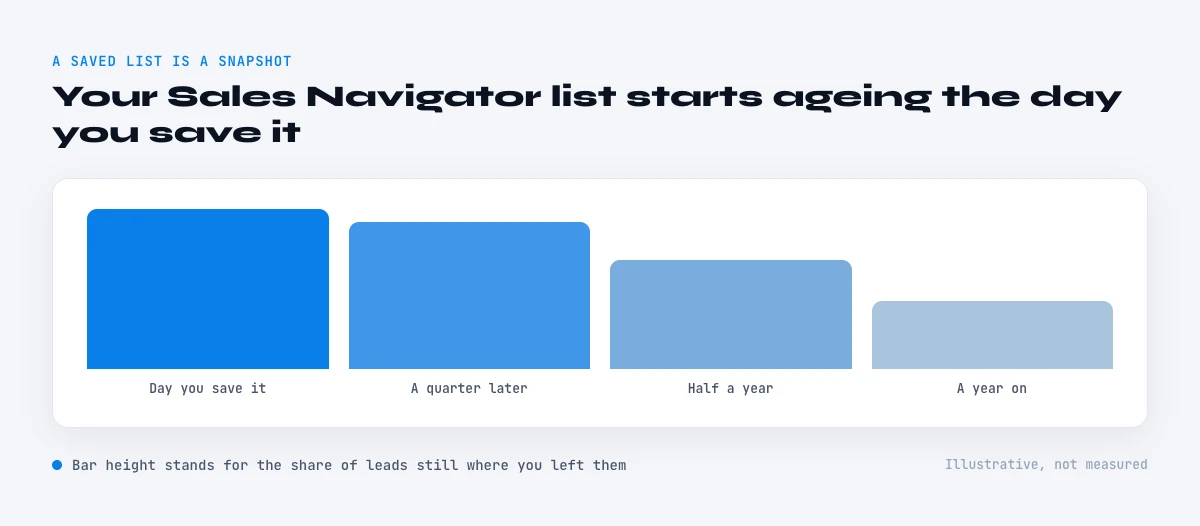
A Sales Navigator search is accurate at the instant you run it, and starts aging immediately. The driver is job mobility. US Bureau of Labor Statistics data puts median employee tenure at 3.9 years as of January 2024, the lowest since 2002 and still falling, which means a large share of any list changes roles within a year. Every one of those moves can break a work email, a direct line, and a reporting relationship at once.
Translate that into a practical rule: an exported lead list loses a meaningful share of its accuracy every quarter, and within a year a substantial fraction of the contacts have moved, changed titles, or become unreachable at the address you captured. The list did not get worse because Sales Navigator was wrong; it got worse because the world moved and the export did not. A static file cannot keep up with a moving target.
This is why re-verification at the point of use matters more than the quality of the original export. The right time to confirm an email or a phone number is the moment before you use it, not the moment you exported the list, because everything in between is decay you cannot see. Treating the export as a one-time capture rather than a snapshot to refresh is the single most common reason Sales Navigator lists underperform. The boolean-search precision that feeds these lists is covered in the boolean search guide.
There is a quieter cost too: morale and ramp. New reps spend a disproportionate share of their early months on list-building and data cleanup rather than on the conversations that actually teach them to sell, which slows ramp and burns goodwill. A team whose data layer is automated lets a new hire spend their time where it compounds, which shortens ramp and improves retention in a role already known for churn.
In the web app or Google Sheets
Benchmark your own funnel, from the export
Every figure in the report starts with a countable list. Derrick imports the search results into the web app or Google Sheets, so your own volumes, coverage and reply rates can be computed on rows rather than estimated.
- Feature
- Import LinkedIn Leads (regular & Sales Navigator)
- Credit cost
- 1 credit per lead imported
The first button opens the web app (nothing to install): 1 credit per lead imported, 100 free credits every month. The second details the feature and its cost per plan.
How many people you really need per account
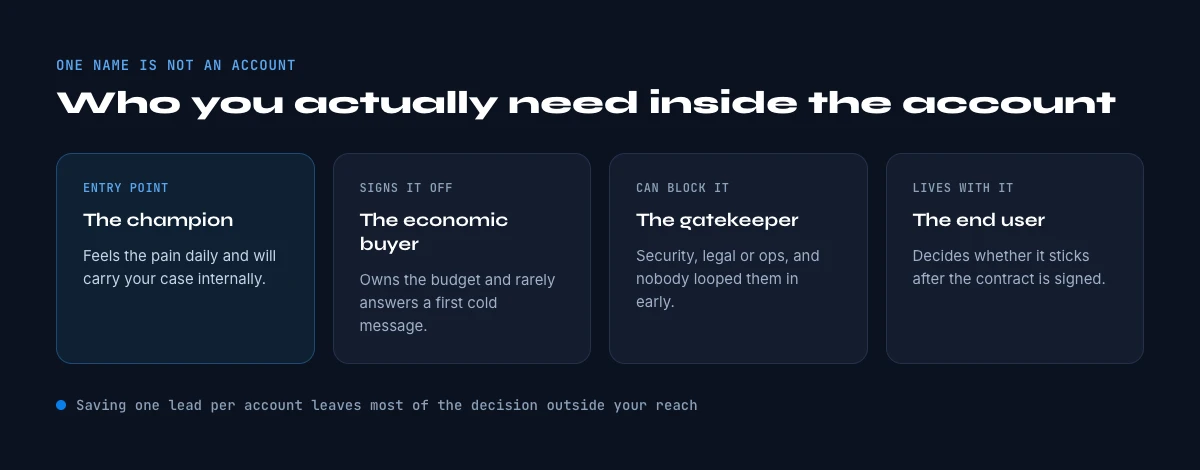
A single Sales Navigator profile is almost never enough, because B2B decisions are made by groups. Gartner's research describes buying groups of roughly six to ten stakeholders, and Forrester's work on business buying puts the number even higher, with a large majority of decisions spanning multiple departments. Reaching one well-chosen contact and stopping there means working a fraction of the people who will actually decide.
The implication for Sales Navigator prospecting is to think in accounts, not individuals. When a company shows promise, the job is to map the buying group, the economic buyer, the technical evaluator, the champion, the user, and reach several of them with current, verified data, rather than firing a single touch at whoever surfaced first. A search that returns one name per account is the start of the work, not the end of it.
This multiplies the data challenge in a useful way. Mapping a buying group means finding and verifying contact data for several people per account, at the moment of outreach, which is exactly the kind of repetitive, high-volume verification that should be automated rather than done by hand. The company-level search that begins this is covered in the company search guide.
Reaching a buying group also changes how a single bad record hurts you. If you only touch one contact and their data is wrong, the account simply goes silent and you may never know why. If you are mapping six to ten people, stale data on several of them quietly removes the very stakeholders most likely to champion or block the deal, so the account looks unresponsive when in fact you reached the wrong subset of it. Coverage of the group is only real coverage if the data on each member is current.
The most underused signal: the job change
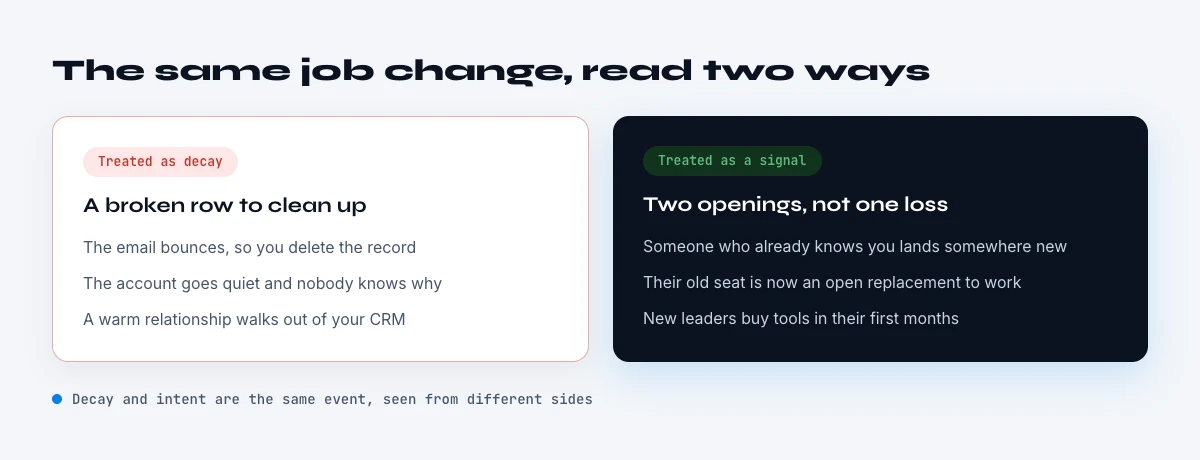
One signal sits unused in plain sight: the recent job change. LinkedIn's own analysis finds that people who started a new job at a new company within the past 90 days are markedly more receptive, around 62 percent more likely to accept a Sales Navigator InMail than everyone else. A new decision-maker is forming new vendor relationships, has budget to spend, and is open to conversations in a way they will not be a year later.
But this signal has a brutal shelf life, and it is only valuable if you act on current data. The whole point is to reach the person in their new role, which means the email and phone you have on file, captured before the move, are exactly the ones most likely to be wrong. A job-change signal acted on against pre-move contact data is the worst of both worlds: a high-intent moment wasted on a bounced send.
So the job change is the clearest illustration of the report's thesis. The signal, who moved and when, is something Sales Navigator and LinkedIn surface well. The value, a booked conversation, only materializes if the contact data is re-verified at the moment of the change, because that is precisely when the old data is guaranteed to be stale. Signal without fresh data is a missed opportunity dressed as an insight.
The compounding point across all of this is that Sales Navigator and a live data layer are stronger together than either alone. Targeting without fresh data produces precise outreach to people you cannot actually reach; fresh data without good targeting produces reachable outreach to the wrong people. The combination, a precise list re-verified at the moment of use, is what turns Sales Navigator from a source of names into a source of conversations.
The Sales Navigator data gap
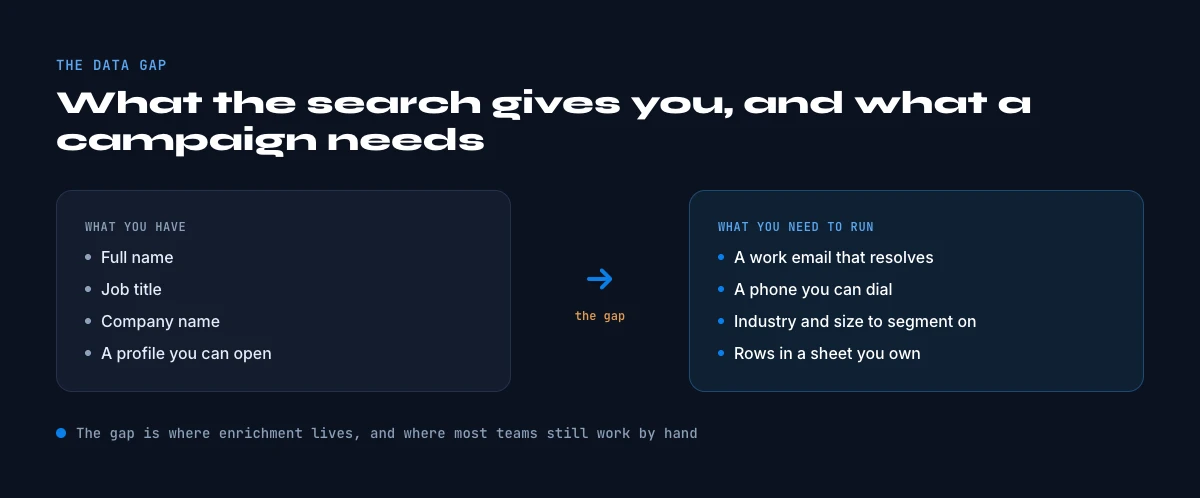
Lay the two side by side and the gap is clear. Sales Navigator shows you the signal: name, title, company, tenure, headcount band, and the targeting filters to find them. A campaign needs the actionable data: a verified work email, a direct phone number, the real current company details, and an export you can act on at scale. The platform is excellent at the first column and, by design, does not provide the second, which is where most Sales Navigator value leaks away.
This is the role Derrick plays, and it is complementary to Sales Navigator rather than competitive with it. Sales Navigator finds the right people; Derrick turns that list into fresh, exportable data in the web app or in Google Sheets, it finds and verifies work emails, finds direct phone numbers, enriches the profile and the company, and can surface additional leads within a target account, all on demand and re-verified at the moment of use. You keep Sales Navigator as your targeting engine and add the data layer that makes its output actually usable, without leaving the web app or the spreadsheet your team works in.
Turn your Sales Navigator lists into fresh, verified data with Derrick, free for 100 credits per month, in the web app or in Google Sheets. Export your targeting from Sales Navigator, then verify and enrich it on demand so every contact you act on is current, not a snapshot from the day you exported. The full how-to starts with the Sales Navigator prospecting guide.
One practical way to size your own decay is to take a list you exported a few quarters ago and re-verify a sample of it today. The share that now bounces, has changed title, or has moved companies is your real quarterly decay rate, and for most teams it is sobering. The exercise also makes the fix obvious: the same verification you ran on the sample is the one that should run on every record at the moment of use, not once a year on the whole file.
Hidden costs, methodology and sources
A quick audit of the hidden costs most teams carry: Sales Navigator seats that are paid for but underused; exported lists that are never re-enriched and quietly decay; and email bounce rates driven by data that was accurate at export and wrong by send. None of these show up as a line item, which is exactly why they persist. The fix in every case is the same: treat the export as a starting point to refresh, not a finished asset, and verify at the point of use.
This report aggregates primary, citable sources: Salesforce State of Sales on how reps spend their time and on AI-driven time savings; Gartner on B2B buying-group size; Forrester on the number of stakeholders and cross-departmental decisions; the US Bureau of Labor Statistics on median employee tenure; and LinkedIn's own published analysis on receptiveness after a job change. Where a data-decay or contact-accuracy figure could only be traced to a data or enrichment vendor's marketing, we did not use it. Sales Navigator is treated throughout as the leading targeting tool it is; the argument is about the data layer that turns its signal into pipeline, not about the platform itself. Used together, with targeting from Sales Navigator and verification from a live data layer, the two stop being a list and start being a pipeline.
Frequently asked questions
How much time do reps actually spend selling?
How fast does a Sales Navigator list decay?
How many people do I need to reach per account?
Why is a job change a strong signal?
Does Derrick replace Sales Navigator?
Keep reading
Continue exploring this cluster


How to Use LinkedIn Sales Navigator for B2B Prospecting
Read →

How to Search for Companies on LinkedIn: Complete 2026 Guide
Read →

How to Export Sales Navigator Leads to Google Sheets (2026)
Read →

How to do a Boolean Search on LinkedIn Sales Navigator: Tutorial, Tips, Tricks
Read →