How to Find a Mobile Phone Number for B2B Sales
Find a mobile phone number for a B2B prospect from a name, a company or a LinkedIn URL. See which method fits, free first, then paid per number found.


To find a mobile phone number for a B2B prospect, start from what you already have: a name, a name and a company, a LinkedIn profile URL or a work email. Check what is public first, then use an enrichment tool that bills per number found.
A mobile number is the most valuable contact data point in B2B outbound, and the hardest to get. A mobile reaches the decision-maker without a gatekeeper, on the device they actually answer. The problem: unlike a company landline, a person's mobile is almost never published. LinkedIn hides numbers by default, public directories rarely return a cell number, and privacy rules have tightened what contact databases are allowed to resell. So you do not look a mobile up the way you look up a landline: you have to find it.
This guide is about the mobile of a business prospect. Looking up a private individual's cell number is a different topic, with different rules, and it is not what this page covers. We go through why a mobile is harder to find than a landline, which method to pick depending on what you start with (with a decision table), what directories and Google give you, the tooled route from a LinkedIn URL or a name to a number, its real cost per number found, and how to keep your numbers connecting.
Why it is harder to find a mobile phone number than a landline
A company landline is a published asset: it sits on the website, in business registries, on the Google Business listing. A personal mobile is the opposite. It belongs to the person, not the company, and almost nobody publishes it on purpose. Three things make it scarce. Directories rarely return a mobile, and unlisted numbers never show up there. LinkedIn hides the phone field by default and only shows it to people the prospect chose. And privacy rules have redefined what data vendors are allowed to collect and resell.
The practical consequence: a mobile number almost never sits in one place you can look up. It is rebuilt from signals: a number a tool finds by cross-referencing several sources from a profile, a field a prospect once made visible, an email signature. That is why finding a mobile is a different job from finding a company's phone number, and why a generic phone guide leaves you halfway.
One more thing catches teams out: mobiles move with people. They change phones, carriers and employers, and nobody updates a central record when they do. With number porting, the prefix no longer tells you which carrier you are calling either. A number that was right last quarter can be dead today. A mobile is never a one-off lookup: it is a moving target, and that shapes every method below.
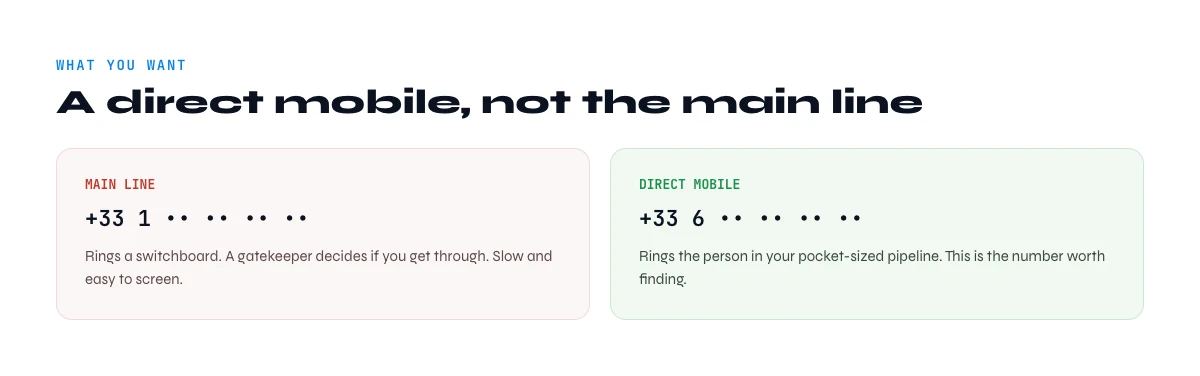
What you actually want: a direct mobile, not the main line
Be precise about the target. The company's main line routes you to a receptionist or a phone menu. A direct dial rings the person's desk. A mobile reaches the person wherever they are, and it is often the only number they pick up when they do not recognise the caller. In prospecting, it is the most useful number you can have, because it skips the gatekeeper.
It also changes the method. Finding a main line is a lookup problem: the information is public. Finding a mobile number is an enrichment problem: it is not. If you need the switchboard, our guide to finding a company's phone number is the right starting point. The rest of this page is about the mobile.
One nuance worth setting straight: a direct dial is not always a mobile. Some direct dials ring a desk phone that goes to voicemail when the person is out, while a mobile follows them everywhere. For field sales, hybrid teams and founders who live on their phone, the mobile is the number that gets a live answer, so decide up front whether you are after any direct line or specifically the cell.
Find a mobile phone number with a name: which method for what you have
The right method depends on what you hold at the start. With a name only, you first need to identify the right person. With a name and a company, you can find their LinkedIn profile. With the profile URL, you are at the entry point of the tooled lookup. The table below gives the shortest path for each case.
| What you have | Method | Cost | What you get | When to use it |
|---|---|---|---|---|
| A name only | Attach the company (website, Google, LinkedIn) before any lookup | Free, a few minutes | A name tied to a company, so an identifiable person | Always first: without a company, namesakes blur everything |
| A name and a company | Find the LinkedIn profile URL with Search Leads, then run Phone Finder | 1 credit per name searched, then 200 credits per number found | The person's profile, then their mobile when one exists | As soon as you have more than a handful of names |
| A LinkedIn profile URL | Run Phone Finder directly on the URL | 200 credits per number found, nothing if nothing is found | One mobile number per row, or an empty cell | The most direct path, for one row or a whole list |
| A work email | Check the signature, then find the LinkedIn profile from the name and company | Free, then as the name and company row | Sometimes the mobile in the signature, otherwise the profile | When the person has already written to you |
| A number with no name | Reverse lookup (see below) | Varies | Sometimes who owns a number, rarely for a mobile | To find out who called you, not to prospect |
For a programmatic page on the same starting point, see also finding a phone number from a full name. If your target is an executive, the guide to a decision-maker's phone number covers the special cases.
Method 1: Read what is already public
Start with the cheapest source: what the prospect already exposed. On LinkedIn, open the profile and click "Contact info" under the headline: if they shared a number with their network, it shows there. Email signatures often carry a mobile number, especially from salespeople and founders. Personal sites, conference bios and "about" pages sometimes list one too.
This is free and accurate when it works, and it is the right move for a handful of high-value targets. It does not scale: most prospects share nothing, and reading profiles one by one stops being viable past a few dozen contacts. Every minute spent hunting one number by hand is also a minute not spent on the call that moves the deal. Use it for spot checks, not for building a calling list.
In the web app or Google Sheets
One column, one number per row
The methods in this article work one contact at a time. Derrick runs the lookup on the whole column from the web app or the Google Sheets sidebar and writes the result back on each row, charging only for the rows where a number came back.
- Feature
- Lead Phone Finder
- Credit cost
- 200 credits per phone found
The first button opens the web app (nothing to install): 200 credits per phone found, 100 free credits every month. The second details the feature and its cost per plan.
Directories and Google: what they give you for a mobile
Online directories and people-search sites are the first reflex when you look for a number with a name. For a landline, they often work. For a mobile, the result is usually empty, and an unlisted number never shows up. Our main guide explains what business directories can and cannot give you.
Google can help with a very visible profile. Search the name and the company in quotes, followed by "mobile" or "cell": you will sometimes land on a brochure, a press release or an event page that shows the number. In practice it mostly returns switchboards and directory pages. The rest of the free routes are in our guide to finding a phone number for free.
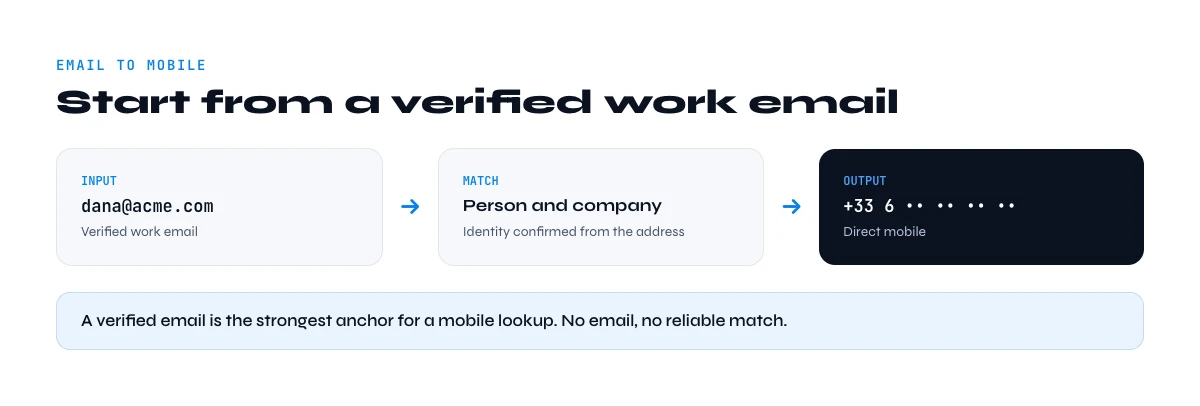
Method 2: Start from a verified work email
When you already have a verified work email, you are part of the way there. On the market, some tools offer to match an email to a phone number by cross-referencing datasets that link the two. Results vary a lot with seniority and the quality of the address: a generic address like info@ leads to nobody.
With Derrick, the email is not an input for Phone Finder. It confirms the identity: the name and the domain of the address give you the name and the company, which lead to the LinkedIn profile, which leads to the number. And before any of that, reread the person's last emails: a signature often carries the mobile number, for free.
The app works through your list row by row: 200 credits per phone found, nothing is billed without a result.
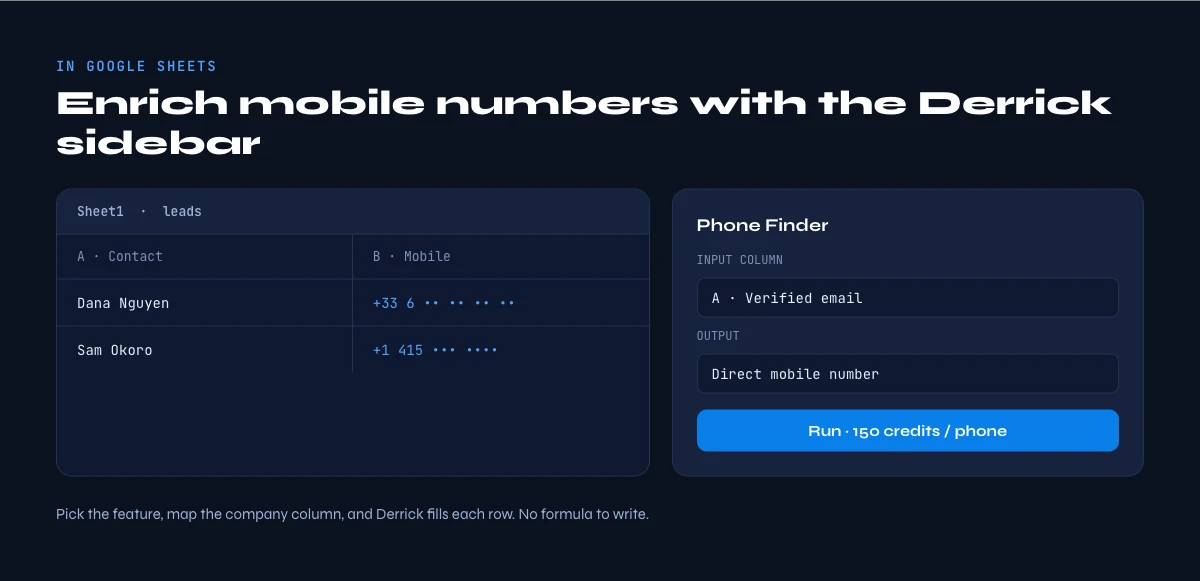
The tooled method: find a mobile phone number from a LinkedIn URL or a name
For any real volume, the path that scales is to enrich the whole list at once. In the Derrick web app, Phone Finder takes a standard LinkedIn profile URL (linkedin.com/in/first-last) as input and writes the mobile number back on the same row, querying several sources. A Sales Navigator URL is not enough: convert it to a standard profile URL first.
If you start from a name, add one step. Search Leads finds the LinkedIn profile from the first name, last name and company (1 credit per row searched), then Phone Finder takes that URL (200 credits per number found, nothing when it finds nothing). Both features are on the paid plans. A mobile found from a name therefore costs 1 + 200 credits.
The surface depends on how you work. The web app is the entry point: import your list, run the lookup, get the numbers back. If your list already lives in Google Sheets, the same lookup runs from the Derrick sidebar on your column of URLs. For one or two numbers in the middle of a conversation, Claude queries Derrick through the MCP: it finds the profile, then the number. And to feed a CRM or an automated workflow, the REST API does the same. API and MCP are included from the Plus plan.
What a mobile number costs with Derrick
Phone Finder costs 200 credits per number found, and nothing when no number comes back. It is available from the Standard plan. The free plan (100 credits per month) lets you try the app and import or enrich profiles, but it does not cover phone lookups. Here is the most each plan allows if all the month's credits go to Phone Finder:
| Plan | Price per month | Credits per month | Mobile numbers found, at most |
|---|---|---|---|
| Free | €0 | 100 | 0 (Phone Finder is on paid plans) |
| Standard | €20 | 10,000 | 50 |
| Plus | €47.50 | 25,000 | 125 |
| Pro | €175 | 100,000 | 500 |
| Scale | €320 | 200,000 | 1,000 |
A worked example, starting from 40 names with their company: 40 credits to find the profiles, then 200 credits for each number that comes back. If 15 numbers come back, the lookup costs 40 + 3,000 = 3,040 credits, which fits in a Standard plan (10,000 credits a month) with room left. That figure of 15 is an illustration, not a rate: how many numbers you get depends on your list. That is exactly why pay-per-result matters for scarce data like mobiles: you do not pay for the silence.
Step by step: find a mobile phone number from a name in 5 steps
Here is the concrete workflow, in the web app or in your Google Sheets file.
1. Assemble your contacts. One row per person. The LinkedIn URL if you have it; otherwise first name, last name and company, which you run through Search Leads first to get the profile URL. The more precise the identity, the fewer rows you lose to namesakes.
2. Run Phone Finder. Open the Derrick web app (or its Google Sheets sidebar), pick Phone Finder, point it at the column of LinkedIn URLs and choose the column where the number should go.
3. Let it process row by row. Derrick writes a number where it finds one and leaves the cell empty elsewhere: your list shows right away who is reachable, and you are only charged for the filled rows.
4. Validate the format. Normalise to E.164 and flag anything malformed before you load it into a dialer: our guide on phone number validation covers the formats and checks.
5. Route and refresh. Push the reachable mobiles to your sequence, mark contacts with no number for a later retry, and rerun the lookup on a regular cadence to keep up with job changes.
Accuracy and decay: find a mobile phone number that still connects
Two things govern the quality of a mobile list. Coverage first: no tool returns a number for everyone, and you should aim for coverage, not perfection. A tool that cross-references several sources finds more numbers than a single dataset, but it will always leave empty cells. Decay second: people change jobs and numbers, and a list you enriched six months ago is already partly unreachable.
Our B2B data decay benchmark shows that fields tied to the role and the company, phone numbers included, are the ones that age fastest, and that re-verifying at the point of use beats maintaining a frozen file. On the rules side, keep one thing in mind: a mobile is personal data, even a professional's, so you need a lawful basis to use it and you must honour the person's right to object.
You have a number and want the person?
That is a different search. If you got a call from an unknown number and want to know who it belongs to, you need a reverse phone lookup or a caller ID app, and a spam report if the call was unwanted. Derrick does not do consumer reverse lookups: it starts from a person to find their number, not from a number to find a person. Our main phone finder guide covers the other routes when a number is all you have.
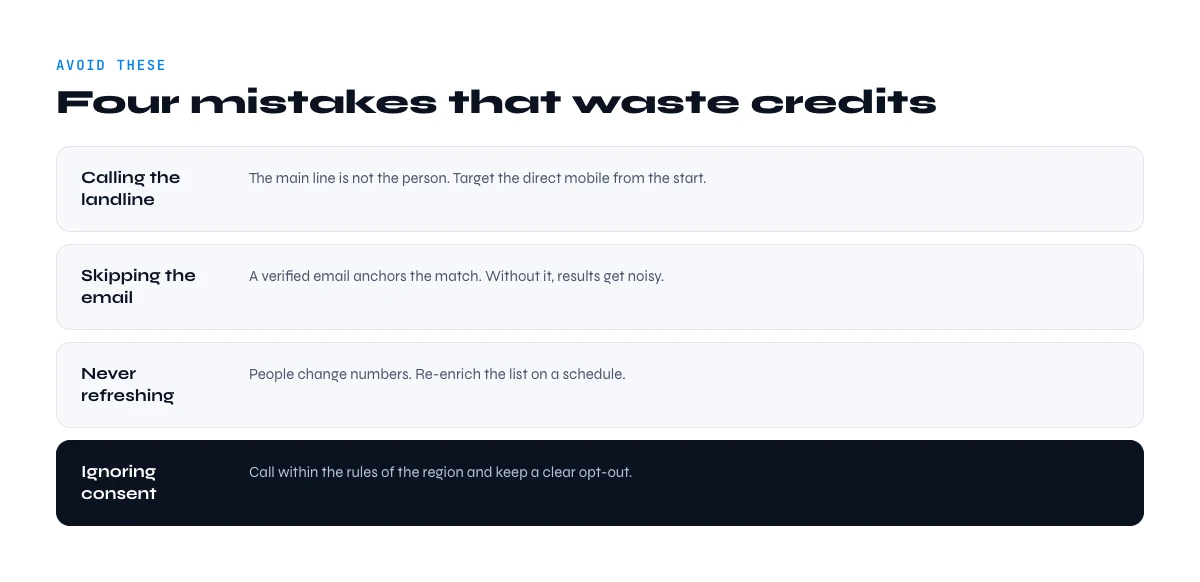
Mistakes to avoid when you find a mobile phone number
Treating a main line as a mobile. The switchboard is not a direct dial. If the goal is to reach the person, target the mobile and label your columns so you do not blend the two.
Paying per attempt instead of per result. Mobiles are scarce, so a per-row charge wastes budget on blanks. Prefer pay-per-result so you only spend on numbers actually found.
Searching a name without a company. A name alone returns namesakes. Always tie the person to their company before you run anything, or you pay for someone else's mobile.
Skipping verification. A malformed or dead number burns a dial and your reputation. Validate before you load.
Enriching once and forgetting. A mobile list ages at the pace of job changes. Build the refresh into your process.
Summary
Finding a mobile is enrichment work, not a lookup. Start from what you have: a name first gets tied to a company, a name and a company lead to the LinkedIn profile, and the profile URL leads to the number. Read what is already public for your best targets, do not count on directories for a mobile, and for any volume run Phone Finder in the web app, billed per number found. Validate formats, respect the rules on personal data, and rerun the lookup on a regular cadence. For switchboard numbers and the bigger picture, our guide to finding B2B phone numbers covers the rest.
If you are setting this up for the first time, start small: take twenty or thirty high-value contacts, find their profiles, run the number lookup, validate the formats and take them all the way to your dialer. Once the loop runs smoothly, move to your real territories: the workflow does not change as volumes grow.
Frequently asked questions
How do you find a mobile phone number from a name?
Can you find a cell phone number for free?
Can you find out who owns a mobile number?
How much does a mobile number cost with Derrick?
Is it legal to find someone's mobile number?
Where does LinkedIn show a phone number?
How accurate are mobile phone finders?
How do I find mobile numbers in bulk?
Keep reading
Continue exploring this cluster


How to Find B2B Phone Numbers: 7 Verified Methods + Tools (2026)
Read →

Phone Number Lookup from LinkedIn: How to Find Phone Numbers in 2026
Read →

How to Find a Company's Phone Number: 5 Effective Methods in 2026
Read →

Phone Number Validation: International Formats and Best Practices
Read →