Best time to send cold emails, and the data problem underneath it
The best time to send cold emails is Tuesday to Thursday, 8am to 11am in your prospect's timezone. See why published tables disagree, and how to batch.


Best time to send cold emails: the short answer
The best time to send cold emails is Tuesday, Wednesday or Thursday, between 8am and 11am in the recipient's own timezone. That is the window every published dataset converges on once you strip out the disagreements about hours, and it is the answer you can act on today.
The part that gets skipped is the second half of that sentence. In the recipient's own timezone. A send window is only a window if you know where the person sits, and most cold lists do not carry that field. Which means the practical question is not really what hour to pick. It is whether your list holds enough location data to make the hour mean anything at all.
This page gives you the timing answer, then the arithmetic on how much that answer is actually worth compared with the three levers that sit above it, and then the workflow to fill the field the timing depends on. It sits inside our wider cold email cluster.
Why published tables on the best time to send cold emails disagree
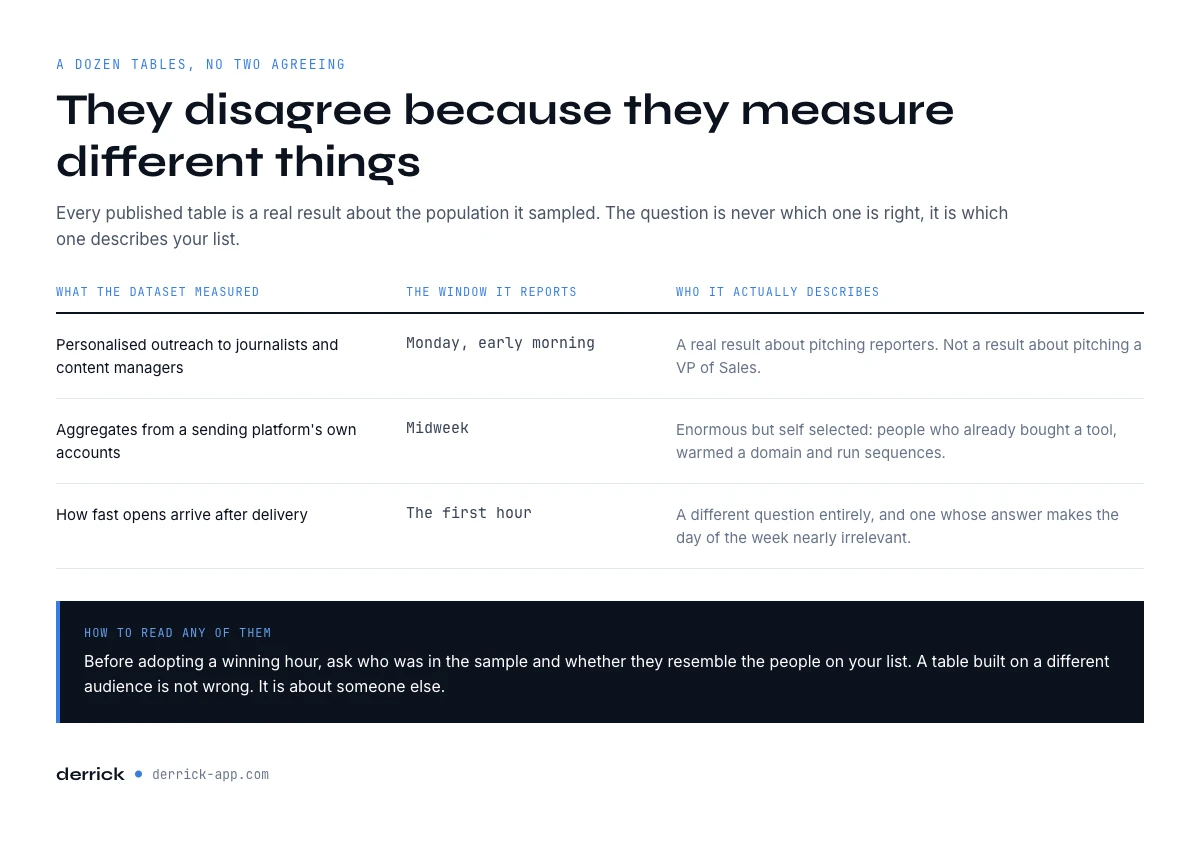
Search this question and you will find a dozen hour by hour tables, and no two of them agree. One dataset puts Monday morning on top. Another puts Tuesday. A third measures how fast opens arrive rather than when they peak, and reports that most of them land within the first hour of delivery, which would make the day of the week nearly irrelevant.
They disagree because they measure different things. The largest public study of personalised outreach, roughly 85,000 emails tracked over twelve months, was sent to journalists and content managers, and it found Monday between 6am and 9am Pacific to be strongest, at around a 20 percent open rate and a 2.8 percent reply rate. That is a real result about pitching reporters. It is not a result about pitching a VP of Sales.
Vendor benchmarks drawn from aggregates of more than a hundred million sending platform emails point at midweek instead, with Tuesday around 28 percent open and Wednesday holding the best reply rate near 5.8 percent. Those samples are enormous but self selected: they describe the accounts of people who already bought a sending tool, already warmed a domain, and already run sequences.
| What the dataset measured | Winning window it reports | Who it actually describes |
|---|---|---|
| Personalised PR outreach, ~85k emails | Monday, 6am to 9am Pacific | Journalists and content managers |
| Sending platform aggregates, 100M+ emails | Tuesday to Wednesday morning | Established senders with warm domains |
| Open latency, not peak hour | The first hour after arrival | Recipients who opened at all, any sender |
Stripped of their disagreements, the same datasets do converge on a readable grid. Read it as an ordering, not as a promise: the spread between the best and the worst cell is a few points, not a category change.
| Day | 8am to 11am local | Midday to 3pm local | After 4pm local |
|---|---|---|---|
| Monday | Weak before 9am, inboxes are being triaged | Acceptable | Weak |
| Tuesday | Best window of the week | Acceptable | Weak |
| Wednesday | Best window of the week | Acceptable | Weak |
| Thursday | Strong | Acceptable | Weak |
| Friday | Acceptable before 11am | Weak, attention has moved on | Avoid |
| Weekend | Avoid for B2B | Avoid for B2B | Avoid for B2B |
Read together the studies say something more useful than any single row: the effect of timing is real but small, it is swamped by who you are writing to, and it is completely erased if the message lands in spam. Which brings us to the ordering problem.
Send time is the fourth lever, and the first three are worth more
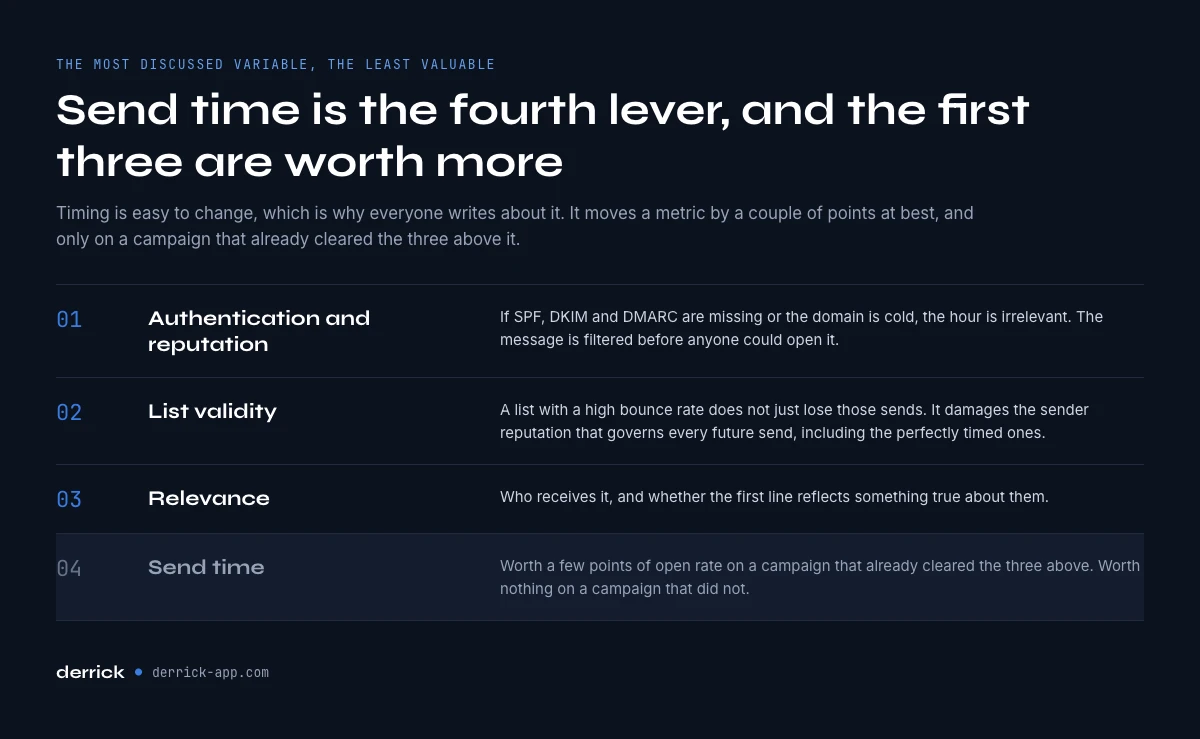
Timing is the most discussed variable in cold outreach and the least valuable one. It is easy to change, which is why everyone writes about it, and it moves a metric by a couple of points at best. Here is the honest ordering, from the lever that decides everything to the one you tune last.
- Authentication and domain reputation. If SPF, DKIM and DMARC are missing or your domain is cold, the hour is irrelevant because the message is filtered before anyone could open it. Our email deliverability checklist covers this layer control by control.
- List validity. A list with a 12 percent bounce rate does not just lose 12 percent of its sends. It damages the sender reputation that governs every future send, including the perfectly timed ones. A list verified just before the send sits under 2 percent, because the undeliverable addresses were removed rather than discovered.
- Relevance. Who receives it, and whether the first line reflects something true about them. This is what our guides on subject line formats and the six template shapes are about.
- Send time. Worth a few points of open rate on a campaign that already cleared the three above. Worth nothing on a campaign that did not.
The arithmetic makes the ordering concrete. Move a 1,000 contact campaign from the worst hour to the best and the published spreads suggest you gain roughly three to five points of open rate. Cut a 12 percent bounce rate to under 2 percent on the same list and you recover a hundred deliverable contacts and stop degrading the domain that carries every campaign after this one. The second fix is larger, and it is permanent.
The best time to send cold emails is your prospect's local time
Every number quoted above is anchored to a timezone that is not yours and not necessarily your prospect's. "Tuesday at 9am" is a statement about a clock on someone's desk. Sent from Paris to a list that is two thirds American, a 9am send arrives at 3am on the East Coast and midnight on the West Coast. It is technically Tuesday morning where you are and the middle of the night where it counts.
This is where send time stops being a scheduling decision and becomes a data one. To batch a list by local time you need one field per contact: a country at minimum, a city if you want to split the United States into its four zones. Most exported lists do not carry it. A LinkedIn export, a conference attendee sheet, a list scraped from a directory: none of them reliably hand you a usable location column.
So the sequence is not "pick an hour, then schedule". It is: resolve the location, group the list into three or four timezone buckets, then apply the midweek morning window inside each bucket. Skip the first step and you have not chosen a send time at all, you have chosen your own convenience and hoped.
How to put a timezone on a list that does not have one
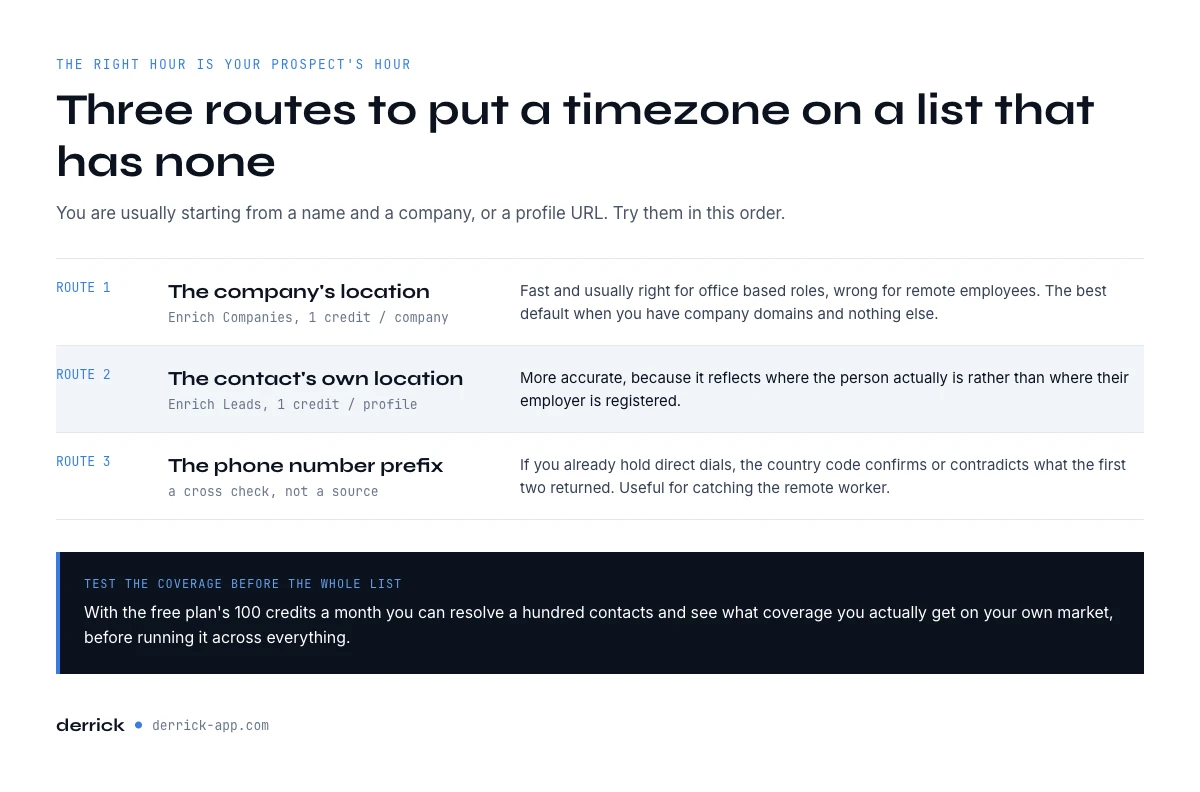
A country can be derived from data you already hold, and three routes cover almost every list: the company's registered location, the contact's own profile location, and the country code of a direct dial. You are usually starting from a name and a company, or a LinkedIn profile URL. Try them in that order.
The company's location, applied to the contact. Fast and usually right for office based roles, wrong for remote employees. It is the best default when you have company domains and nothing else. In Derrick this is Enrich Companies, which returns firmographics including location at 1 credit per company and is available on the free plan.
The contact's own profile location. More accurate, because it reflects where the person actually is rather than where their employer is registered. Enrich Leads returns profile level data at 1 credit per profile, also on the free plan. With 100 credits per month on the free plan you can resolve a hundred contacts and see the coverage you get on your own market before running it across the whole list.
The phone number prefix, as a cross check. If you already hold direct dials, the country code confirms or contradicts what the other two routes returned. Useful for catching the remote worker whose company is in New York and whose number starts with +34.
All three run where the list already lives. The web app and the Google Sheets sidebar handle a column at a time for a list you are already editing, the API is the route when the enrichment belongs inside an automated workflow or your CRM, and the MCP server answers the same questions from a chat assistant like Claude when you are exploring rather than batching. Pick the surface that matches how the list reaches you, not the other way round.
Plan your send windows in thirty seconds
Set your own timezone and the local hour you want to hit, and the planner returns the times you press send, and tells you what to do with the share of the list you cannot place.
Cold email send window planner
Three inputs, and the send times on your own clock for each timezone bucket.
Answer the three questions to get your send windows.
Offsets are the standard winter offsets. Daylight saving shifts several of these by an hour, and the two hemispheres do not shift on the same dates, so re-check the month you actually send in.
If the planner told you the country column is what is missing, that is the piece to fix before the hour. Enrich Companies fills it at 1 credit per company, and the free plan covers 100 of them a month so you can measure your own coverage before committing.
The rows you cannot resolve, and what to do with them
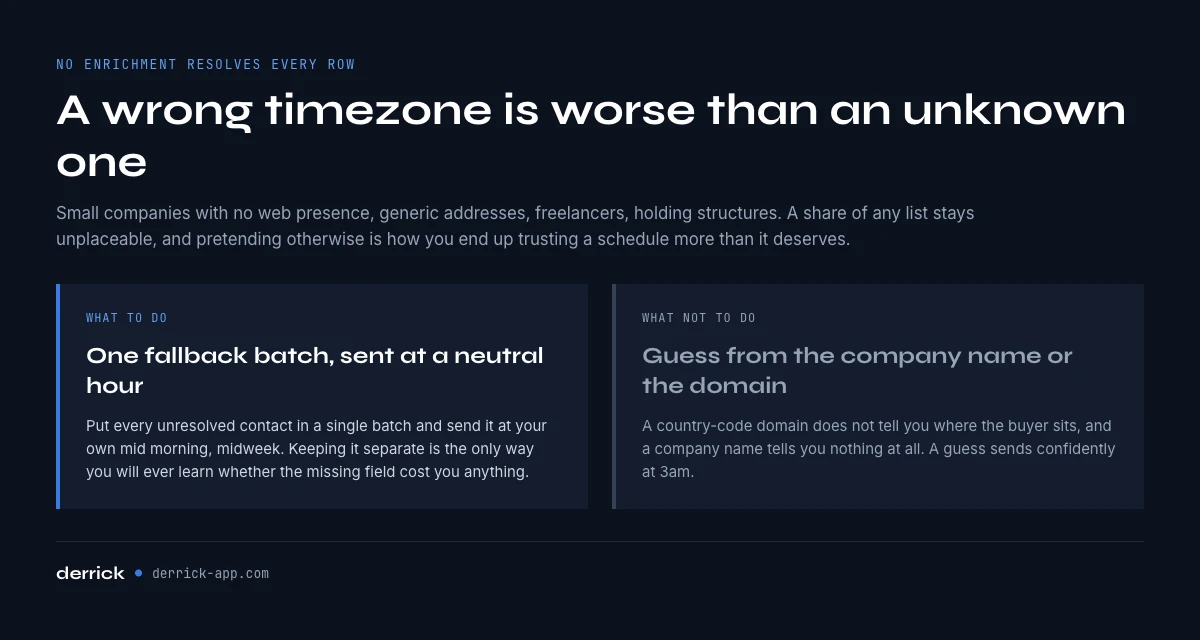
No enrichment resolves a location on every row. Small companies with no web presence, generic addresses, freelancers, holding structures: a share of any list stays unplaceable, and pretending otherwise is how people end up with a schedule they trust more than it deserves.
Handle the residue explicitly, the same way the once per list controls handle the addresses that fail verification. Put every unresolved contact into one fallback batch and send it at your own mid morning on a Tuesday or Wednesday. That is the neutral choice, and treating it as a separate batch means you can read its numbers separately later, which is the only way you will ever learn whether the missing field cost you anything.
The one thing not to do is guess from the company name or the top level domain. A .fr domain does not mean the buyer is in France, and an English company name means nothing at all. A wrong timezone is worse than an unknown one, because it sends confidently at 3am.
How to test the best time to send cold emails on your own list
Published averages describe someone else's audience. Yours may be different, and it is cheap to find out, as long as you test properly rather than convincing yourself.
Change one variable. Same copy, same subject line, same list segment, same day of week. Only the hour moves. If you change the subject line at the same time, you have learned nothing about either.
Split within a timezone bucket, not across. Comparing a 9am European send with a 9am American send compares two audiences, not two hours.
Give it enough volume. On a few dozen contacts, the difference between a 22 percent and a 26 percent open rate is noise. You need a few hundred per arm before a spread of a couple of points means anything, and you should say out loud what result would make you change your mind before you look.
Read replies, not opens. Open tracking has been unreliable since mail clients started pre-fetching images, which registers an open the recipient never made. That noise is not evenly spread across the day, so an hour test judged on opens is partly measuring its own instrument. Reply rate is slower to accumulate and it is the only number that maps to revenue. Our cold email benchmarks give you the bands to compare against.
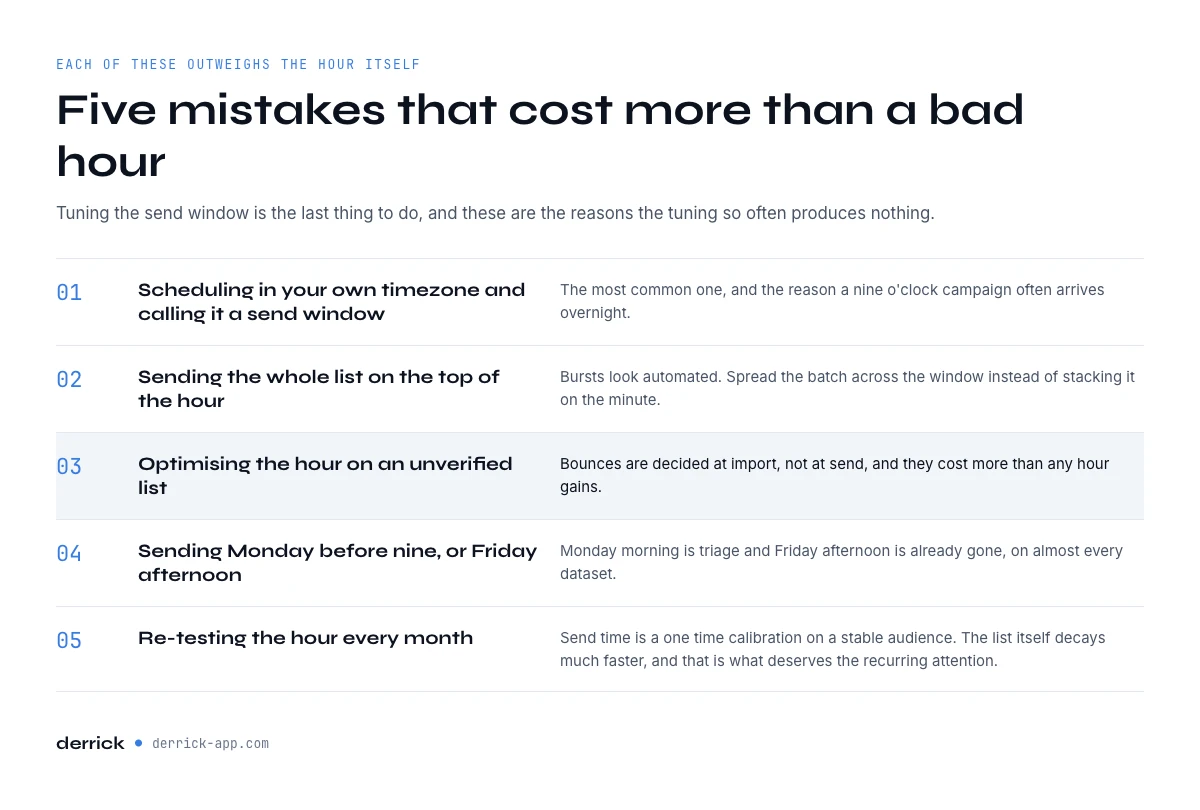
Five mistakes that cost more than a bad hour
- Scheduling in your own timezone and calling it a send window. The single most common one, and the reason a "9am campaign" often arrives overnight.
- Sending the whole list at once at the top of the hour. Bursts look automated. Spread the batch across the window instead of stacking it on the minute.
- Optimising the hour on an unverified list. Bounces are decided at import, not at send, and they cost more than any hour gains.
- Sending Monday before 9am or Friday afternoon. Monday morning is triage and Friday afternoon is already gone, on almost every dataset except the journalist one.
- Re-testing the hour every month. Send time is a one time calibration on a stable audience. The list itself decays much faster, and that is what deserves the recurring attention.
Key takeaways
- The best time to send cold emails is Tuesday to Thursday, 8am to 11am, in the recipient's local time.
- Published tables disagree because their samples describe different audiences. Treat them as a range, not a rule.
- Send time is the fourth lever. Authentication, list validity and relevance each move more, and each one is permanent.
- Batching by local time requires a country on every row, which most exported lists do not carry.
- Group the rows you cannot place into one honest fallback batch rather than guessing from the domain.
- Test one variable, inside one timezone bucket, on a few hundred contacts, and judge on replies.
If the missing piece is the location column rather than the hour, Derrick fills it from the web app, the Google Sheet, the AI assistant or the API where your list already sits, and the free plan gives you 100 credits per month to run it on a real batch before committing. Start with the free plan, or read the rest of the cold email cluster first.
We also publish one email every 2 weeks with what we are measuring on cold outreach and data quality. Subscribe from the homepage.
Frequently asked questions
What is the best time to send cold emails?
What is the best time to send a cold email on any given day?
Does the day of the week really matter for cold email?
Should I send cold emails in my timezone or the recipient's?
How do I find out what timezone a prospect is in?
Is open rate a reliable way to test send time?
How many emails do I need to test a send time properly?
Does send time matter more than list quality?
Keep reading
Continue exploring this cluster

Cold Email Template: 6 B2B Formats and the Data Each One Needs
Read →
Cold Email Subject Lines: 20 Formats and the Data Each Needs
Read →
Email Deliverability Checklist: 15 Controls, Sorted by Cadence
Read →
SPF Record Check: Read Yours and Count the Lookups (2026)
Read →