How to Find a Company's Description on LinkedIn (and Collect It at Scale)
Find any company's LinkedIn description and About section, learn why this free-text field matters for B2B, and how to collect it for a whole list at scale.


The company description is the longer "About" text a business writes about itself, the paragraph that explains what it does, who it serves, and what makes it different. It is one of the richest firmographic signals you can attach to a prospect, and it is sitting in plain sight on every LinkedIn company page and most company websites. This guide shows you where to find it, why it matters for B2B, and how to collect it for a whole list of companies instead of one tab at a time.
What a company description is (and what it is not)
On a LinkedIn company page, the description lives in the Overview block and is mirrored in the About tab. It is typically two to five sentences, sometimes a few short paragraphs, and it usually covers the company's mission, its products or services, its market, and occasionally its size or founding story. LinkedIn also exposes a Specialties field next to it, a comma separated list of keywords the company uses to describe its focus areas.
It is easy to confuse three things that look similar but serve different jobs:
- The description (About): the full self written paragraph. The subject of this guide.
- The tagline: a single positioning line under the company name. Much shorter. We cover it separately in our guide on the LinkedIn company tagline.
- The industry: a fixed category LinkedIn assigns from a closed list, not free text.
A concrete example. A company might write: "We help mid market finance teams close the books faster with automated reconciliation. Trusted by 400+ companies across Europe." In one paragraph you learn the buyer (finance teams), the segment (mid market), the problem (slow close), the product (automated reconciliation), the geography (Europe) and a proof point (400+ customers). No structured field gives you all of that at once.
The Specialties field sitting next to the description is its keyword companion. Where the description is prose, specialties is a tagged list like "B2B SaaS, fintech, accounting automation, reconciliation". It is shorter, more searchable, and often the fastest field to filter on once you have collected it.
The description matters precisely because it is free text written by the company itself. It carries vocabulary, positioning, and intent that no structured field captures. That is what makes it useful, and also what makes it harder to collect cleanly at scale.
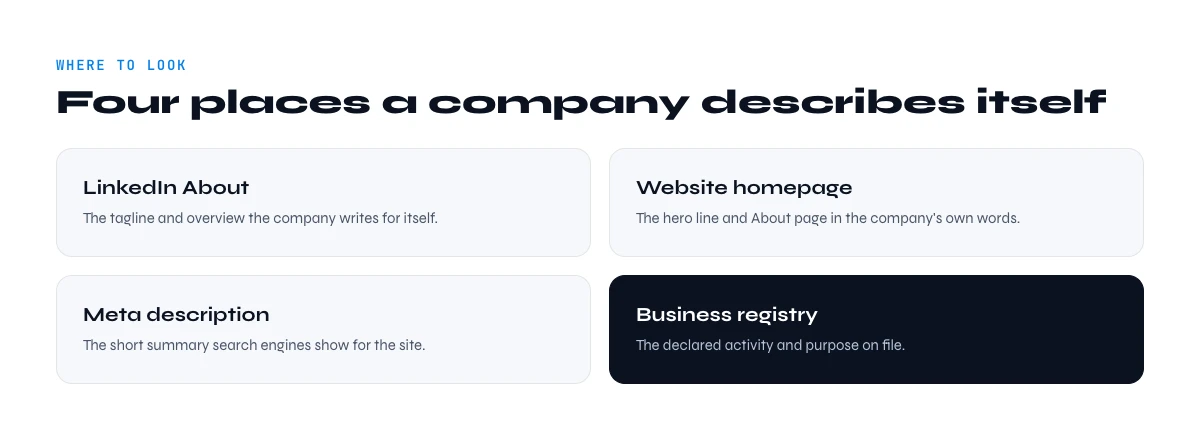
Where to find a company description manually
There are two reliable public sources, and they usually agree with each other.
1. The LinkedIn company page
- Search the company name in the LinkedIn search bar, then filter by Companies.
- Open the company page and read the Overview section on the home tab.
- For the full text plus specialties, headquarters, employee count and founded year, open the About tab.
If you only have an email or a domain rather than a clean name, you first need to resolve the company. Our walkthrough on how to find a company's details from LinkedIn covers that lookup step, and the same page that holds employee count holds the description.
2. The company website
The website "About" or "Company" page is the second source. Footer text and the homepage hero often repeat the same positioning. When the LinkedIn Overview is thin or outdated, the website is your fallback, and vice versa. Cross checking the two is the fastest way to know whether a description is current.
A note on language and length
LinkedIn descriptions are written in a single language, usually the company's primary market language rather than the language of the person reading. An international company will often write its About in English even if its team is based elsewhere. Keep that in mind when you score on keywords: the vocabulary you match against should reflect the language the description is actually written in. Length also varies a lot, from a single sentence to several paragraphs, so do not assume every row will carry the same depth of detail.
In the web app or Google Sheets
The description, without opening the page
Copying a company description from its LinkedIn page is a two-minute job that does not survive a list of three hundred. Derrick returns it in a column, alongside industry, size and location.
- Feature
- LinkedIn Companies Profile Enrichment
- Credit cost
- 1 credit per company enriched
The first button opens the web app (nothing to install): 1 credit per company enriched, 100 free credits every month. The second details the feature and its cost per plan.
Why the description is worth collecting for B2B
A company description is not vanity data. For sales and marketing teams it does three concrete jobs.
Qualification without opening 200 tabs
Example: Mike is an SDR working a list of 300 accounts. By having each company's description in a column, he can scan for the accounts that describe themselves as "B2B SaaS" or "marketplace" and deprioritize the ones that do not match his ICP, in minutes instead of an afternoon of manual page visits.
Personalization that does not sound templated
Example: Rachel writes cold email. Instead of "I saw your company", she quotes a phrase from the prospect's own About text: "you describe yourselves as helping mid market teams automate billing, which is exactly where our customers start." The description is the raw material for a first line that reads like a human wrote it.
Segmentation and lead scoring
Because the description is text, you can score it. A revenue ops team can add points when keywords like "enterprise", "compliance" or "automation" appear, and route the highest scoring accounts first. Pair the description with the company size and you have a quick two dimensional fit score.
Account research and territory planning
Beyond a single outreach campaign, descriptions help you understand a territory before you work it. When a new rep inherits 400 accounts, reading 400 About sections is impossible by hand, but skimming a column of descriptions is realistic. Patterns surface quickly: which segments cluster in the list, which accounts have pivoted, which ones describe a pain you solve directly. That context turns a flat list of names into a map you can plan against.
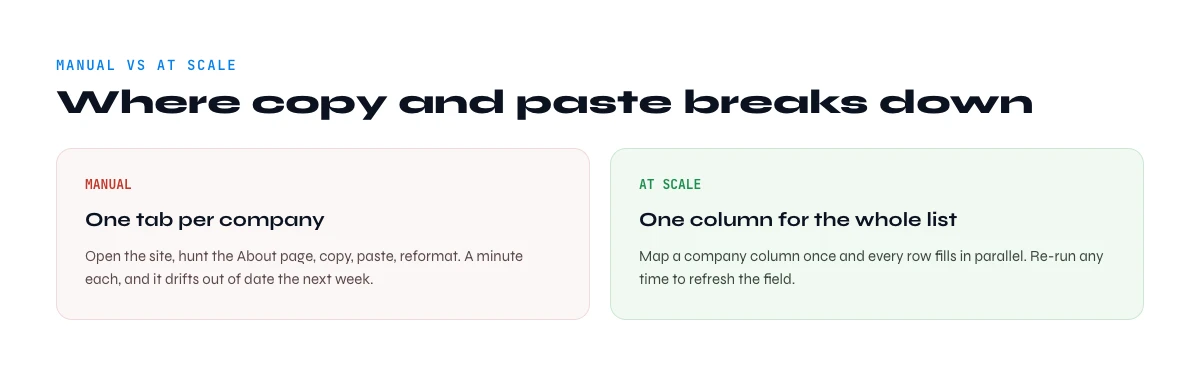
The manual method and where it breaks
For a handful of accounts, copy and paste is fine. The method has a hard ceiling though, and it shows up fast:
- It does not scale. Opening, reading and copying one page takes a minute or two. For 500 accounts that is a full day of mind numbing work.
- It drifts out of date. A description you copied last quarter may have changed. Manual collection has no refresh.
- It is inconsistent. Different people copy different amounts of text, truncate differently, and miss the specialties field.
The hidden cost. Priya runs demand gen and budgets her week in hours. When she costs out "read and tag 600 company descriptions" honestly, it is roughly two full days of an analyst's time, and the output is stale the moment a company edits its page. That math is why most teams quietly skip the description entirely and lose the personalization edge it would have given them. Automating the collection is what makes the field usable at all, not just faster to gather.
The moment your list grows past a page or two, you want the description to arrive in your spreadsheet automatically, in a consistent format, next to the other attributes you already track.
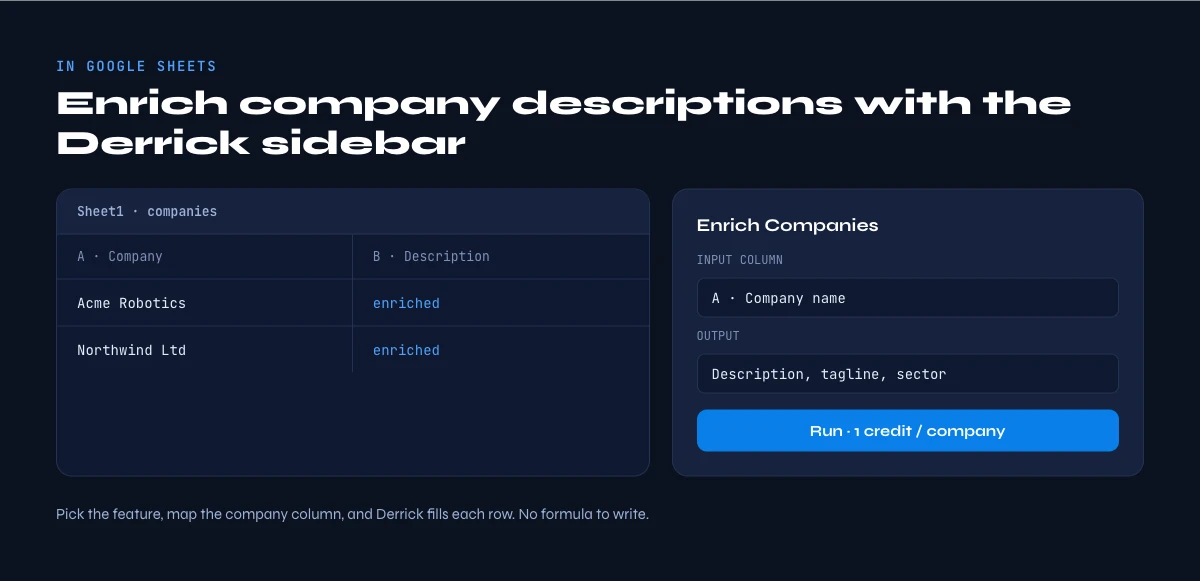
How to extract company descriptions at scale with Derrick
Derrick runs in its web app or as a Google Sheets sidebar, not as a set of spreadsheet formulas. You work from a normal list or sheet, select your rows, and Derrick fills the columns you ask for. For company descriptions the path is short:
- Start from a list of companies. If you have LinkedIn company URLs already, you are ready. If you only have names, use Search Companies to resolve each name to its LinkedIn URL first (a free and paid feature, 1 credit per company).
- Run Enrich Companies. The Enrich Companies feature pulls all available information from a company's LinkedIn page, including the description, specialties, size, industry and headquarters, into your list in the web app or your sheet. It costs 1 credit per company and is available on the free and paid plans.
- Read the description column. The About text lands in its own column, ready to filter, score, or feed into a first line.
Because everything stays in the sheet, the description sits right beside the other firmographics you collect: the follower count, the company LinkedIn ID, and the company contact email. One pass, one consistent format, refreshable whenever you re run it.
A note on hygiene. Two practices keep an enriched description column clean. First, deduplicate by company before you enrich, so you do not spend credits pulling the same About text twice. Second, expect a few blanks: not every company writes a description, and some pages are bare. Treat a missing description as a signal in itself rather than a failure, and fall back to the company website for those rows.
Derrick works the same way for a 20 row test and a 20,000 row list. The free plan gives you 100 credits per month to try it on a real sample before you scale up. Nothing about the workflow changes between a quick experiment and a full database refresh, which is what makes it safe to start small and grow into.
Description vs the other company fields: which to use when
The description is one signal among several. Here is how it compares with the neighbouring fields, so you collect the right mix rather than everything by reflex.
| Field | Format | Best for |
|---|---|---|
| Description / About | Free text, multi sentence | Personalization, keyword scoring, qualification |
| Tagline | One short line | Fast positioning scan, snappy email hooks |
| Specialties | Comma separated keywords | Filtering by focus area, tagging |
| Industry | Fixed category | Broad segmentation, reporting |
| Employee count | Number or range | Sizing, ICP fit, routing |
In practice the description plus the size plus the industry give you most of what you need to qualify and personalize. The other fields are accents you add when a workflow calls for them. A useful rule of thumb: collect the structured fields (size, industry) for filtering and routing, and collect the free-text fields (description, tagline) for the human touch in your messaging. You rarely need every field on every row, and pulling only what a play actually uses keeps both your sheet and your credit spend lean.
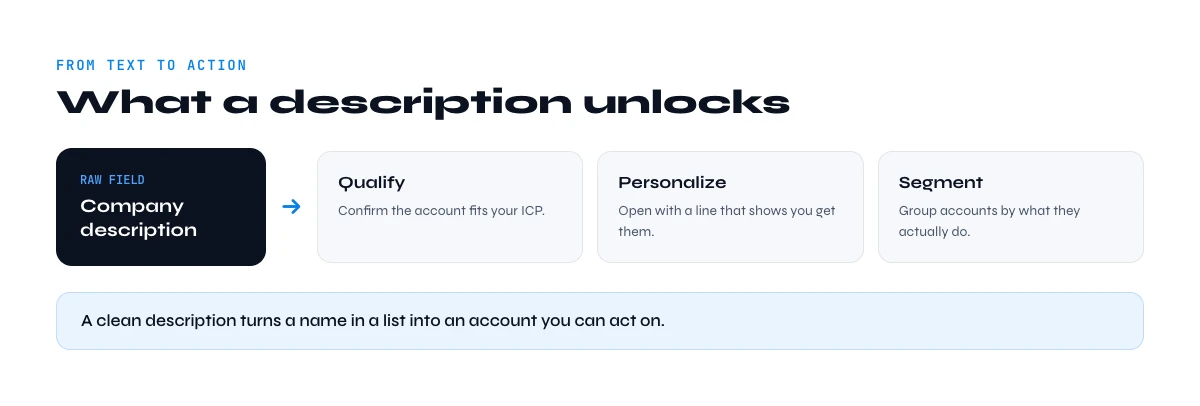
Turning raw descriptions into action
Once the descriptions are in your sheet, the leverage comes from processing them, not just storing them.
- Summarize them. A long About paragraph is more than you need for a first line. You can ask an AI step to compress each description into a one sentence "what they do" using Ask Claude, in the Derrick web app (Ask AI) or right in the sheet (a paid feature, 2 credits per line).
- Extract a keyword. Pull the single most ICP relevant term from each description into its own column, then sort or score on it.
- Draft the opener. Generate a personalized first line per row from the description, so your outreach references the prospect's own words at scale.
That is the real payoff. The description stops being a paragraph you skim and becomes a structured input your whole motion can act on.
It is also worth measuring the lift. Tag a batch of accounts where you used the description to personalize and compare reply rates against a control batch where you did not. Most teams find the description earns its keep on exactly the accounts that matter most, the larger and more specific ones whose About text gives you something concrete to react to. That feedback loop tells you how much of your list is worth enriching at this depth.
A simple end to end flow looks like this: resolve company names to LinkedIn URLs, enrich to pull the description and specialties, summarize each description to one line, extract a scoring keyword, then sort the sheet by your fit score and start outreach from the top. Every step happens in the same spreadsheet, so there is no export and re import, and you can rerun the whole chain next month to refresh.
For the wider picture on how reliable LinkedIn's firmographic layer actually is, and when to re verify it, see our State of LinkedIn Company Data 2026 report.
Frequently asked questions
Where is the company description on LinkedIn?
What is the difference between a company description and a tagline?
Can I get company descriptions for a whole list at once?
Do I need a LinkedIn URL, or is a company name enough?
How much does it cost to enrich company descriptions with Derrick?
Is the LinkedIn description always up to date?
Keep reading
Continue exploring this cluster


LinkedIn Company Tagline: Definition, Creation, and B2B Prospecting Use Cases
Read →

How to Find Company Employee Count: 5 Proven Methods for Sales Teams
Read →

How to Find Company Contact Email from LinkedIn in 2026
Read →

How Do You Target Companies Similar to Your Customers on LinkedIn Sales Navigator?
Read →