LinkedIn Profile Location Extraction: Get the Country from a Profile URL
LinkedIn profile location is four conflicting signals, not one. Discover 3 proven methods to extract the country from any profile URL, in bulk.


LinkedIn profile location is the single field most B2B lists get wrong. It looks like one piece of data, it is actually four competing signals that rarely agree, and the one people read first (the country code in the profile URL) is the least reliable of them all.
You've built a list of LinkedIn prospects, but their location data is incomplete. Some profiles only show "Country" without the city. Others have misleading URLs that don't match where they actually work. And your CRM needs accurate geographic data to segment campaigns effectively.
Finding the country from a LinkedIn profile URL might seem straightforward, but it's more complex than it appears. LinkedIn's location field pulls from multiple data sources, profile URLs don't always include country codes, and manual extraction from hundreds of profiles wastes hours of valuable prospecting time.
This guide shows you three practical methods to extract country information from LinkedIn profile URLs-from automated tools to manual workarounds-so you can enrich your lead lists with accurate location data.
What You'll Learn (and the Results You'll Get)
By the end of this tutorial, you'll be able to:
- Extract country location from LinkedIn profile URLs in bulk (100+ profiles in minutes)
- Enrich incomplete location data in your CRM or prospecting lists
- Segment leads by geographic location for targeted outreach campaigns
- Understand why LinkedIn profile URLs don't directly show country information
Expected outcome: A complete lead list with accurate country data for every LinkedIn profile, enabling precise geographic segmentation for your sales or recruiting campaigns.
Prerequisites
Before starting, you'll need:
- A list of LinkedIn profile URLs (in a spreadsheet or CRM)
- Method 1 (Automated): A Derrick account (free plan available with 100 credits/month)
- Method 2 (Manual): Access to LinkedIn profiles (no Sales Navigator required)
- Method 3 (Technical): Python knowledge and API access (if building custom solutions)
Time required: 5 minutes (automated) to 2+ hours (manual for 100 profiles)
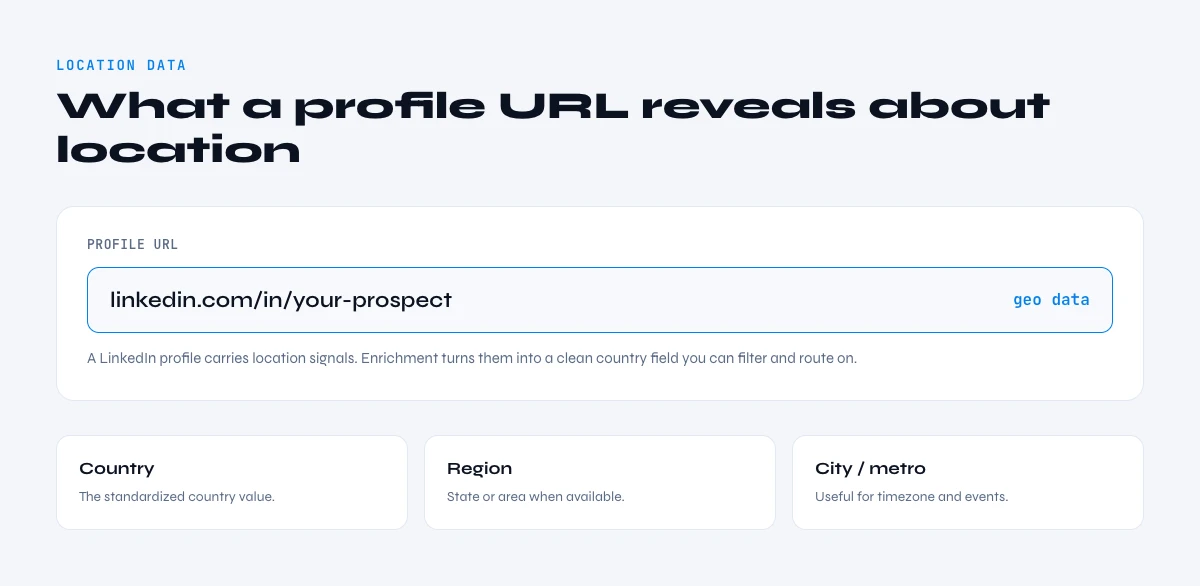
LinkedIn Profile Location Data: What LinkedIn Actually Stores Behind a URL
Before diving into extraction methods, it's important to understand how LinkedIn structures location information and why it's not always visible in profile URLs.
How LinkedIn Stores Location Data
When users create or update their LinkedIn profile, they provide location information through two fields:
- Postal code (optional, used for precise matching)
- Country/Region and City (required, selected from dropdown)
LinkedIn uses Microsoft Bing's location database to standardize this information. A profile set to "Paris, Île-de-France, France" might appear as "Paris, France" or simply "France" depending on privacy settings and data completeness.
According to LinkedIn, over 1.15 billion members span 200+ countries and regions. However, not all members keep their location data current or complete. Geographic segmentation matters for B2B outreach: around 80% of B2B social media leads come from LinkedIn.
Why LinkedIn Profile URLs Don't Show Country Codes
You might have noticed that some LinkedIn profiles have country-specific URLs like:
ca.linkedin.com/in/john-doe(Canada)uk.linkedin.com/in/jane-smith(United Kingdom)fr.linkedin.com/in/pierre-martin(France)
However, this is NOT a reliable indicator of someone's actual location. Here's why:
Country codes in URLs are based on the user's location when they created their profile, not their current location. If Pierre moved from France to the United States, his URL might still be fr.linkedin.com/in/pierre-martin even though he now lives in California.
Most modern LinkedIn profiles use the standard format: www.linkedin.com/in/username without any country code, regardless of location. This means you cannot reliably extract country information from the URL itself.
The only way to get accurate country data is by scraping the location field directly from the profile page or using an enrichment API.
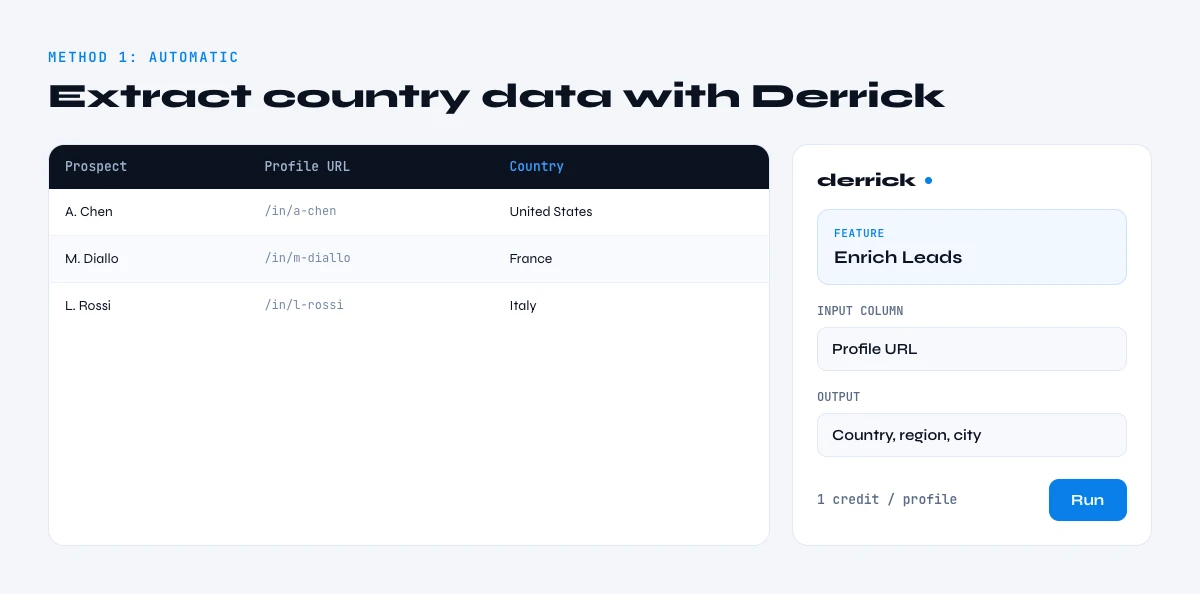
Method 1: Extract Country Data Automatically with Derrick (Recommended)
The fastest and most reliable method is using a data enrichment tool that scrapes LinkedIn profiles and extracts location data automatically.
Derrick's LinkedIn Profile Scraper enriches profile URLs with company country, city, and 50+ other firmographic attributes-all without switching tools.
Step 1: Install Derrick for Google Sheets
Navigate to the Google Workspace Marketplace (or skip the install and use the Derrick web app) and install the Derrick add-on. No credit card required for the free plan (100 credits/month).
Open your Google Sheet containing LinkedIn profile URLs and launch Derrick from the Extensions menu.
Result expected: Derrick sidebar appears on the right side of your spreadsheet.
Step 2: Prepare Your LinkedIn Profile URLs
Create a column with your LinkedIn profile URLs. Derrick accepts both public URLs (linkedin.com/in/username) and Sales Navigator URLs (linkedin.com/sales/lead/xxxxx).
Your column should look like this:
| LinkedIn Profile URL                              |
|--------------------------------------------------|
| https://www.linkedin.com/in/john-doe             |
| https://linkedin.com/in/jane-smith               |
| https://www.linkedin.com/in/pierre-martin        |
Result expected: A clean list of LinkedIn URLs in a single column, one URL per row.
Step 3: Launch the LinkedIn Profile Enrichment
In the Derrick sidebar:
- Select "Enrich LinkedIn Profiles"
- Choose the column containing your LinkedIn profile URLs
- Click "Enrich"
Derrick will now scrape each LinkedIn profile and extract available data including company country, company city, job title, company name, and more.
From there you can pull the company name from each profile or zero in on the prospect's job title to segment your list.
Result expected: New columns appear with enriched data. The process takes approximately 1-2 seconds per profile.
Step 4: Locate the Company Country Column
After enrichment completes, Derrick adds multiple columns to your spreadsheet. Look for the column labeled "Company Country" which contains the ISO country code or country name for each profile's current employer.
Example output:
| LinkedIn URL                    | Company Country | Company City  |
|--------------------------------|-----------------|---------------|
| linkedin.com/in/john-doe       | United States   | San Francisco |
| linkedin.com/in/jane-smith     | United Kingdom  | London        |
| linkedin.com/in/pierre-martin  | France          | Paris         |
Result expected: Each LinkedIn profile now has accurate country location data extracted from the profile's current company information.
Why This Method Works Best
Sarah Chen, an SDR Team Lead at a SaaS company, uses Derrick to enrich 500+ LinkedIn profiles weekly: "Before Derrick, I spent 3-4 hours manually checking profile locations. Now it takes 10 minutes, and the data is actually more accurate because it pulls the company location, not just where someone lives."
The key advantage: Derrick extracts company country (where someone works) rather than personal location (where someone lives), which is often more relevant for B2B prospecting.
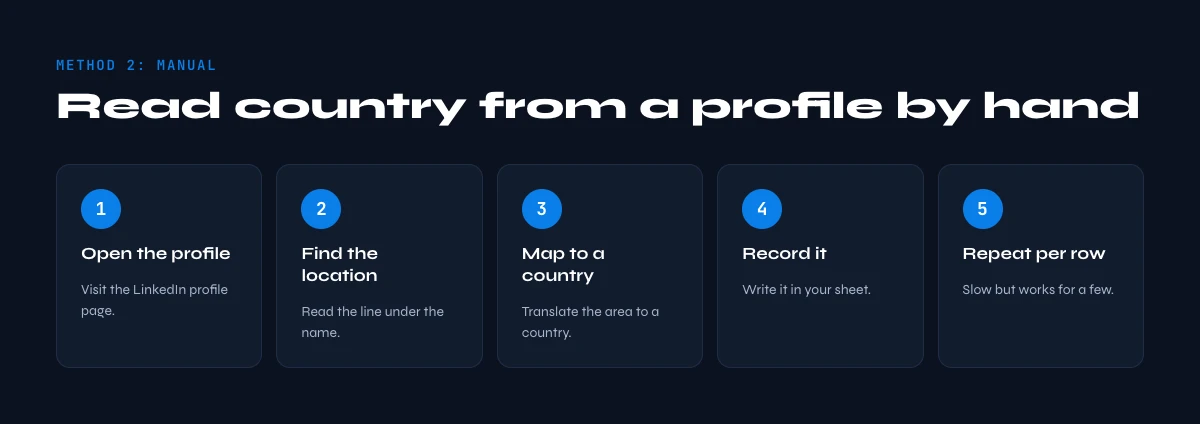
Method 2: Manual Extraction from LinkedIn Profile Pages
If you're working with a small list (under 50 profiles) or can't use automation tools, manual extraction is an option.
Step 1: Open Each LinkedIn Profile
Visit each LinkedIn profile URL in your browser. You must be logged into LinkedIn to view public profile information.
Result expected: You see the full LinkedIn profile page with visible location information.
Step 2: Locate the Location Field
The location appears in two places on a LinkedIn profile:
- Below the person's name and headline (primary location)
- In the "Contact Info" section (more detailed location)
The format varies by user settings:
- "San Francisco, California, United States"
- "London, United Kingdom"
- "France" (country only)
Result expected: You can see the location text displayed on the profile.
Step 3: Extract and Record the Country
Manually copy the location field and extract the country portion. In most cases, the country is the last element after the comma.
Examples:
- "San Francisco, California, United States" → United States
- "Paris, Île-de-France, France" → France
- "United Kingdom" → United Kingdom
Paste the extracted country into your spreadsheet.
Result expected: One row filled with country data. Repeat for each profile in your list.
Limitations of Manual Extraction
Time investment: For a list of 100 profiles, manual extraction takes 2-3 hours on average (1-2 minutes per profile including navigation, copying, and data entry).
Accuracy issues: Profiles with privacy settings may hide detailed location. Some profiles only show "Country" without city, making extraction ambiguous.
Scalability: This method doesn't work for lists larger than 100 profiles due to time constraints.
Manual extraction makes sense only when:
- You have fewer than 20 profiles to process
- You need to verify specific data points visually
- Automation tools are not available or permitted
Method 3: Extract Country Data Using LinkedIn Profile Scrapers
For technical teams comfortable with APIs or Python scripts, LinkedIn profile scrapers offer a programmatic approach to extracting country data at scale.
Option A: Python Libraries (Technical)
Several open-source Python libraries can scrape LinkedIn profiles. The most popular is linkedin-scraper (requires authentication):
from linkedin_scraper import Profile

# Authenticate with your LinkedIn credentials
profile = Profile("https://www.linkedin.com/in/username")

# Extract location data
location = profile.location
country = location.split(',')[-1].strip()

print(f"Country: {country}")
Important: Web scraping LinkedIn directly violates their Terms of Service. This method is shown for educational purposes only. Use official APIs or third-party enrichment services (like Derrick) that comply with LinkedIn's policies.
Option B: LinkedIn Profile Scraper APIs
Several commercial APIs offer LinkedIn profile enrichment with proper data licensing:
| API Provider | Country Data | Pricing | Compliance |
|---|---|---|---|
| Derrick | Company country + city | From €20/month | GDPR compliant |
| Datablist | Country code (ISO) | €20 top-up | Licensed data |
| Bright Data | Full location | Enterprise pricing | Compliant |
These services maintain their own databases of LinkedIn profile information, updated regularly through compliant methods.
Legal and Compliance Considerations
GDPR and Data Protection: When extracting personal data (including location) from LinkedIn profiles, ensure you have a legal basis:
- Legitimate interest for B2B prospecting (company location is less sensitive than personal address)
- Consent if contacting individuals directly
- Data minimization (only collect country data if you actually need it for segmentation)
LinkedIn Terms of Service: Automated scraping of LinkedIn profiles without authorization violates LinkedIn's ToS. Use:
- LinkedIn's official APIs (limited access)
- Third-party services with proper data licensing (Derrick)
- Manual extraction (slow but compliant)
Commercial enrichment tools like Derrick source data through compliant methods and provide proper data handling agreements.
In the web app or Google Sheets
Country per lead, for territory and timing
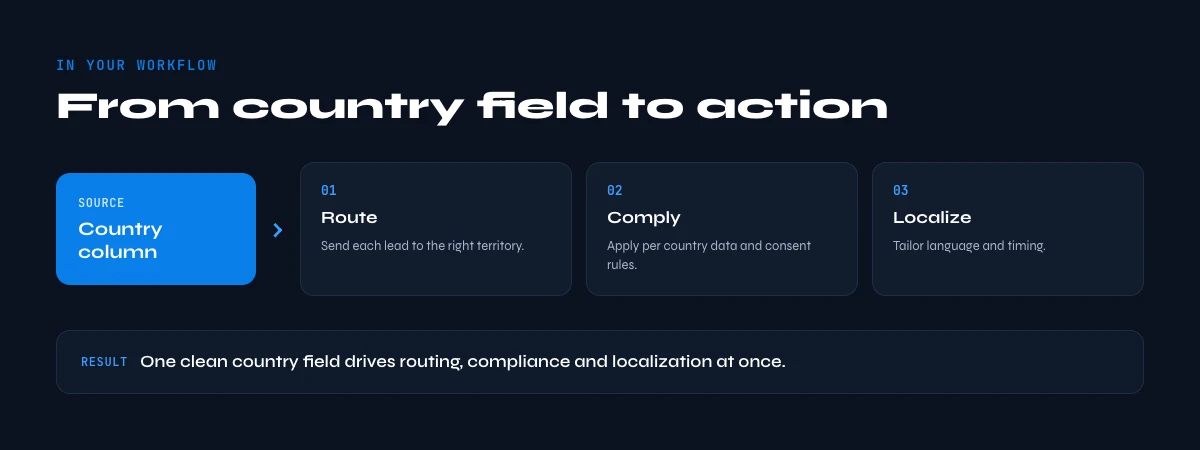
Territory assignment and send times both depend on this one field. Derrick extracts the location from the profile URL you already have and writes it back on the row, for the whole list in one pass.
- Feature
- LinkedIn Leads Profile Enrichment
- Credit cost
- 1 credit per lead enriched
The first button opens the web app (nothing to install): 1 credit per lead enriched, 100 free credits every month. The second details the feature and its cost per plan.
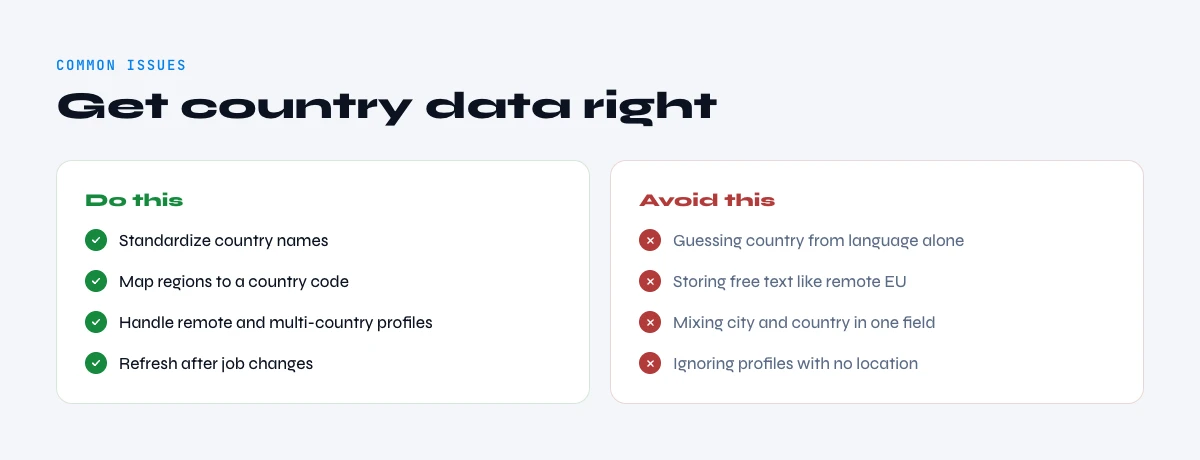
Common Issues When Extracting Country Data (and Solutions)
Problem 1: Profile Only Shows "Country" Without City
Symptom: LinkedIn profile displays just "United States" or "France" without a specific city.
Why this happens: Users can choose to display only country-level location for privacy reasons, or they haven't updated their postal code field.
Solution:
- If using Derrick: The tool extracts company headquarters location from the company page, providing more detailed data
- If manual: Accept country-only data for these profiles, or cross-reference with their current company's location on the company LinkedIn page
Problem 2: Location Doesn't Match Current Job
Symptom: Profile location shows "San Francisco" but the person's current job is listed as "Remote - Based in Austin, Texas."
Why this happens: Location field shows where someone lives, not necessarily where they work. Remote workers often keep their residence location.
Solution:
- For B2B prospecting, company country (where the business operates) is more valuable than personal location
- Derrick extracts company country from the employer's LinkedIn page, solving this mismatch
- Manually check the "Current Position" section which sometimes includes work location
Problem 3: Country Code in URL Doesn't Match Profile Location
Symptom: URL shows uk.linkedin.com/in/john-doe but profile location is "New York, United States."
Why this happens: Country codes in URLs are set when the profile is created and don't update automatically if someone moves countries.
Solution: Ignore the URL country code entirely. Always extract location from the profile page's location field or company headquarters data.
Problem 4: Empty or Missing Location Data
Symptom: Some profiles have no visible location information at all.
Why this happens: Privacy settings, incomplete profile, or deliberately hidden by user.
Solution:
- Try extracting company location instead of personal location
- For leads without any location data, flag them for manual review or exclude from geographic campaigns
- Derrick's enrichment includes a fallback: if personal location is hidden, it pulls company headquarters country
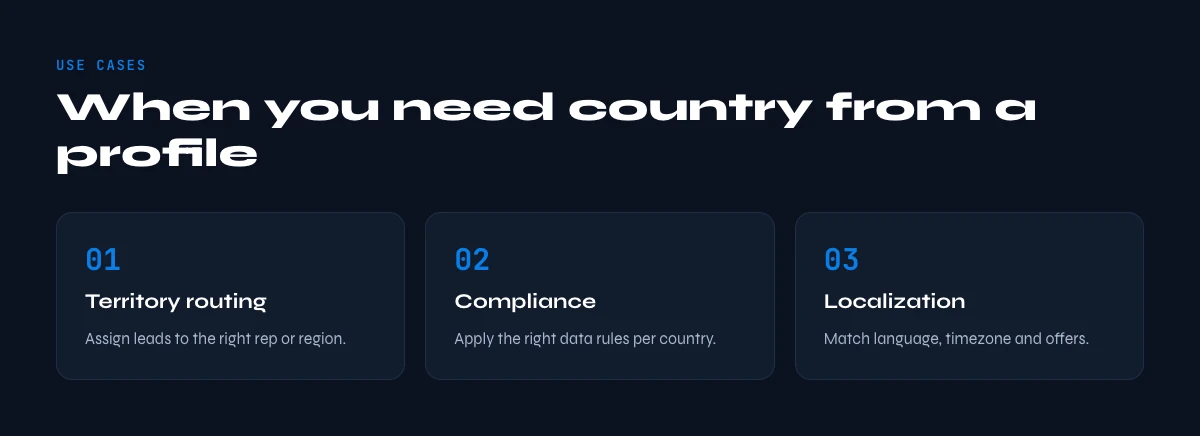
Use Cases: When You Need Country Data from LinkedIn Profiles
Understanding when and why to extract country information helps prioritize your enrichment efforts.
Use Case 1: Geographic Lead Segmentation for Outreach
Scenario: Emma, a BDR at a European SaaS company, manages prospects across 15 countries. Her sales pitch varies significantly by region-pricing in USD vs EUR, different case studies for US vs European clients, and compliance messaging for GDPR-sensitive markets.
How country extraction helps: By enriching her LinkedIn prospect list with country data, Emma creates separate outreach sequences:
- France & Germany: GDPR-focused messaging, local case studies, EUR pricing
- United Kingdom: Brexit-aware compliance messaging, GBP pricing
- United States: US case studies, USD pricing, focus on scalability
Results: Emma's reply rates increased 23% after implementing geographic segmentation. Prospects responded better to region-specific messaging.
Use Case 2: International Recruitment Filtering
Scenario: Marcus, a technical recruiter for a multinational consulting firm, sources candidates from LinkedIn Sales Navigator. His open positions have specific location requirements-some roles are remote-friendly globally, others require candidates in specific countries for visa/legal reasons.
How country extraction helps: Marcus exports 500 LinkedIn profiles weekly from Sales Navigator searches. By enriching them with country data, he automatically filters:
- US-based candidates for positions requiring work authorization
- EU-based candidates for GDPR-sensitive data analyst roles
- Global candidates for fully remote positions
Results: Marcus reduced time spent on manual profile filtering by 70%, allowing him to focus on candidate engagement rather than data cleanup.
Use Case 3: Market Research and Competitive Analysis
Scenario: Julia, a market analyst, researches competitor hiring patterns to identify market expansion strategies. She collects LinkedIn profiles of employees at five competing companies.
How country extraction helps: By extracting country data from employee profiles, Julia maps:
- Where competitors are hiring (new office locations)
- Geographic distribution of specific roles (e.g., sales teams concentrated in DACH region)
- Expansion signals (sudden hiring in a new country)
Results: Julia identified that a competitor was hiring 15 sales roles in France-a strong signal they were entering the French market. Her company adjusted their own expansion timeline accordingly.
Best Practices for Country Data Enrichment
1. Prioritize Company Country Over Personal Location
For B2B prospecting and sales use cases, company headquarters country is usually more valuable than where an individual lives. A remote worker in Portugal working for a US company should be segmented with US leads, not European leads.
Derrick automatically extracts company country from the employer's LinkedIn page, ensuring you capture business location rather than personal residence.
2. Handle Missing Data Gracefully
Not every LinkedIn profile will have complete location information. Plan for this:
- Flag profiles with missing data for manual review
- Create a separate segment for leads without country data (they can still be valuable)
- Use fallback enrichment sources like company domain lookup (if you have their email or website)
Around 10-15% of LinkedIn profiles have incomplete or hidden location data, according to data from enrichment providers.
3. Combine Geographic Data with Other Segmentation Criteria
Country alone isn't enough for effective targeting. Combine it with:
- Industry (e.g., "SaaS companies in France")
- Company size (e.g., "US companies with 50-500 employees")
- Job title (e.g., "UK-based Sales Directors")
Derrick's enrichment provides 50+ attributes per profile, enabling multi-dimensional segmentation in a single operation.
4. Keep Location Data Fresh
Job changes often mean location changes. A person who moved from New York to London six months ago might still show "New York" if they haven't updated their profile.
Recommendation: Re-enrich LinkedIn profiles every 3-6 months for active prospects. Derrick's rollover credits mean unused monthly credits don't expire, making it cost-effective to maintain fresh data.
5. Respect Privacy and Compliance
When collecting location data from LinkedIn profiles:
- Document your legal basis (legitimate interest for B2B prospecting)
- Provide opt-out mechanisms in your outreach emails
- Only collect data you actually need (don't enrich just because you can)
- Store data securely with appropriate access controls
GDPR applies to personal data of EU residents. Company location (headquarters country) is typically less sensitive than personal residential address, but still requires proper handling.
The app works through your list row by row: 1 credit per lead enriched.
Alternative Methods and Tools
Beyond Derrick, several other tools can extract country data from LinkedIn profiles:
Enrichment Tools Comparison
| Tool | Country Extraction | Bulk Processing | Google Sheets Native | Pricing |
|---|---|---|---|---|
| Derrick | Company + Personal | Unlimited | Yes | €20-175/month |
| Evaboot | From Sales Nav exports | Yes | Separate platform | $49-199/month |
| Phantombuster | Via LinkedIn scraper | Yes | Separate platform | $56-352/month |
| Clay | Via multi-source enrichment | Yes | Separate platform | $149-800/month |
| ZoomInfo | Pre-enriched database | Yes | API/Export | Enterprise pricing |
Why Derrick stands out:
- Native Google Sheets integration means no CSV exports/imports
- Rollover credits (unused credits don't expire)
- Works without Sales Navigator for profile enrichment (Sales Nav only needed for import feature)
When to Use Alternative Methods
Use Evaboot if: You exclusively work within Sales Navigator and need to export searches with pre-cleaned data. Evaboot specializes in Sales Navigator export optimization.
Use Phantombuster if: You need to scrape multiple platforms (LinkedIn + Instagram + Twitter) and want a unified automation platform.
Use Derrick if: You want the simplest solution for LinkedIn enrichment, work primarily in a spreadsheet or want nothing to install, and need affordable pricing with credit rollover.
LinkedIn Profile Location Fields: locationName, geoRegion and Country Code
A profile carries several location signals, not one. The free-text city label, the region identifier LinkedIn assigns internally, the country code frozen in the URL subdomain, and the headquarters country of the current employer. They routinely disagree, and knowing which one you pulled decides how far you can trust it.
| Signal | Where it lives | Updates when the person moves? | What it is good for |
|---|---|---|---|
| Location label (city or area) | Profile intro block | Yes, if the person edits the profile | Territory routing, event targeting |
| Country or region (required field) | Profile intro block | Yes, if the person edits the profile | Country segmentation |
| Country code in the URL subdomain | The profile URL itself | No, frozen at account creation | Nothing reliable |
| Company headquarters country | Current company page | Yes, when the company updates it | Market and pricing segmentation |
| Language of the profile copy | Profile body text | Rarely | Weak corroborating signal only |
Practical consequence: never store a single country column. Store the raw label, the normalised country code, and the source signal that produced it. When two rows conflict later, the source column is the only thing that lets you arbitrate without re-opening the profile.
LinkedIn Profile Location IDs: Why Place Names Alone Do Not Filter a Search
LinkedIn does not filter searches on the string "Paris". It resolves the place name to an internal geographic identifier, then filters on that identifier. Every search URL, every saved filter and every export inherits the definition attached to that ID, not the word you typed.
Two things follow, and both bite in practice. First, a metropolitan area ID is much wider than the city that names it: an area ID for a capital usually swallows dozens of surrounding towns. Second, a country ID can include overseas territories that your sales team does not actually cover. So two exports both labelled "London" can contain very different people depending on which identifier was selected in the filter.
If you build lists from search URLs, log the identifier alongside the human label. It is the only way to reproduce a list six weeks later, and the only way to explain to a rep why a prospect two hundred kilometres away landed in a "city" segment.
Country, Nationality and Company Country: Three Different Questions
These three get merged constantly and they are not the same question. Answering the wrong one is how a list ends up mis-segmented at the source.
- Country of residence is what the profile location field expresses. It is where the person says they currently are.
- Nationality or country of origin is not published on LinkedIn at all. There is no field for it. Anything you derive from a surname, a language or a university is guesswork, and it has no place in a segmentation rule.
- Company country is the headquarters or registered country of the current employer. For B2B, this is usually the field that actually matters, because it drives currency, buying process and legal entity.
A remote engineer living in Portugal, employed by a company headquartered in Germany, carries two correct and different countries. Decide which one your campaign needs before you enrich, not after.
How to Verify Someone Is Based in a Given Country from Their LinkedIn Profile Location
Read five signals and count how many agree. Three or more pointing to the same country is high confidence. Two is a maybe that needs a human check. One signal on its own, especially the URL subdomain, is not evidence and should never trigger an automated segmentation rule.
- The location field itself. The strongest single signal, because the person set it deliberately.
- The current company headquarters country. Pulled from the company page, not the profile.
- The country code of a phone number when you already hold one on the record.
- Spelling and date conventions in the profile copy. British and American spellings separate two large markets cheaply.
- The country of the most recent school or certification. Weak on its own, useful as a tie-breaker.
Score it, store the score, and route only the high-confidence rows into automated sequences. The medium ones go to a review tab. That single habit removes most of the "why did this German prospect get the US pricing email" incidents.
LinkedIn Profile Location Accuracy by Method: Side by Side
The methods above are not interchangeable. This is what each one actually buys you when you run it across a real list rather than a single profile.
| Method | Reliability of the country | Works in bulk | Cost |
|---|---|---|---|
| Reading the URL subdomain | Low, frozen at signup | Yes | Free |
| Opening each profile by hand | High at the moment you read it | No | Your time |
| Enriching profile URLs in Google Sheets | High, refreshed at every run | Yes | 1 credit per profile |
| Deriving from the employer headquarters | High for market segmentation | Yes | 1 credit per company |
| Guessing from name or language | Very low | Yes | Free, and worth what you pay |
Validating LinkedIn Profile Location Data Before It Reaches Your CRM
Enrichment is the easy half. The half that decides whether the data survives is the validation pass between the sheet and the CRM. Six checks, all of them cheap, all of them worth running before the first sync rather than after the first complaint.
- Normalise to ISO 3166-1 alpha-2. "UK", "U.K.", "United Kingdom" and "Great Britain" must collapse to GB before anything downstream reads the column.
- Keep the raw string next to the code. When a mapping is wrong you need to see what the source actually said.
- Flag conflicts instead of resolving them silently. If the URL subdomain and the location field disagree and no third signal breaks the tie, mark the row for review.
- Flag region-only values. A row that says only "European Union" is not a country and should not be treated as one.
- Deduplicate on the profile URL, never on the name. Homonyms are common; profile URLs are unique.
- Test on 25 rows before running the full list. A mapping error caught on 25 rows costs nothing. Caught on 5000, it costs a re-import and a credibility hit with the sales team.
Derrick's free plan gives you 100 credits every month with no card, which is enough to run that 25-row test and still enrich a first batch before you commit to anything.
How Fast LinkedIn Profile Location Data Decays
Location is not a stable attribute. It changes with every relocation and, more often, with every job change, because a new employer usually means a new office country in the record even when the person has not moved at all.
Set a refresh cadence rather than a one-off enrichment: re-enrich the active pipeline every quarter, and re-enrich any list the week before a campaign goes out. A country field that was right eight months ago is not a country field, it is a guess with a timestamp. Our LinkedIn profile data decay report covers how the other profile fields age alongside it.
Two neighbouring problems come up as soon as country data is clean: making sure the profile URL you enriched is a real one, and reading the rest of the intro block. Start with valid LinkedIn URL formats, then how to find a LinkedIn profile URL, and finally the headline field, which often names the country or market explicitly when the location field does not.
Conclusion: Start Extracting Country Data Today
Extracting country information from LinkedIn profile URLs isn't as straightforward as reading a URL parameter, but with the right tools, it's fast and scalable.
To recap:
- LinkedIn profile URLs rarely contain accurate country codes
- The only reliable method is scraping the location field from the profile page
- Manual extraction works for small lists (under 20 profiles) but doesn't scale
- Automated enrichment tools like Derrick extract country data in bulk-100 profiles in under 10 minutes
- Company country is usually more valuable than personal location for B2B use cases
Ready to enrich your LinkedIn prospect list with accurate country data?
Frequently Asked Questions
Can I extract country information directly from a LinkedIn profile URL?
No, country codes in LinkedIn URLs (like uk.linkedin.com or fr.linkedin.com) are not reliable indicators of someone's current location. These codes are set when the profile is created and don't update if someone moves. The only accurate method is scraping the location field from the profile page itself.
What's the difference between personal location and company country?
Personal location is where someone lives (e.g., "Austin, Texas"). Company country is where their employer's headquarters or office is located. For B2B prospecting, company country is usually more relevant because it indicates which market the company operates in.
How accurate is LinkedIn location data?
LinkedIn location data depends on users updating their profiles. Approximately 85-90% of active LinkedIn users have location information on their profiles, but it's not always current. Re-enrich data every 3-6 months for active prospects to maintain accuracy.
Is it legal to extract country data from LinkedIn profiles?
For B2B prospecting purposes, extracting company location falls under legitimate interest under GDPR. However, you must use compliant methods (official APIs or licensed enrichment services like Derrick) rather than direct web scraping, which violates LinkedIn's Terms of Service.
Can I extract country data from LinkedIn Sales Navigator exports?
Sales Navigator exports include location data in the exported CSV file. However, this data is often incomplete or outdated. Using an enrichment tool like Derrick to re-enrich Sales Navigator exports ensures you have current, detailed location information including both city and country.
Frequently asked questions
Can I find the country directly from a LinkedIn profile URL?
What's the difference between personal location and company country?
How accurate is LinkedIn country data?
Why do some profiles only show a country without a city?
Is it legal to extract country data from LinkedIn profiles?
Keep reading
Continue exploring this cluster


How to Find a LinkedIn URL: Complete Guide for Professionals and Prospectors
Read →

LinkedIn Headline 2026: Character Limit + Examples That Work
Read →

How to Find City from LinkedIn Profile URL: Complete 2026 Guide
Read →

How to Find Someone's LinkedIn Skills: Complete Guide 2026
Read →