LinkedIn API pricing in 2026: what access costs, and what it never buys you
LinkedIn API pricing explained: why no rate card exists, what each access tier gates, the hidden rate limits, and your real cost per record.


Every team that starts looking at LinkedIn API pricing runs into the same wall within an hour: there is no price list. LinkedIn publishes a catalogue of API products, publishes documentation for most of them, and publishes nothing at all about what any of them cost. That silence is not an oversight. It is the direct consequence of how LinkedIn sells developer access, and once you understand the structure, the pricing question turns into a different and far more useful question: what are you allowed to get, and at what unit cost per record.
This guide lays out what is verifiable from LinkedIn's own developer catalogue and documentation, what the access tiers really gate, why rate limits are invisible until after you build, and how to work out the number that actually decides your budget.
LinkedIn API pricing in one screen
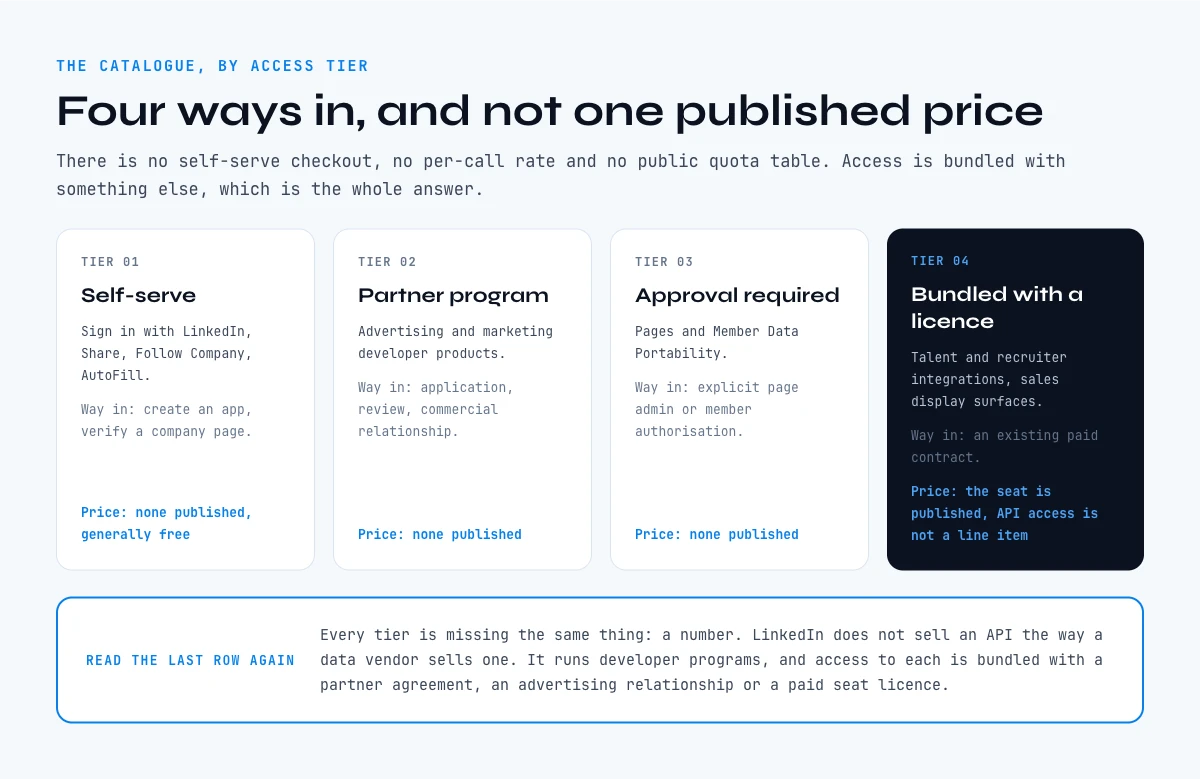
The short version: LinkedIn does not sell an API the way a data vendor sells an API. It runs developer programs, and access to each program is bundled with something else, usually a partner agreement, an advertising relationship, or a paid seat licence. There is no self-serve checkout, no published per-call rate, and no public quota table.
Here is how the catalogue breaks down by the only dimension LinkedIn does disclose, which is access tier.
| Access tier | Example products | What it takes to get in | Published price |
|---|---|---|---|
| Self-serve | Sign in with LinkedIn, Share on LinkedIn, Follow Company, AutoFill | Create a developer app, verify a company page | None published, generally free |
| Partner program | Advertising, Marketing developer products | Application, review, commercial relationship | None published |
| Approval required | Pages Data Portability, Member Data Portability | Explicit page admin or member authorisation | None published |
| Bundled with a licence | Talent and recruiter integrations, sales display surfaces | An existing paid contract with LinkedIn | Seat price published, API access is not a line item |
Read that table again and notice what is missing from every single row: a number. That is the honest answer to the LinkedIn API pricing question, and everything below explains why it is structured that way and what to do about it.
Why LinkedIn API pricing is not published anywhere
LinkedIn's developer product catalogue lists roughly twenty products spread across consumer, marketing, sales, talent, learning, plugin and regulatory categories. Go through it product by product and you will find access tiers described for some of them, documentation linked for most of them, and pricing for none of them.
There are three structural reasons for this, and each one has a practical consequence.
The first is that most programs are not products you buy, they are permissions you are granted. Advertising APIs exist so that partners can spend money on LinkedIn, not so that they can extract value from it. The commercial terms sit inside a partner agreement, and partner agreements are negotiated, not listed.
The second is that where a price does exist, it is attached to a seat, not to an endpoint. If your integration rides on a recruiter or sales licence, you pay for the licence and the API surface comes along with it. Nobody can quote you a per-call cost because per-call is not the unit being sold.
The third is that the regulatory products, the data portability endpoints, exist to satisfy a legal obligation. They are free in the sense that compliance is not a revenue line, and they are useless for prospecting in the sense that they only return data for a member or page that has explicitly authorised you.
The practical consequence: any figure you find quoted as the LinkedIn API price is somebody's estimate of a negotiated contract, not a rate card. Treat those numbers as anecdotes, budget from your own quote, and never build a business case on a number you cannot trace to a contract you have signed.
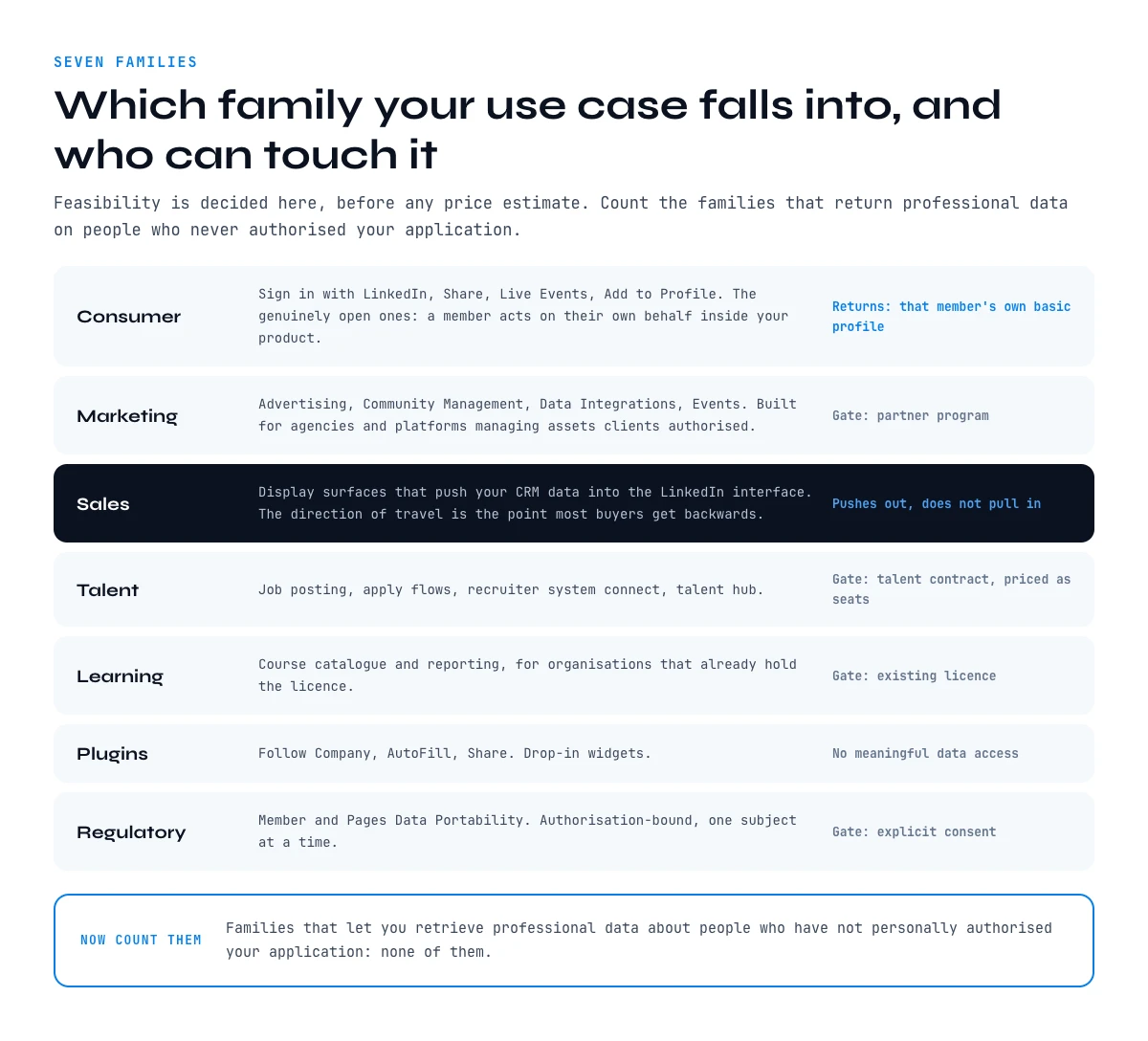
The seven families of LinkedIn API products, and who can touch them
Knowing which family your use case falls into tells you more about feasibility than any price estimate would.
Consumer. Sign in with LinkedIn, Share on LinkedIn, Live Events, Add to Profile. These are the genuinely open ones. You register an app, you verify a company page, you ship. They let a member act on their own behalf inside your product. They return that member's own basic profile, nothing about anybody else.
Marketing. Advertising, Community Management, Data Integrations, Events Management. These sit behind the partner program. They are designed for agencies and martech platforms managing pages and ad accounts that clients have authorised.
Sales. Sales display surfaces, which push your CRM data into the LinkedIn interface rather than pulling LinkedIn data into your CRM. The direction of travel matters enormously here and it is the point most buyers get backwards.
Talent. Job posting, apply flows, recruiter system connect, talent hub. Gated behind talent contracts, priced as seats.
Learning. Course catalogue and reporting for organisations that already license LinkedIn Learning.
Plugins. Follow Company, AutoFill, Share. Drop-in widgets, no meaningful data access.
Regulatory. Member Data Portability and Pages Data Portability. Authorisation-bound, one subject at a time.
Now count the families that let you retrieve professional data about people who have not personally authorised your application: none of them.
LinkedIn API pricing in practice: what you are actually buying
When a team says they have budgeted for LinkedIn API pricing, one of four things is usually true, and it is worth being precise about which.
They have a partner agreement, in which case the cost is whatever was negotiated and the constraint is the contract's permitted use, not the money.
They have a seat licence with an API surface attached, in which case the cost scales with headcount and the constraint is how many seats they can justify.
They are using the self-serve consumer endpoints, in which case there is no cost and also no third-party data.
Or they are paying an intermediary that resells LinkedIn-derived data, in which case they are not on LinkedIn API pricing at all, they are on that vendor's pricing, with that vendor's terms and that vendor's continuity risk.
Only the fourth case gives most sales and revenue operations teams what they actually came for, and once you are in the fourth case, the comparison stops being about LinkedIn and starts being about cost per usable record.
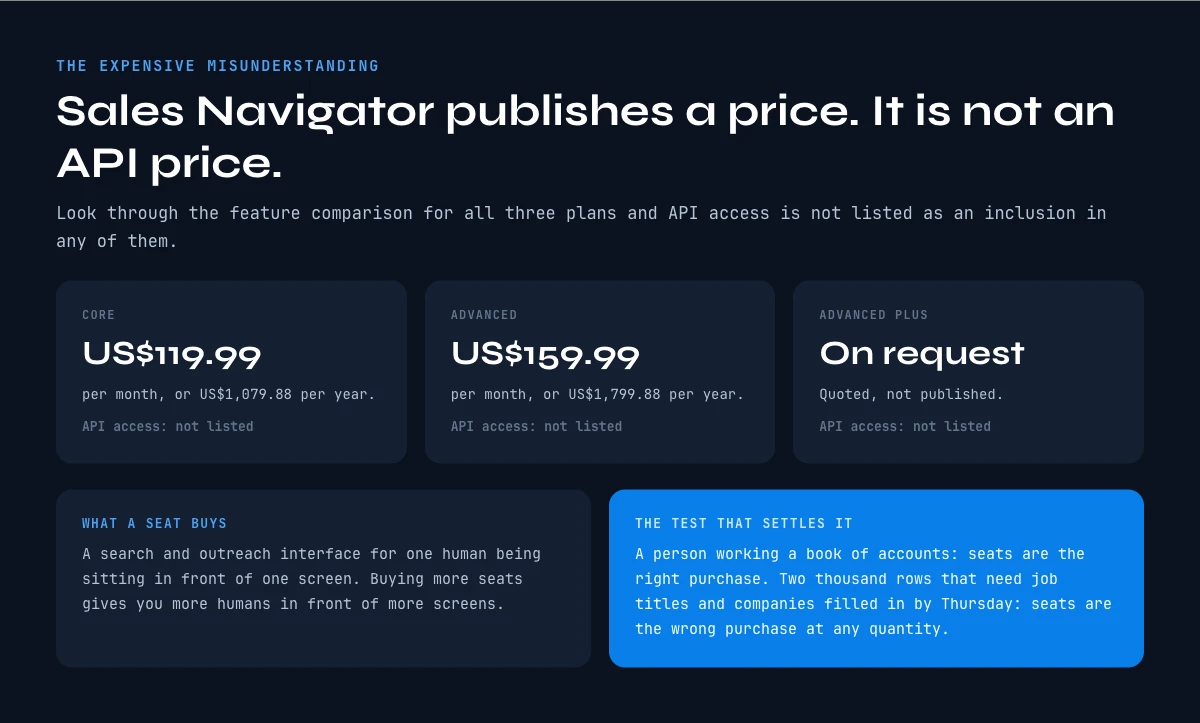
Sales Navigator is not an API, and that is the expensive misunderstanding
This is the single most common error in the whole topic, so it deserves its own section and a real number.
Sales Navigator publishes its prices openly. Core is listed at US$119.99 per month or US$1,079.88 per year. Advanced is listed at US$159.99 per month or US$1,799.88 per year. Advanced Plus is quoted on request.
Look through the feature comparison for those three plans and you will not find API access listed as an inclusion in any of them. Sales Navigator is a search and outreach interface for a human being sitting in front of a screen. Buying more seats gives you more humans in front of more screens. It does not give you a programmatic endpoint, and a team that budgets seats expecting to automate against them has bought the wrong thing.
If your requirement is a person working a book of accounts, seats are the right purchase. If your requirement is a list of two thousand rows that needs job titles and companies filled in by Thursday, seats are the wrong purchase at any quantity. Our breakdown of Sales Navigator pricing works through the seat maths in detail.
The app works through your list row by row. 100 free credits every month.
Rate limits: the quota nobody quotes you before you build
Even once you are inside a program, there is a second budget that nobody discusses at the sales stage, and LinkedIn's own documentation is unusually candid about it.
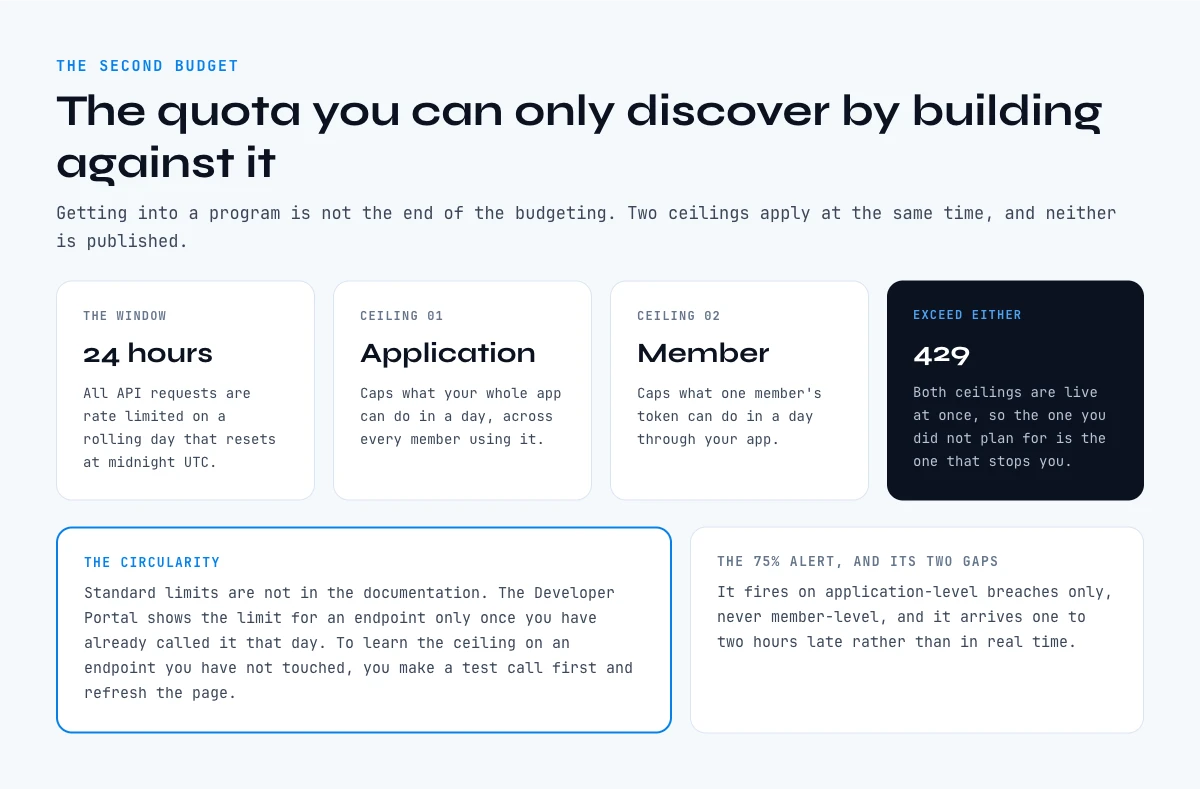
All API requests are rate limited on a twenty-four hour window that resets at midnight UTC. Two separate ceilings apply at the same time. The application limit caps what your whole app can do in a day. The member limit caps what a single member's token can do in a day through your app. Exceed either and you get a 429.
Here is the part that changes how you plan. Standard rate limits are not published in the documentation. You look up the limit for an endpoint in the Developer Portal, on your app's Analytics tab, and that page only shows limits for endpoints you have already called at least once that day. If you want to know the ceiling on an endpoint you have not touched yet, you have to make a test call first and refresh the page.
In other words, the quota that governs whether your integration is viable at your volume is discoverable only by building enough of the integration to call the endpoint. LinkedIn does send an email alert when an application crosses seventy-five per cent of its quota, but that alert fires on application-level breaches only, not member-level ones, and it arrives with a delay of roughly one to two hours rather than in real time.
Plan accordingly: prototype against the endpoints you need before you commit a roadmap to them, and treat any throughput assumption you have not personally observed in the Analytics tab as a guess.
The line no LinkedIn API tier crosses
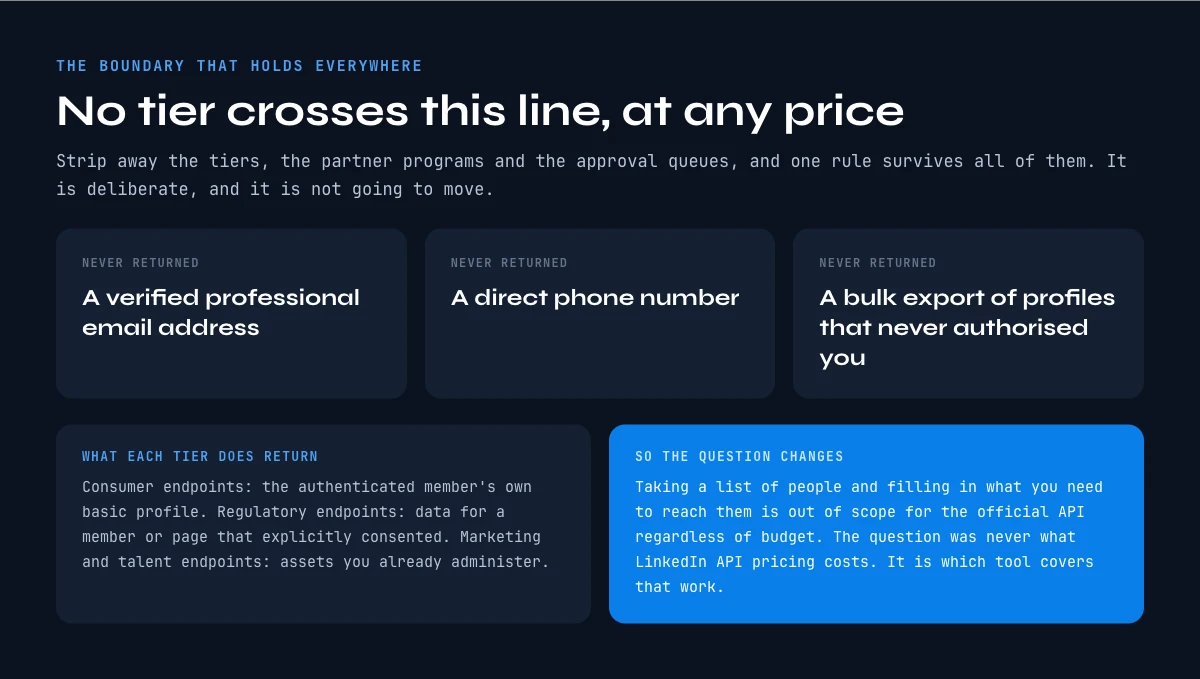
Strip away the tiers, the partner programs and the approval queues, and one boundary holds across all of them.
No LinkedIn API product, at any access level, at any price, returns a verified professional email address, a direct phone number, or a bulk export of profiles belonging to people who have not authorised your application. The consumer endpoints return the authenticated member's own basic profile. The regulatory endpoints return data for a member or page that has explicitly consented. The marketing and talent endpoints operate on assets you already administer.
That boundary is deliberate and it is not going to move. Which means the entire category of work that most revenue teams want to do, taking a list of people and filling in what you need to reach them, is out of scope for the official API regardless of budget. The question was never how much LinkedIn API pricing costs. The question is which tool covers that work.
Cost per record: the calculation that settles the LinkedIn API pricing question
Once you accept that you are comparing data sources rather than negotiating with LinkedIn, the arithmetic gets simple and honest.
Take the number of profiles you need enriched in a month. Divide your monthly data spend by it. That is your cost per record, and it is the only figure that lets you compare a seat licence, a partner contract and a usage-based tool on the same axis.
A seat licence does badly on this axis at volume, because the denominator is capped by what a human can process. A partner contract is usually opaque on this axis, because the contract is annual and the volume is a forecast. A usage-based tool is transparent on it by construction.
For reference, Derrick prices in credits, and the published credit rate falls as the plan grows: the FREE plan gives 100 credits a month at no cost, STANDARD is 20 euros for 10,000, PLUS is 47.50 euros for 25,000, PRO is 175 euros for 100,000, and SCALE is 320 euros for 200,000, which works out at 0.0016 euros per credit. Enriching a LinkedIn profile with Enrich Leads costs 1 credit per profile and is available from the FREE plan upward, so at the SCALE rate a fully enriched profile lands at 0.0016 euros. Unused credits roll over on paid plans.
Run that against a seat-based budget and the gap is not a rounding difference. It is the difference between a fixed cost that ignores your volume and a variable cost that tracks it.
When the official API is worth it, and when it is the wrong tool
None of this makes the official API a bad product. It makes it a specific one.
Use the official API when a member is acting on their own behalf inside your product, when you are posting or reporting on pages and ad accounts you administer, when you are wiring a recruiter or learning workflow into a contract you already hold, or when you must honour a data portability request. In those cases nothing else will do, and the approval friction buys you a durable, sanctioned integration.
Do not reach for it when you need third-party professional data at volume, when your timeline is shorter than a partner review cycle, when your volume is uncertain enough that an annual commitment is a bet, or when the fields you need are contact details. In those cases the official API is not expensive, it is simply not on sale.
Getting LinkedIn profile data without waiting for partner approval
The practical route for a sales, growth or revenue operations team is to stop treating LinkedIn as the supplier and start treating the profile URL as the input.
Derrick takes a LinkedIn profile URL and returns the professional data attached to it, and it does so on whichever surface fits how you work. In the web app, with nothing to install, you paste the list and enrich it. If the list already lives in a spreadsheet, the Google Sheets sidebar enriches the rows in place. If the question is being asked inside an AI chat, the MCP server answers it in the conversation. If the work belongs in a pipeline or a CRM sync, the REST API handles it without a human in the loop.
Import LinkedIn Leads pulls a list of profiles in at 1 credit per profile and is available from the FREE plan, and Enrich Leads fills in the fields at the same rate. If you want to see exactly which profile fields are worth pulling for your use case before you commit to a volume, the picker below walks through it. Our guides on finding a job title, finding a company and recovering a profile URL go field by field, and checking that a LinkedIn URL is valid is the step that saves the most wasted credits on a messy list.
There is no approval queue, no annual commitment, and no quota you can only discover by building against it. The price per record is published, and you can test the whole thing on 100 free credits a month before deciding anything.
One email every two weeks, on B2B data and prospecting, if you want the next teardown of a pricing model that does not publish its prices. You can subscribe from the Derrick home page.
Key takeaways on LinkedIn API pricing
LinkedIn publishes a developer catalogue and no rate card, because API access is granted through partner agreements and seat licences rather than sold per call. Any public figure you find is an estimate of somebody else's negotiated contract.
Sales Navigator lists its prices openly, at US$119.99 and US$159.99 per month for Core and Advanced, and does not list API access as an inclusion in any plan.
Rate limits run on daily windows that reset at midnight UTC, apply at both application and member level, and are not published: you discover an endpoint's ceiling by calling it and reading the Developer Portal Analytics tab.
And the boundary that matters most: no tier returns verified emails, direct phone numbers, or bulk profile exports for people who have not authorised your app. If that is the work you need done, the decision is about cost per record, not about LinkedIn API pricing.
Frequently asked questions
How much does the LinkedIn API cost?
Is the LinkedIn API free?
Does Sales Navigator include API access?
What are the LinkedIn API rate limits?
Can the LinkedIn API give me email addresses or phone numbers?
How long does LinkedIn partner approval take?
What is a fair cost per record for LinkedIn profile data?
What is the alternative to the official LinkedIn API for prospecting?
Keep reading
Continue exploring this cluster


LinkedIn Profile Data Decay Report 2026: How Fast B2B Profile Data Goes Stale
Read →

How to Find a LinkedIn URL: Complete Guide for Professionals and Prospectors
Read →

LinkedIn Headline 2026: Character Limit + Examples That Work
Read →

How to Find Country from LinkedIn Profile URL: 3 Proven Methods
Read →