Who Uses HubSpot: 299,458 Paying Customers and a List You Can Build
Who uses HubSpot? Browse 50 US companies using HubSpot from one search, see CMS Hub vs tracking, and build your own list at 1 credit per company.


There is a file waiting for you in this guide: 50 US companies using HubSpot, returned by one Find companies by tech stack search on 24 October 2026, free to download. Each row gives the domain, the site type, the platform and the HubSpot layers detected (CMS Hub, analytics, chat, WordPress plugin). No emails, no phone numbers.
Who uses HubSpot: the short answer
Nearly three hundred thousand companies use HubSpot, and asking who uses HubSpot is only useful once you narrow it to the ones you can sell to. HubSpot reported 299,458 paying customers as of 31 March 2026. No complete public list exists, because HubSpot does not publish its customer roster. But one search builds one, dated and filterable, from the fingerprint each customer leaves on its own website: this guide shows 50 companies that use HubSpot in the US, found that way on 24 October 2026.
That fingerprint is detectable, and it is more precise than most people expect. HubSpot is not one product, so "uses HubSpot" is not one fact. A company can run its entire website on the CMS, or keep a Next.js site and only load the analytics and chat widgets, or use the CRM with no public trace at all. Those are three very different prospects, and a list that flattens them into a single boolean is why so much stack based targeting misses.
This guide covers how to pull a HubSpot customers list in one search, where the published lists come from and why they decay, how to detect the stack yourself from a website, what the signal does and does not prove, and what building your own segment costs per company. If your goal is enriching records you already hold rather than finding new ones, our guide on HubSpot data enrichment workflows covers that side, and the five layer CRM data strategy covers where a stack signal sits in the wider picture.
How many companies use HubSpot, and why the number matters
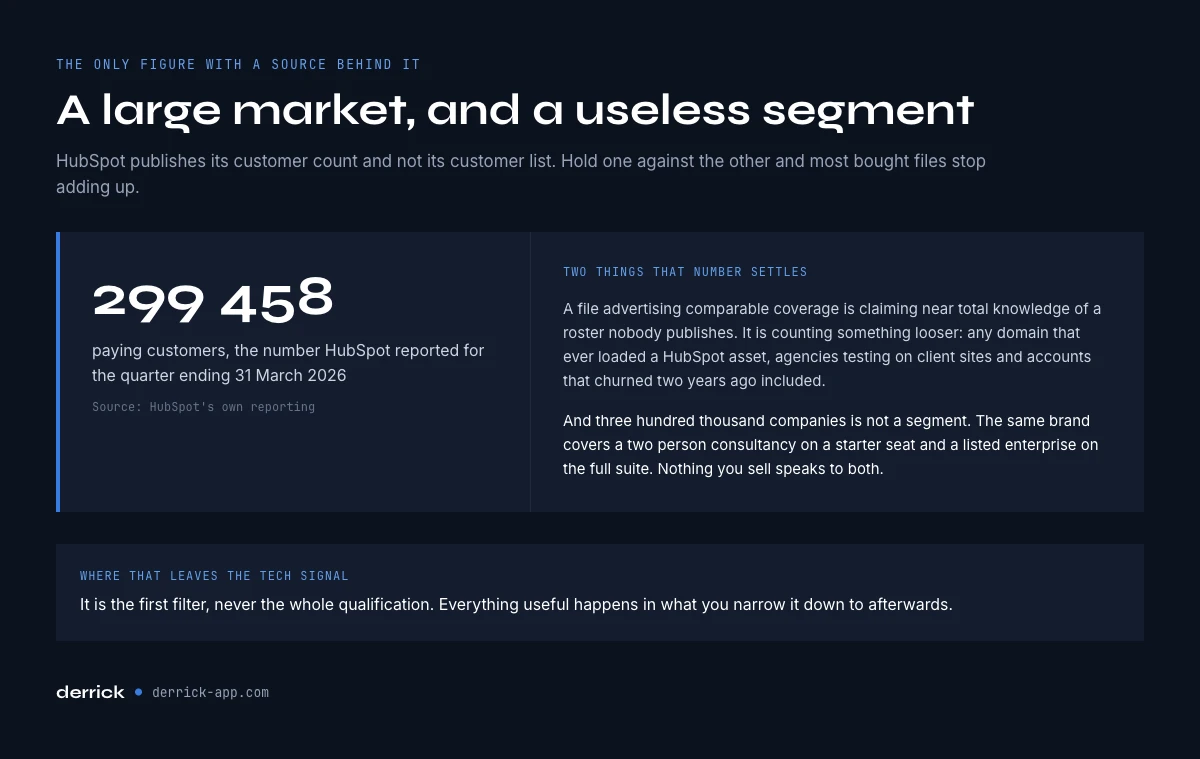
299,458 paying customers is the number HubSpot itself reported for the quarter ending 31 March 2026, up roughly sixteen percent year on year. Hold that figure next to the customer counts advertised by list vendors and the arithmetic stops working. A file claiming a couple of hundred thousand HubSpot using companies is either claiming near total coverage of a private roster, which nobody has, or it is counting something looser, such as any domain that has ever loaded a HubSpot asset, including agencies testing on client sites and companies that churned two years ago.
The number matters for a second reason. Three hundred thousand is a large market and a useless segment. HubSpot's customer base runs from a two person consultancy on a starter seat to a listed enterprise on the full suite. Nothing you sell is relevant to both. The tech signal is the first filter, never the whole qualification, and the sections below are about turning it into something narrower.
HubSpot's own homepage rounds the figure up: "306,000+ customers" on hubspot.com when we checked on 23 October 2026. The two numbers do not contradict each other. The quarterly report counts paying customers at a fixed date, the homepage shows a running headline. Either way the order of magnitude is three hundred thousand companies, and nobody outside HubSpot holds the full roster.
How to find companies using HubSpot in one search
For a long time, building a list of companies that use HubSpot meant starting from domains you already had and checking them one by one. There is now a shorter path that starts from the technology instead. Find companies by tech stack takes HubSpot as the technology, a country if you want one, and returns the websites that run it, one company per row, with the site type, the platform and the HubSpot layers it saw.
There are only a few settings. You pick one or more technologies, or a site type (e-commerce, SaaS, media, other), and one of the two is enough. Country and site size only narrow the result. Reliable mode keeps sites whose homepage was checked live with a type score of 0.8 or more. Broad returns more rows and a few mistakes. Billing is 1 credit per company returned, so a 50 company list costs 50 credits, and the search runs on paid plans, starting with Standard at 20 euros a month for 10,000 credits.
That gives you two paths, and they answer different questions. The list path answers "which companies run HubSpot in this market". The site path, Website Technologies at 2 credits per website, answers "does this company run HubSpot, and which parts" for domains you already hold. Most teams end up using both: the search to build the list, the detection to re-check a row before a campaign or to qualify an account that came in some other way.
The search runs in the web app, in the Google Sheets sidebar, in Claude or ChatGPT over MCP, and through the REST API. API and MCP access start on the Plus plan at 47.50 euros a month. The demo further down runs the HubSpot search on each surface, with the first real rows of the US list.
Where "who uses HubSpot" lists actually come from
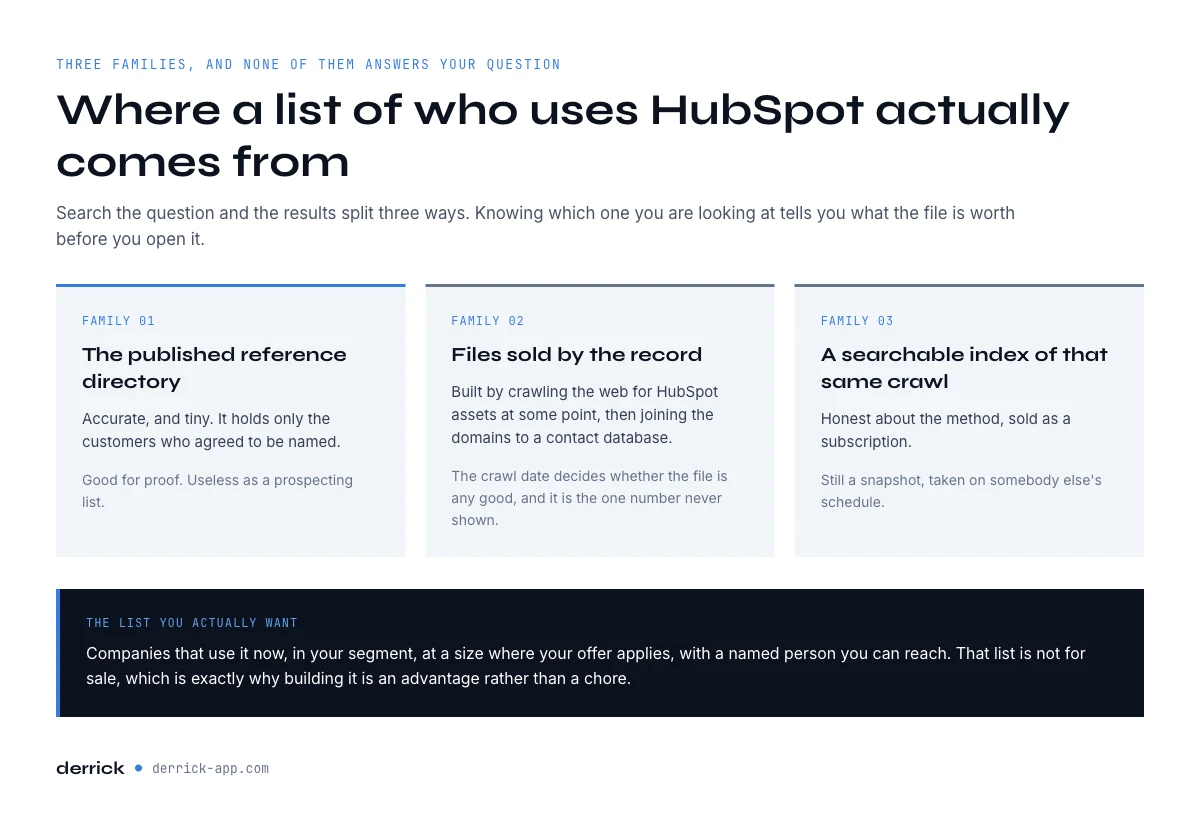
Search the question and the results split into three families, and it is worth knowing which one you are looking at.
The first is HubSpot's own case study directory. It is accurate and it is tiny, because it contains only customers who agreed to be a reference. Useful for proof, useless as a prospecting list.
The second is vendor files sold per record, advertising counts in the hundreds of thousands. These are built by crawling the web for HubSpot assets at some point in the past, then joining the domains to a contact database. The crawl date is the number that decides whether the file is any good, and it is the one number never shown.
The third is technographic platforms that expose the same crawl as a searchable index. Honest about the method, priced as a subscription, and still a snapshot taken on somebody else's schedule.
All three answer a slightly different question than the one you asked. You do not want every company that has ever touched HubSpot. You want the ones that use it now, in your segment, at a size where your offer applies, with a named person you can reach. That list does not exist to be bought, which is the good news: it is the reason building it is a real advantage rather than a chore. And with a technology search, building it takes one query.
HubSpot customers list: companies using HubSpot by site type and country
Here is what one search returned on 24 October 2026: technology HubSpot, Reliable mode, country United States, 50 results, 50 credits. It is a HubSpot customers list built from public website evidence, not a copy of HubSpot's roster. It shows domains rather than company names, because the search returns the website. Names, industry and headcount come in a second step: Enrich Companies adds them at 1 credit per company with your LinkedIn account connected, so about 100 credits for these 50 companies named and classified. The full file is free to download further down, without emails or phone numbers.
What the 50 rows say
- 6 of the 50 (12%) run their whole website on HubSpot CMS Hub.
- 36 of the 50 (72%) load HubSpot Analytics, and 9 (18%) also run HubSpot Chat.
- 14 of the 50 (28%) show only the HubSpot tracking script or forms, with no other HubSpot layer. That is the thinnest evidence in the file, so re-check those rows first.
- 21 sites run on WordPress, then WooCommerce (5), Shopify (3), Next.js (2) and Webflow (2). 9 sites use the HubSpot WordPress plugin.
- By site type, the search classed 26 as SaaS, 15 as e-commerce, 2 as media and 3 as other, and left 4 unclassified.
The CMS Hub share is the useful surprise. Only 6 in 50 companies using HubSpot keep their website inside it. The other 44 run their site on something else and use HubSpot for analytics, forms or chat. If you sell website or migration work, you want the 6. If you sell anything around data flowing into the CRM, the 36 analytics rows are your market.
Read the site type column with care. It is the search's own reading of the homepage, and it is broad: medicaiddirectors.org, an association, and rayburnrealty.com, a real estate agency, both come out as SaaS. Use it to sort, then confirm the industry with company enrichment before you segment on it.
| Domain | Site type | Platform | HubSpot layers detected |
|---|---|---|---|
| qcu.org | Other | WordPress | Tracking + Analytics |
| prosupps.com | E-commerce | Shopify | Tracking or forms only |
| medicaiddirectors.org | SaaS | WordPress | Tracking + Analytics, WordPress plugin |
| verifywise.ai | SaaS | Next.js | Tracking or forms only |
| onmogul.com | SaaS | Ruby on Rails | Tracking or forms only |
| feedmysheeptodayarmy.org | SaaS | WordPress | Tracking + Analytics, Chat |
| skyterraya.com | SaaS | WordPress | Tracking + Analytics, Chat, WordPress plugin |
| syntegon.com | Other | HubSpot CMS Hub | Tracking + CMS Hub, Analytics |
| pivotal.aero | E-commerce | Next.js | Tracking + Analytics, Chat, Cookie banner |
| edgesgroup.com | E-commerce | Java (custom) | Tracking or forms only |
| zukulearning.com | E-commerce | WooCommerce | Tracking + Analytics |
| deliverysolutions.co | SaaS | HubSpot CMS Hub | Tracking + CMS Hub, Analytics, Cookie banner |
| rayburnrealty.com | SaaS | WordPress | Tracking or forms only |
| outwater.com | E-commerce | NetSuite | Tracking + Analytics, Chat |
| unisourceroofing.com | SaaS | React | Tracking + Analytics |
| patientpartner.com | SaaS | Webflow | Tracking or forms only |
| inteccontrols.com | SaaS | WordPress | Tracking + Analytics |
| splinteredforesttreeservices.com | Not classified | WordPress | Tracking or forms only |
| cee-bee.com | E-commerce | WooCommerce | Tracking + Analytics |
| moonpalacecancun.com | Media | Nuxt.js | Tracking + Analytics, Chat |
| careplusdentalplans.com | SaaS | HubSpot CMS Hub | Tracking + CMS Hub, Analytics |
| interquestcolorado.com | SaaS | WordPress | Tracking + Analytics, WordPress plugin |
| storylines.com | SaaS | HubSpot CMS Hub | Tracking + CMS Hub, Analytics |
| mknorthamerica.com | SaaS | ASP.NET | Tracking + Analytics |
| vintageking.com | E-commerce | Magento | Tracking + Analytics |
| lymangolf.com | SaaS | WordPress | Tracking or forms only |
| sandersonllc.com | Not classified | WordPress | Tracking + Analytics |
| tai-software.com | SaaS | WordPress | Tracking + Analytics, Chat, WordPress plugin |
| bodyarmor4x4.com | E-commerce | Shopify | Tracking + Analytics |
| wrightssupply.com | E-commerce | WooCommerce | Tracking or forms only |
| herzogfoundation.com | SaaS | WordPress | Tracking + Analytics, WordPress plugin, Cookie banner |
| etherio.com | SaaS | WordPress | Tracking or forms only |
| k2sci.com | E-commerce | Shopify | Tracking + Analytics |
| myoptimalbody.com | Media | WordPress | Tracking + Analytics |
| shields.com | Not classified | HubSpot CMS Hub | Tracking + CMS Hub, Analytics |
| techlinkservices.com | E-commerce | WooCommerce | Tracking + Analytics, WordPress plugin |
| edelkoort.us | E-commerce | Squarespace | Tracking or forms only |
| indydentalassistantschool.com | SaaS | Custom (Bootstrap) | Tracking + Analytics, Chat |
| flaglercu.org | Not classified | WordPress | Tracking or forms only |
| siptrunk.com | SaaS | WordPress | Tracking + Analytics, Chat |
| possip.com | Other | WordPress | Tracking + Analytics, Chat, WordPress plugin |
| accredited-safety.com | SaaS | WordPress | Tracking + Analytics |
| nimbledistro.com | E-commerce | Wix | Tracking or forms only |
| west-mark.com | E-commerce | WooCommerce | Tracking + Analytics, WordPress plugin |
| dm-apply.com | SaaS | Webflow | Tracking + Analytics |
| exitfive.com | E-commerce | HubSpot CMS Hub | Tracking + CMS Hub, Analytics, WordPress plugin |
| interexchange.org | SaaS | WordPress | Tracking or forms only |
| williamsschool.org | SaaS | WordPress | Tracking + Analytics |
| vaxcel.com | SaaS | WordPress | Tracking + Analytics |
| thebeacham.com | SaaS | Duda | Tracking + Analytics |
Need the same list for another country, a site type or a size band? Change one setting and run it again, still at 1 credit per company returned. For the reverse question, checking a domain you already hold, the detection section below covers it. And if you store technographic data on company records in general, that guide covers which tech signals are worth keeping.
Detect the stack yourself: what a website actually reveals
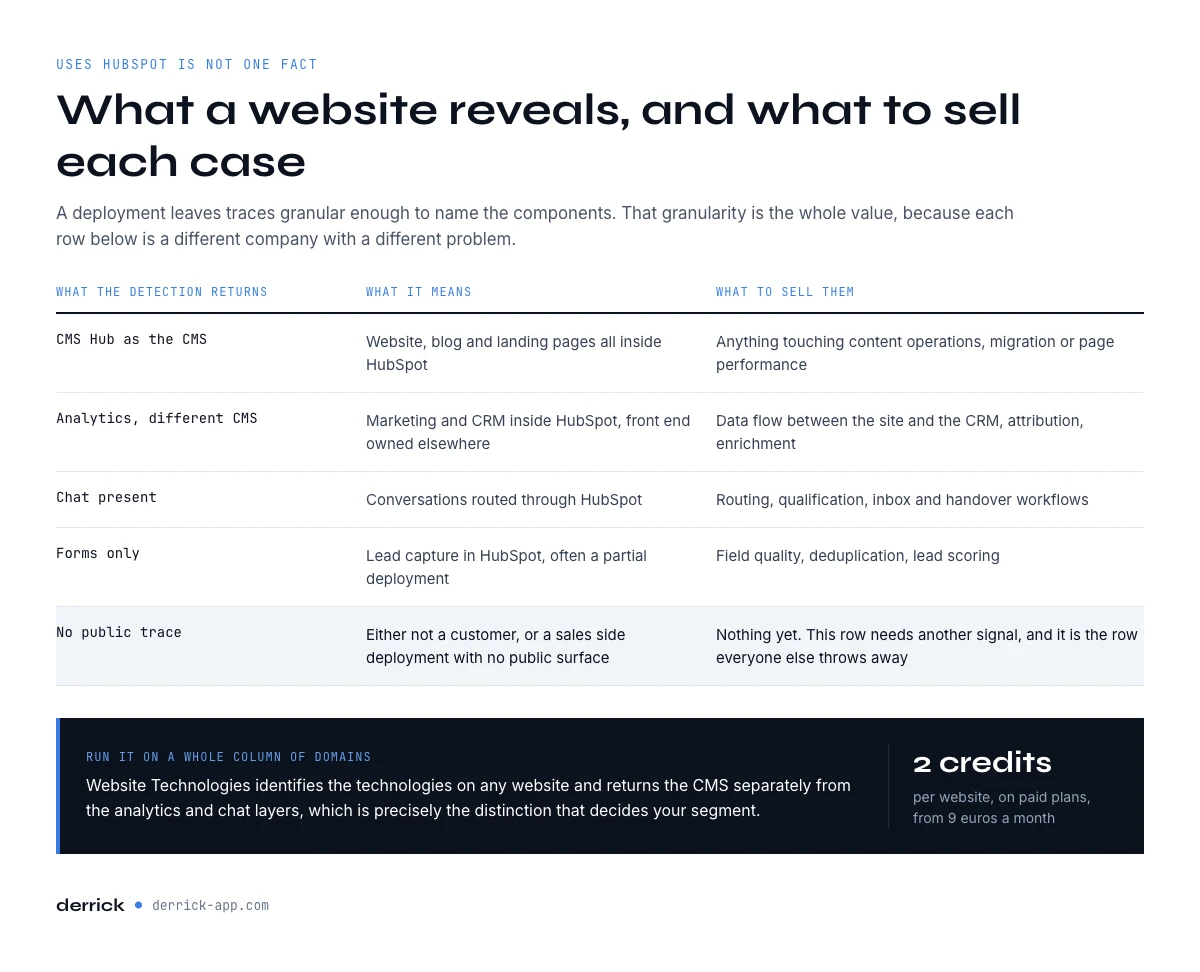
A HubSpot deployment leaves traces in the page that a detector can read without any privileged access. The useful part is that the traces are granular enough to tell you which parts of HubSpot are in use.
Two real measurements taken on 6 September 2026 make the point better than a description. The first site returns HubSpot CMS Hub as its content management system, alongside HubSpot Analytics, HubSpot Chat and the core HubSpot library. The whole web presence lives inside HubSpot. The second site returns Next.js on Vercel with React underneath, and HubSpot Analytics, HubSpot Chat and the core library on top. This company keeps its own front end and uses HubSpot for the marketing and conversation layer.
| What the detector returns | What it means | What to sell them |
|---|---|---|
| HubSpot CMS Hub as the CMS | Website, blog and landing pages all inside HubSpot | Anything touching content operations, migration, or page performance |
| HubSpot Analytics with a different CMS | Marketing and CRM inside HubSpot, front end owned elsewhere | Data flow between the site and the CRM, attribution, enrichment |
| HubSpot Chat present | Conversations routed through HubSpot | Routing, qualification, inbox and handover workflows |
| HubSpot forms only | Lead capture in HubSpot, often a partial deployment | Field quality, deduplication, lead scoring |
| No public HubSpot trace | Either not a customer, or Sales Hub only with no public surface | Nothing yet, this row needs another signal |
Read that last row carefully, because it is the honest limit of the method and the next section is about it.
What the tech signal tells you about who uses HubSpot, and what it misses
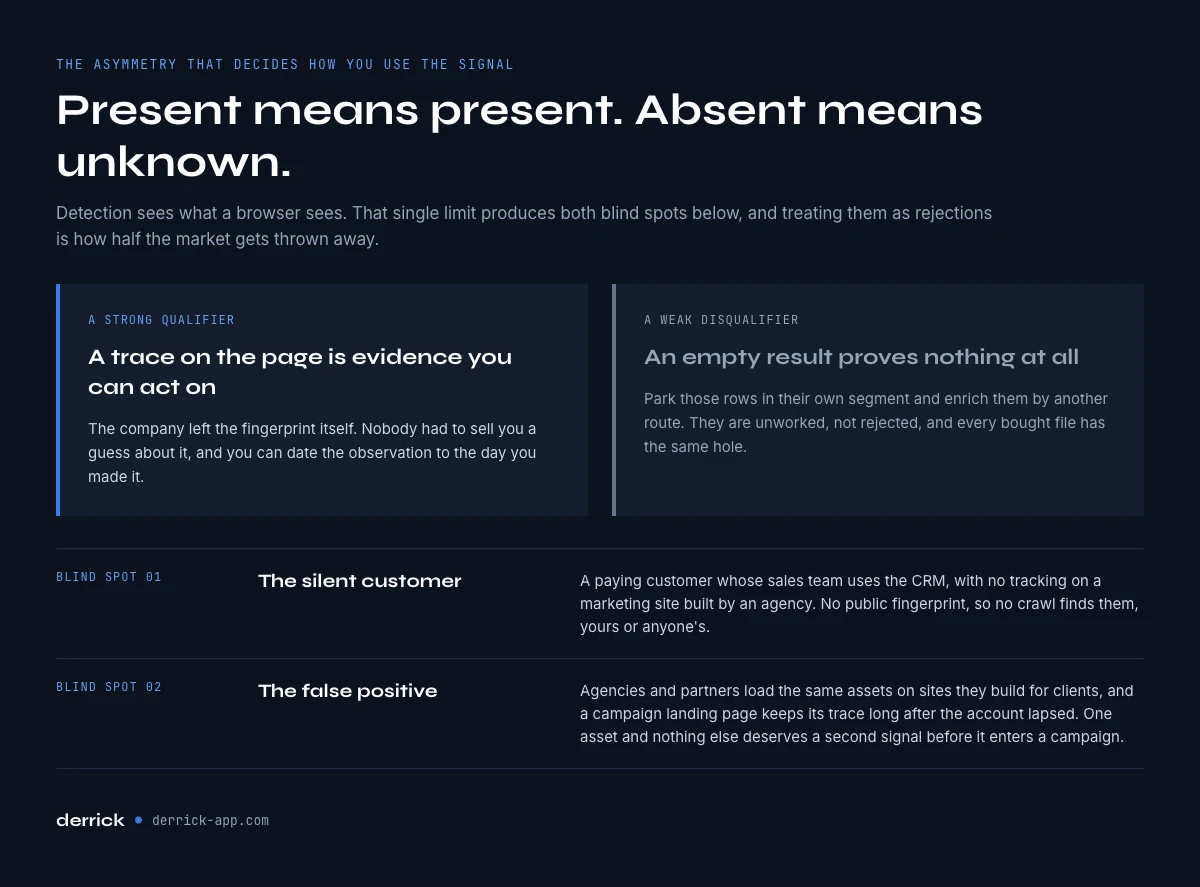
Front end detection sees what a browser sees. That produces two blind spots you should plan around rather than pretend away.
The first is the silent customer. A company running Sales Hub for its reps, with no HubSpot tracking on a marketing site built by an agency, is a paying customer with no public fingerprint. You will never find them this way, and no vendor file finds them either, because vendor files are built from the same crawl.
The second is the false positive. Marketing agencies and HubSpot partners load HubSpot assets on sites they build for clients, and a landing page spun up for one campaign can leave a trace long after the account lapsed. A domain that shows a single HubSpot asset and nothing else deserves a second signal before it enters a campaign.
The practical rule is that a stack detection is a strong qualifier and a weak disqualifier. Present means present. Absent means unknown. Treat the absent rows as a separate segment to enrich by another route rather than as rejections, and you keep the half of the market everyone else throws away.
From "who uses HubSpot" to a segment worth selling to
A domain with a confirmed stack is not yet a prospect. Three joins turn it into one, and each is a column you can run over the whole list.
Company shape. Headcount, industry and country decide whether your offer applies at all. Enrich Companies pulls the available company information at 1 credit per company and runs on the free plan. It needs your LinkedIn account connected through the Chrome extension. If your best current customers already use HubSpot, Find Similar Companies turns one of them into a whole matched list at 1 credit per company, which is often a faster route to the segment than detection alone.
The named person. The stack tells you the company uses HubSpot. It does not tell you who administers it. Find a company's people lists current and former staff at 1 credit per person and filters by job function, so you keep the revenue operations or marketing operations owner rather than everyone on the payroll.
The reachable address. Email Finder costs 5 credits per email and bills only per result found, and Email Verification confirms the mailbox at 1 credit before you send.
If you prospect from HubSpot yourself, our guide to the HubSpot prospecting agent covers what data it needs before it starts writing to these accounts.
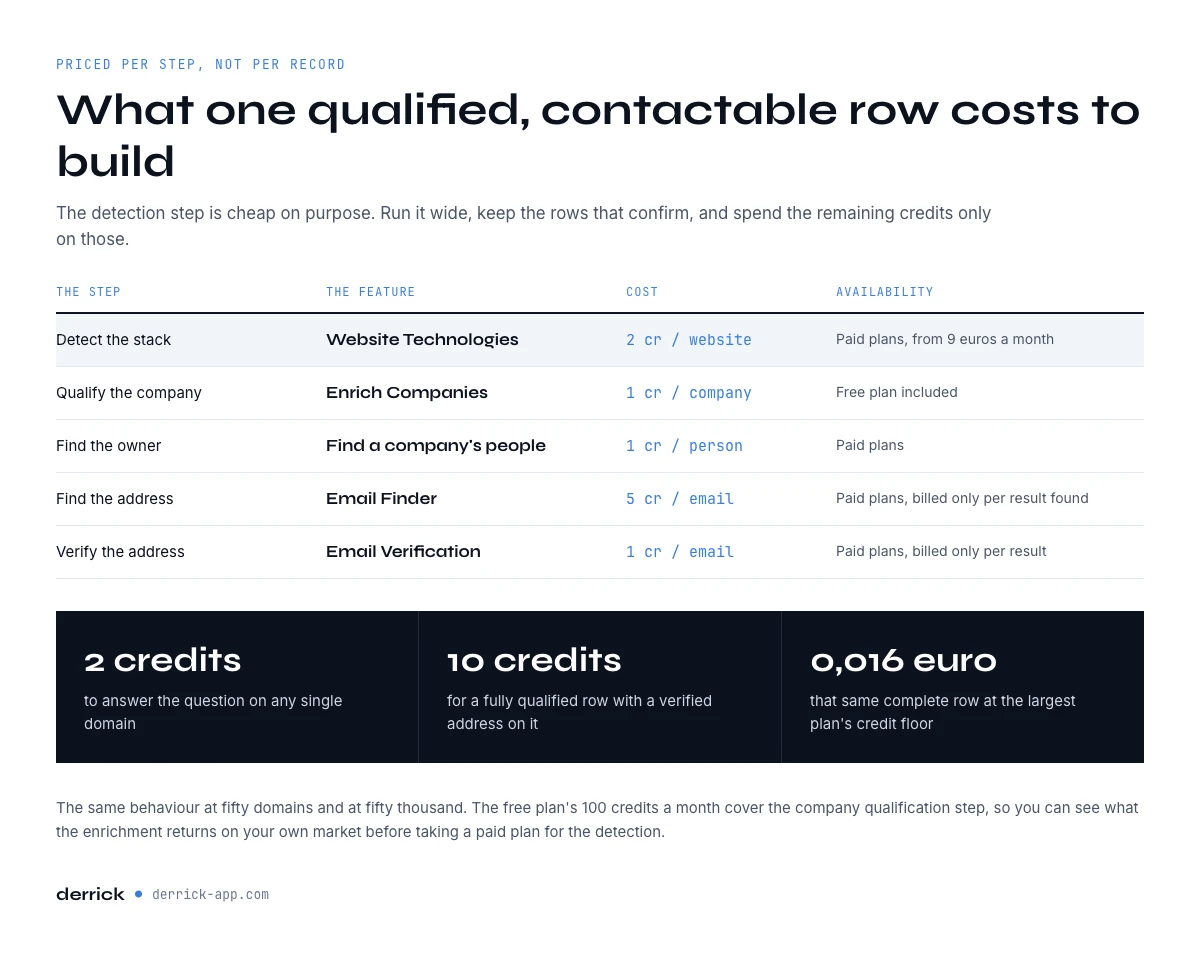
What a HubSpot user list costs to build
Bought technographic files are priced per record or as a subscription, and quoted rather than listed. Built rows price per step, and you only pay for the steps that resolve.
| Step | Feature | Cost | Billed |
|---|---|---|---|
| List the companies | Find companies by tech stack | 1 credit / company | Per company returned |
| Detect the stack | Website Technologies | 2 credits / website | Per row requested |
| Qualify the company | Enrich Companies | 1 credit / company | Per row, free plan included |
| Find the owner | Find a company's people | 1 credit / person | Per person |
| Find the address | Email Finder | 5 credits / email | Per result found |
| Verify the address | Email Verification | 1 credit / email | Per result |
That is 2 credits to answer the question on any domain, and roughly 10 credits for a fully qualified and contactable row. The detection step is the cheap one on purpose: you run it across a wide list, keep the confirmed rows, and only spend the remaining eight credits on those. Detection itself sits on a paid plan. Paid plans start at 20 euros a month, and at the largest plan the credit floor of 0.0016 euros puts a complete qualified row near 1.6 cents. Derrick behaves the same at fifty domains and at fifty thousand.
Starting from the list rather than from domains changes the math. The search returns companies already matched on HubSpot, at 1 credit per company, so the detection step becomes optional: you keep it for re-checks and for accounts that arrive from elsewhere. Our 50 row US sample cost 50 credits. Naming and classifying the same 50 with company enrichment, LinkedIn account connected, brings the total to about 100.
Why "who uses HubSpot" lists go stale so fast
Stack data decays faster than firmographic data, and for a reason worth understanding rather than just budgeting around. Company name, country and industry change rarely. A marketing stack changes whenever a new head of marketing arrives, which in practice is every couple of years in a growing company.
Three movements break a stack list. A migration onto HubSpot creates a prospect your file does not contain. A migration off it leaves a row that still looks valid until someone pitches a HubSpot integration to a company that left last quarter, which is the most expensive way to open a conversation. And a partial rollout, where marketing adopts HubSpot while sales stays elsewhere, makes both the present and absent labels half true at once.
The answer is the same as for any decaying list. Keep the definition, not the file. A stored query, re-run on a date you choose, beats a purchased snapshot every time. And when a migration is the thing you actually sell against, Signal tracks leads and accounts for job changes, funding, hiring sprees and tech stack moves, and starts at 20 euros a month, so the move reaches you when it happens rather than at your next refresh.
Running the detection in one sheet
Start with the list, then add columns. One Find companies by tech stack search with HubSpot as the technology fills column A with companies that use HubSpot, along with the site type and the HubSpot layers. The rest of the sheet stays the same, except that the detection column becomes a re-check instead of the first step.
The whole thing is one spreadsheet with a domain in column A and a date stamp in the last column. Domain, detected CMS, HubSpot components found, detection date, headcount, industry, named owner, job function, found address, verification status. Each column is re-runnable on its own, which is what makes the list a living definition rather than a file.
The same steps run from four surfaces and the right one depends on where the answer needs to land. The web app and the spreadsheet sidebar suit a list a human will read and correct. The REST API suits a check that has to run whenever a new account enters the CRM, which is the natural place for stack detection to live. And an MCP connection suits asking an AI assistant whether a given account runs HubSpot, and getting the answer inside the conversation instead of a tab. Match the surface to the workflow.
One habit is worth more than the tooling: write the detection date into every row. Without it you cannot tell a confirmed customer from a company that left, and six months later the whole file becomes untrustworthy at once. Our CRM data quality report covers what undated fields do to a database over time.
Five mistakes when targeting HubSpot users
- Treating "uses HubSpot" as one fact. CMS Hub, analytics only and chat only are different companies with different problems. Segment on the components, not the brand.
- Reading absence as rejection. Sales Hub leaves no public trace. The undetected rows are an unworked segment, not a disqualified one.
- Buying on record count. HubSpot had 299,458 paying customers in March 2026. Any file claiming comparable coverage of a roster HubSpot does not publish is measuring something else.
- Skipping the second signal on thin detections. One HubSpot asset and nothing else is often an agency artefact or a dead campaign page.
- Storing the file instead of the query. Stacks change with every new marketing lead. A dated, re-runnable definition survives that. A CSV does not.
Key takeaways
- HubSpot reported 299,458 paying customers as of 31 March 2026 and does not publish the roster. No complete public list exists, but one search builds a dated, filterable one.
- One Find companies by tech stack search returned 50 US companies at 1 credit each: 6 on CMS Hub, 36 with HubSpot Analytics, 14 with the tracking script only.
- Detection reads the components separately: CMS Hub, analytics, chat and forms tell you which parts of HubSpot are in use.
- Two live measurements on 6 September 2026 showed one site fully on CMS Hub and another on Next.js with only the analytics and chat layers.
- Present is a strong qualifier, absent is unknown, because Sales Hub only customers leave no public trace.
- Detection costs 2 credits per domain, and a fully qualified contactable row lands near 10 credits.
- Stack data decays with every change of marketing leadership, so keep the query and the detection date, not the file.
Frequently asked questions
How many companies use HubSpot?
Is there a public HubSpot customers list?
How can you tell if a company uses HubSpot?
Does using HubSpot always show up on a website?
What is the difference between HubSpot CMS Hub and HubSpot analytics on a site?
Why do lists of HubSpot users go out of date so quickly?
What does it cost to build a list of companies using HubSpot?
Should you sell to a company the moment it adopts HubSpot?
Keep reading
Continue exploring this cluster


CRM Enrichment: How to Enrich Your HubSpot or Salesforce Data (Complete Guide)
Read →

HubSpot Data Enrichment: How to Automate It With Workflows
Read →

CRM Data Quality Report 2026: Decay, Cost & the Enrichment Gap
Read →

CRM Data Strategy: The 5-Layer Playbook (2026)
Read →